
Multimedia & graphics Windows
FlicFlac
Convert audio files between WAV, FLAC, MP3, OGG and APE with FlicFlac, a portable Windows utility that also accepts M4A and AAC input.
- Operating system
- Windows; publisher classifies this as a legacy Windows utility
- Architecture
- Not specified on the publisher product page
- Download package
- ZIP archive containing a portable utility
Exact CPU architecture and current Windows 10/11 compatibility are not established by the cited publisher page. No software was installed or run.
Link checked · Download guidance
What is FlicFlac?
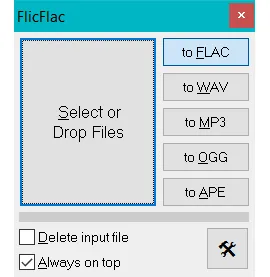
FlicFlac is a small audio converter for Windows. Choose an output format and drop files into its window, or use its Windows Explorer right-click integration. It handles conversions among WAV, FLAC, MP3, OGG and APE, and can change the bitrate of MP3 files. M4A and AAC files can be converted to the supported output formats too.
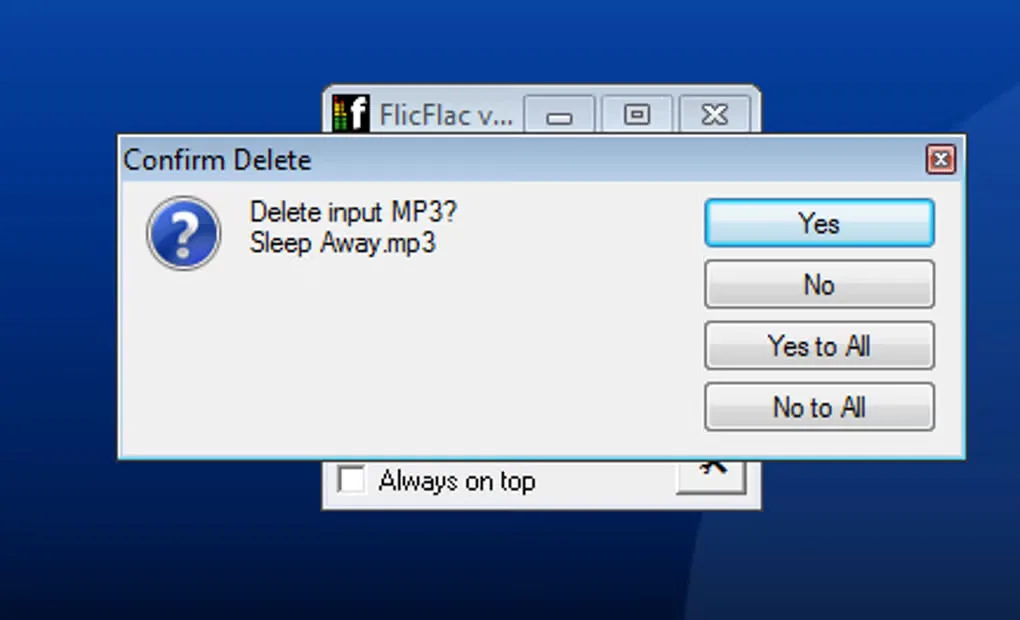
Format support is directional: M4A and AAC are input-only, so FlicFlac is not an option for creating files in those two formats. Sector Seven distributes the portable utility as a ZIP archive and lists version 1.11, released October 28, 2022. The publisher places it among its legacy Windows tools; its product page does not establish compatibility with current Windows releases. The screenshots show the publisher's main conversion window and an older Softonic gallery view of an input-file deletion prompt, not a newly performed conversion.
What it offers
- Convert between WAV, FLAC, MP3, OGG and APE using the publisher's supported conversion pairs.
- Accept M4A and AAC files as inputs for conversion to WAV, FLAC, MP3, OGG or APE.
- Add files through the application window or convert from the Windows Explorer right-click menu.
- Change the bitrate of MP3 files through MP3-to-MP3 conversion.
Good to know
- M4A and AAC are input-only; they are not available as output formats.
- The publisher classifies FlicFlac as a legacy Windows tool and does not specify current Windows 10 or 11 compatibility on its product page.
Product images
Sources
References used for this listing. Retrieval dates do not indicate hands-on testing.
- FlicFlac Audio Converter - Sector Seven ↗Retrieved
- FlicFlac - Download ↗Retrieved
More in multimedia & graphics
View category ↗
1by1 2.17
Play music directly from folders with 1by1, a free Windows audio player with resume, gapless playback and file tools. Formats beyond MP3 need additional decoders.
3DVista Virtual Tour Pro
Build interactive 360° virtual tours from panoramas, videos and 3D models with 3DVista Virtual Tour Pro for Windows. Commercial software with a 30-day trial.

4DDiG Video Repair
Repair corrupted or unplayable videos in batches with the Video Repair tool in 4DDiG File Repair for Windows. A free trial is available; advanced features require a paid license.