
Multimedia & graphics Windows
Focusky
Build zooming presentations and animated videos with Focusky for Windows. Arrange text, images and video on a canvas; the free plan adds a watermark and limits publishing options.
- Operating system
- Windows 10, 8, 7, Vista and XP, as listed by the publisher
- Architecture
- 64-bit Windows
- Download package
- ZIP setup package
Publisher offers separate 32-bit and 64-bit links. This entry selects 64-bit; Windows 11 is not explicitly listed. No installation or runtime compatibility test performed.
Link checked · Download guidance
What is Focusky?
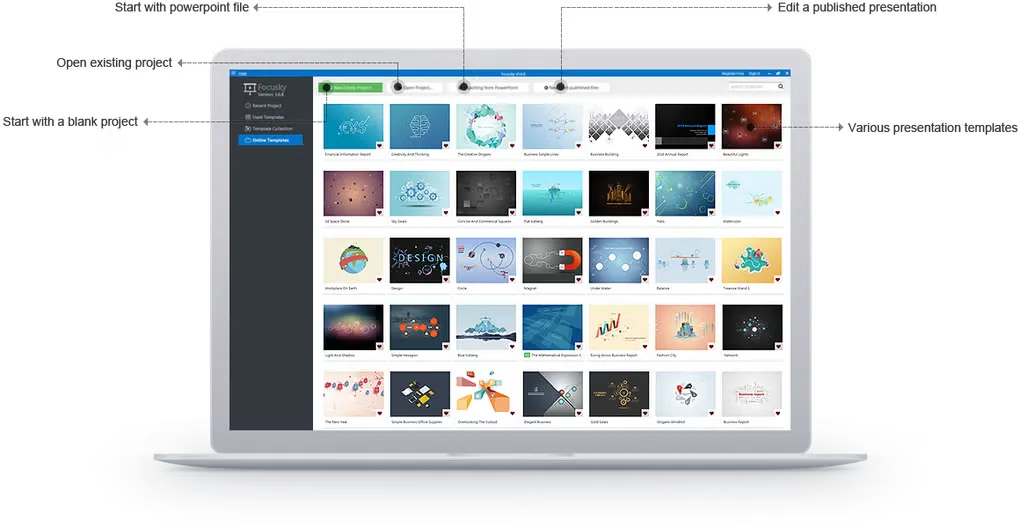
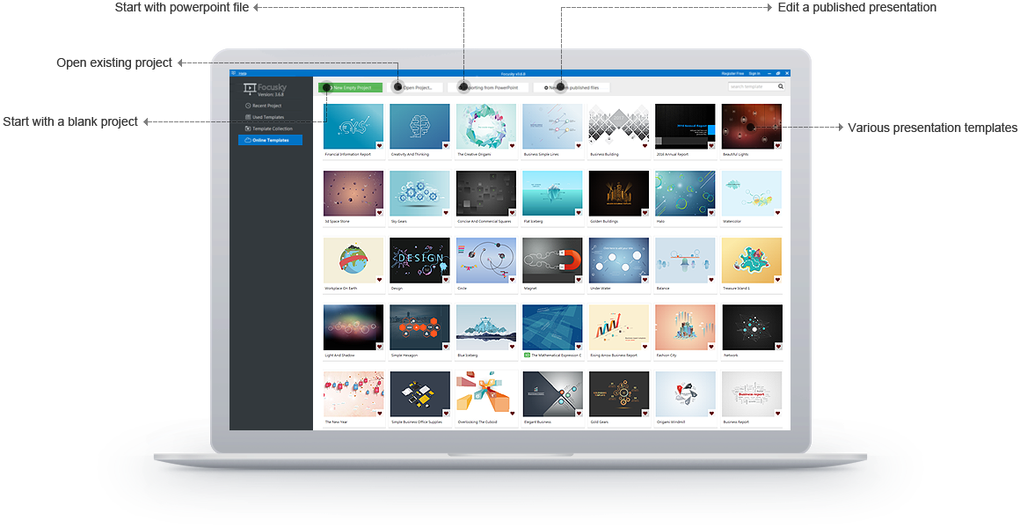
Focusky creates presentations on a canvas rather than relying only on a sequence of separate slides. Zoom, pan and rotate between parts of a project to guide viewers through a lesson, business report or visual explanation. Templates offer a starting layout, while text, images, audio and video can be arranged alongside animated objects.
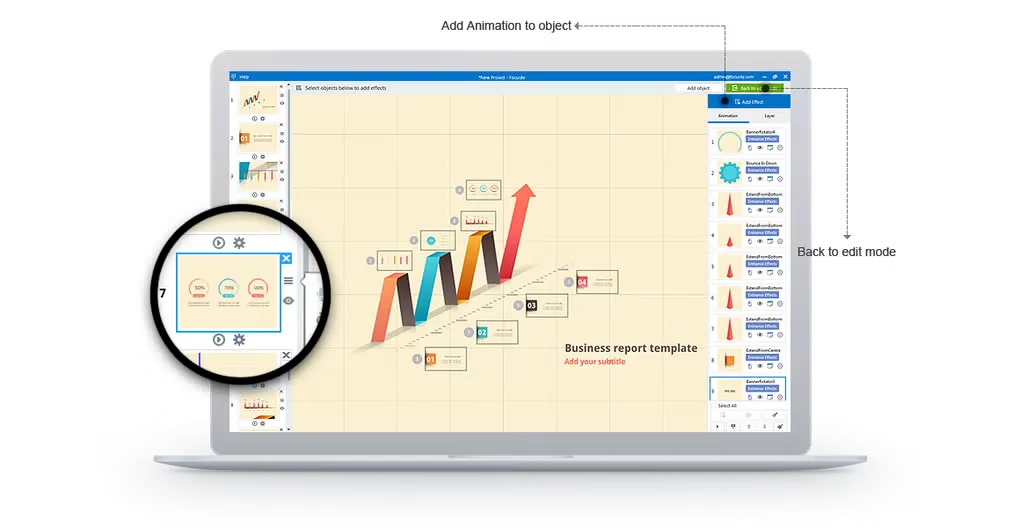
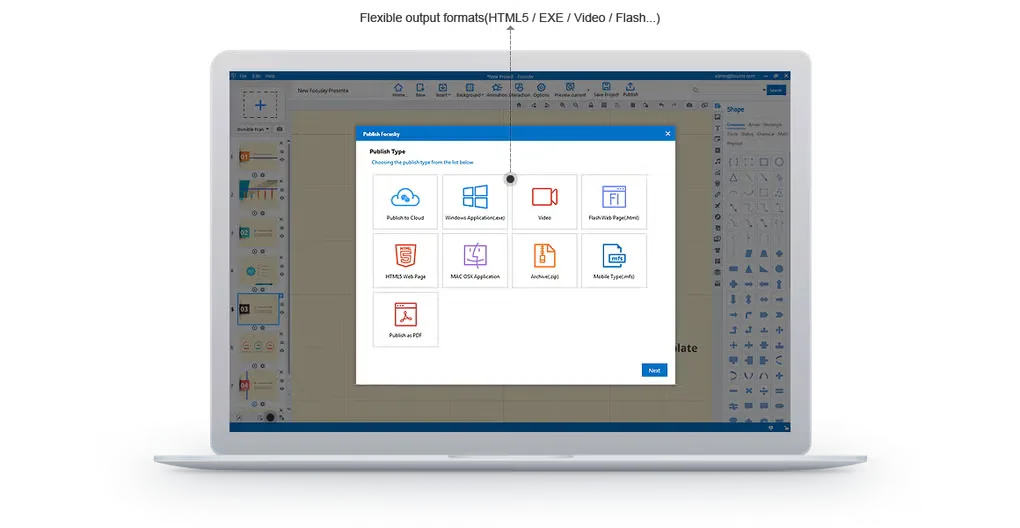
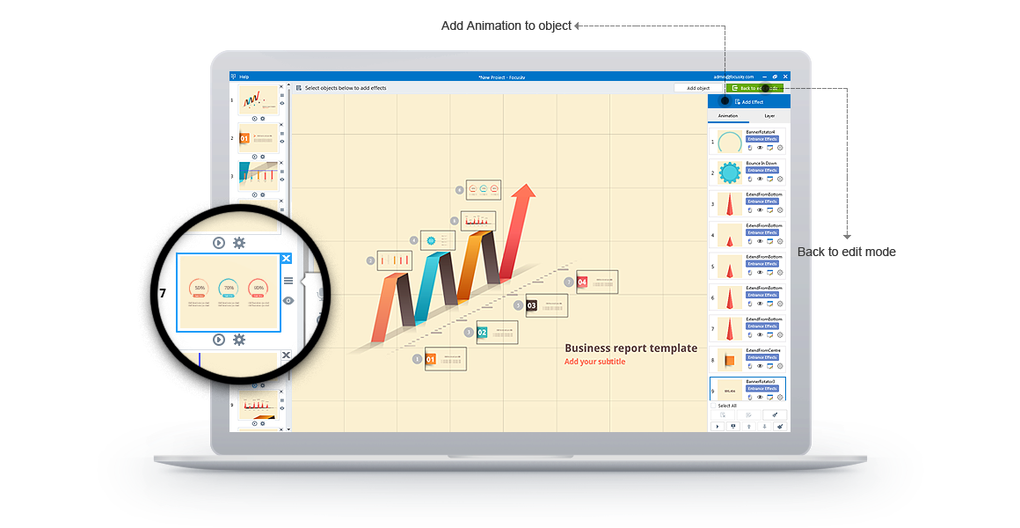
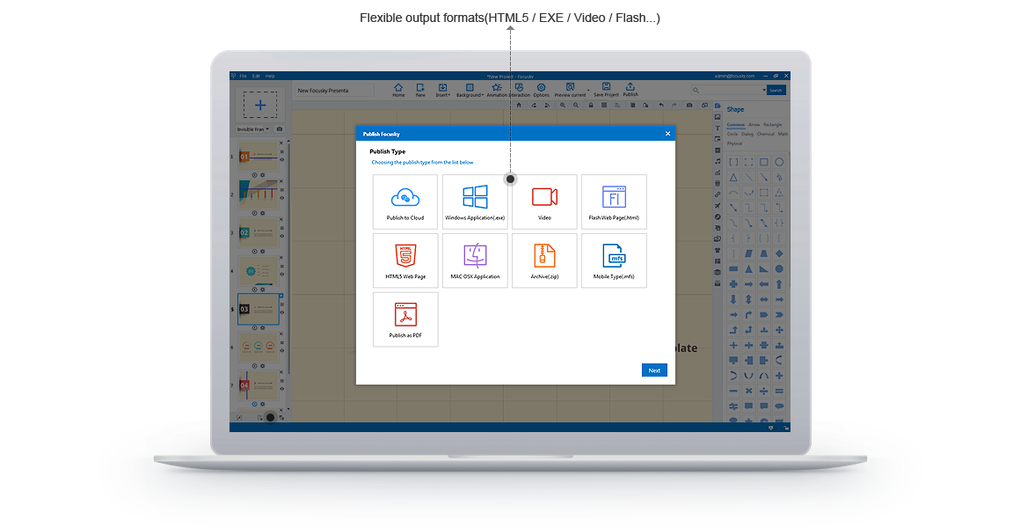
The Windows editor includes object animation and a presentation path, with an interaction designer for adding interactive elements. The publisher also lists HTML and video output, but publishing capabilities depend on the plan. The free edition embeds a Focusky watermark; HD video export and publishing to your own server require a paid plan. Check those restrictions before choosing a format for delivery.
This entry links to the publisher’s 64-bit Windows download, whose HEAD-only redirect identifies a version 4.0.2 ZIP setup package. The publisher lists Windows 10 and several older Windows versions; Windows 11 support was not explicitly documented on the inspected page. The package was not downloaded, installed or tested.
What it offers
- Arrange presentation content on a canvas with zoom, pan and rotation transitions.
- Start from presentation templates and add text, images, audio, video and shapes.
- Animate objects using entrance, exit, emphasis and action-path effects.
- Use the interaction designer to add interactive presentation elements.
- Publish presentations through cloud, HTML or video workflows, subject to plan restrictions.
Good to know
- The free plan embeds a Focusky watermark on published presentations and restricts publishing features.
- HD video export and publishing presentations to your own server require a paid plan.
- Windows 11 compatibility was not explicitly listed on the inspected publisher page; the selected package was not run.
Product images
Sources
References used for this listing. Retrieval dates do not indicate hands-on testing.
More in multimedia & graphics
View category ↗
1by1 2.17
Play music directly from folders with 1by1, a free Windows audio player with resume, gapless playback and file tools. Formats beyond MP3 need additional decoders.
3DVista Virtual Tour Pro
Build interactive 360° virtual tours from panoramas, videos and 3D models with 3DVista Virtual Tour Pro for Windows. Commercial software with a 30-day trial.

4DDiG Video Repair
Repair corrupted or unplayable videos in batches with the Video Repair tool in 4DDiG File Repair for Windows. A free trial is available; advanced features require a paid license.