
Multimedia & graphics Windows
FontCreator for Windows
Design and edit TrueType, OpenType and variable fonts with FontCreator for 64-bit Windows. A full-featured 30-day trial is available before buying a license.
- Operating system
- Windows 7, 8, 10 and 11 (64-bit)
- Architecture
- 64-bit; specific CPU architecture not identified on the download page
- Download package
- EXE installer
Publisher requirements; not independently installed or tested. The full-featured trial lasts 30 days.
Link checked · Download guidance
What is FontCreator?
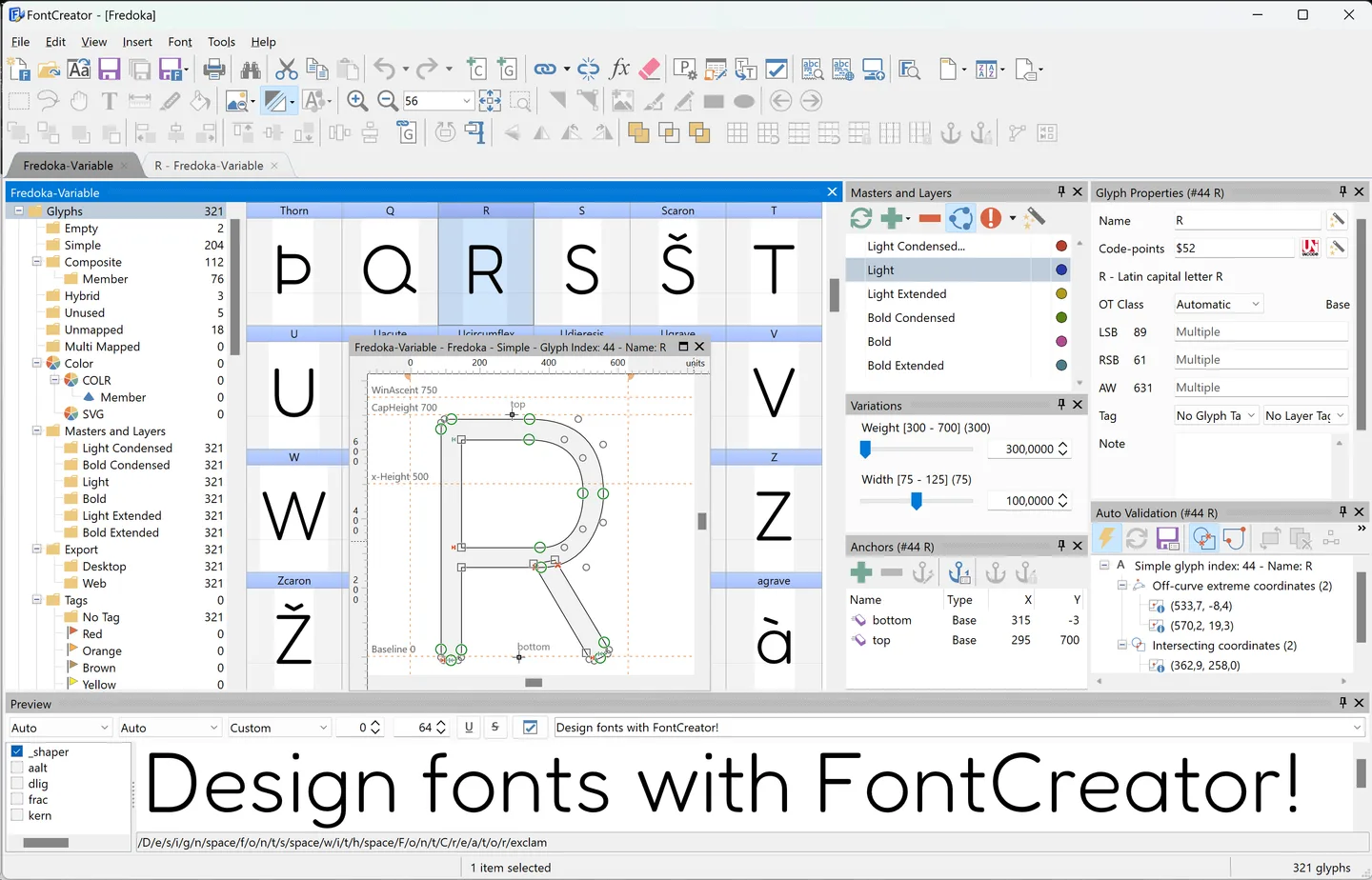
FontCreator is a font editor for drawing new typefaces and modifying existing fonts. Its glyph overview, outline editor and preview tools let you work on letter shapes, spacing and OpenType layout in one application. It supports desktop fonts, WOFF and WOFF2 web fonts, variable fonts and scalable color fonts.
You can import raster or vector artwork to create glyph outlines, edit quadratic or cubic curves, and exchange projects using .glyphs, UFO or designspace formats. The visual OpenType Designer handles substitutions and positioning, while existing OpenType layout data can be preserved when changing a font.
The Windows edition requires a 64-bit system. The trial includes all features for 30 days, but continued use requires a paid license. Essentials and Professional are separate editions: autokerning, interactive proofing and variable fonts with two or more axes require Professional.
What it offers
- Create or modify TrueType, OpenType, WOFF and WOFF2 fonts.
- Draw glyph outlines with quadratic or cubic curves and import raster or vector artwork.
- Edit OpenType substitutions, positioning and manual kerning through visual tools.
- Work with variable fonts and COLR/SVG color fonts; variable designs with two or more axes require Professional.
- Exchange font projects using .glyphs, UFO and designspace formats.
Good to know
- The full-featured trial lasts 30 days; continued use requires a purchased license.
- Current Windows builds require a 64-bit system; 32-bit Windows is not supported.
- Autokerning, interactive proofing and variable fonts with two or more axes require the Professional edition.
Product images
Sources
References used for this listing. Retrieval dates do not indicate hands-on testing.
More in multimedia & graphics
View category ↗
1by1 2.17
Play music directly from folders with 1by1, a free Windows audio player with resume, gapless playback and file tools. Formats beyond MP3 need additional decoders.
3DVista Virtual Tour Pro
Build interactive 360° virtual tours from panoramas, videos and 3D models with 3DVista Virtual Tour Pro for Windows. Commercial software with a 30-day trial.

4DDiG Video Repair
Repair corrupted or unplayable videos in batches with the Video Repair tool in 4DDiG File Repair for Windows. A free trial is available; advanced features require a paid license.