

Multimedia & graphics Windows
Format Factory for Windows
Convert video, audio and pictures with Format Factory, a free Windows media toolkit that also trims clips, joins files and converts PDFs.
- Operating system
- Windows
- Architecture
- 64-bit
- Download package
- EXE installer
Publisher FAQ excludes 32-bit Windows from current releases. Minimum supported Windows version is not confirmed here.
Link checked · Download guidance
What is Format Factory?
Format Factory brings video, audio and image conversion into one Windows application. It suits preparing media in another format, trimming a clip before conversion or joining separate files. Its additional tools handle picture resizing and rotation, audio mixing, disc ripping, PDF conversion and screen recording.
The publisher lists version 5.22.0.0 for 64-bit Windows. A 32-bit PC needs an older release rather than this package. Conversion is also limited by what the decoder can read: the publisher identifies corrupted or unsupported inputs as causes of the “Fail to decode” error.
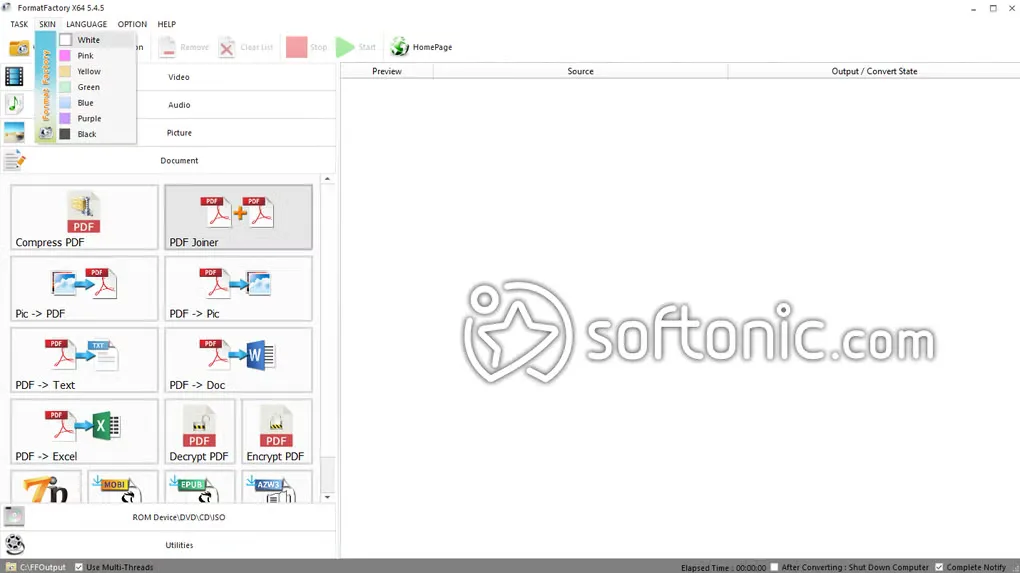
The linked EXE is hosted by Malavida, a mirror listed on the publisher website. Malavida reports bundled adware, so review installation offers rather than assuming the installer contains only the converter. No installation or security assessment was performed for this entry. The gallery image illustrates the older 5.4.5 interface, not the current release.
What it offers
- Convert video, audio and image files between supported formats, including WebP and HEIC picture support.
- Trim, join, split and crop video; join, split and mix audio.
- Resize, rotate or flip images during picture conversion.
- Rip music CDs to audio files and DVD or Blu-ray content to video files.
- Join PDFs, convert PDFs to text, documents, spreadsheets or images, and record the screen.
Good to know
- Current releases support 64-bit Windows only; the publisher directs 32-bit users to an older version.
- Corrupted files or unsupported input formats can cause a “Fail to decode” error.
- Malavida reports bundled adware in the installer; optional offers require attention. This entry does not independently assess installer contents.
Product images
Sources
References used for this listing. Retrieval dates do not indicate hands-on testing.
- Format Factory - Free media file format processing tools ↗Retrieved
- Format Factory — publisher FAQ ↗Retrieved
- Format Factory — publisher usage terms ↗Retrieved
- Format Factory — publisher update log ↗Retrieved
- Format Factory - Download ↗Retrieved
- Format Factory 5.22 - Download for PC Free ↗Retrieved
- Download Format Factory latest version in English ↗Retrieved
More in multimedia & graphics
View category ↗
1by1 2.17
Play music directly from folders with 1by1, a free Windows audio player with resume, gapless playback and file tools. Formats beyond MP3 need additional decoders.
3DVista Virtual Tour Pro
Build interactive 360° virtual tours from panoramas, videos and 3D models with 3DVista Virtual Tour Pro for Windows. Commercial software with a 30-day trial.

4DDiG Video Repair
Repair corrupted or unplayable videos in batches with the Video Repair tool in 4DDiG File Repair for Windows. A free trial is available; advanced features require a paid license.