

Multimedia & graphics macOS
FotoSketcher for macOS
Turn photos into sketches, watercolor paintings and vector illustrations with FotoSketcher Studio, a free offline photo-effects application for macOS.
- Operating system
- macOS; 10.14 or later on Intel Macs
- Architecture
- Intel or Apple CPU, as listed by the publisher
- Download package
- DMG disk image
The selected link is Studio 4.60 for macOS. Apple Silicon minimum OS version and internal binary architecture were not independently verified; the installer was not downloaded or run.
Link checked · Download guidance
What is FotoSketcher?
FotoSketcher Studio converts existing photos into artwork on your Mac. Choose a pencil, pen-and-ink, watercolor or oil-painting effect, adjust its settings and save the result at full resolution. Frames, captions and batch processing support preparing several pictures with a consistent look. The publisher says processing runs locally without an account or subscription.
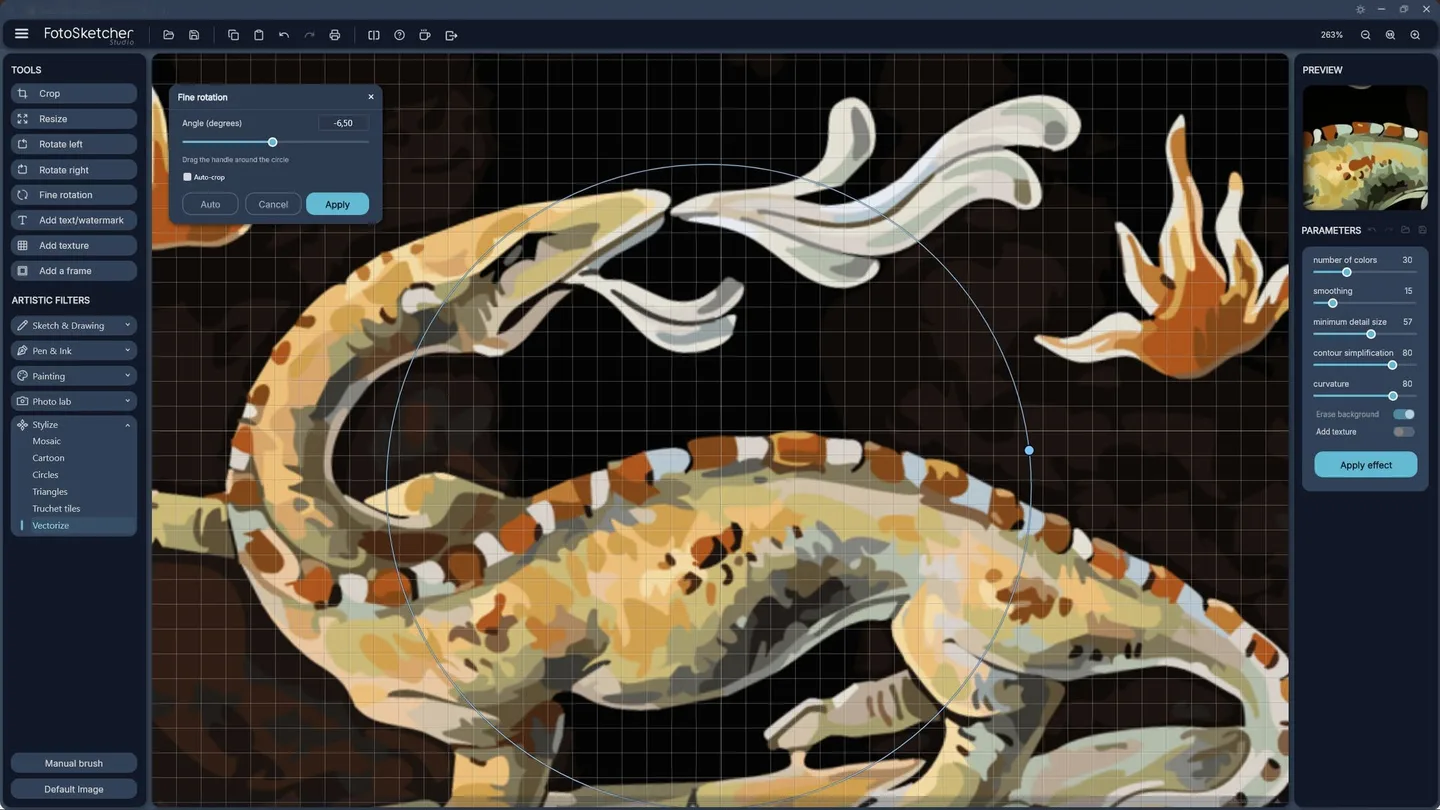
Studio 4.60 also includes Vectorize, which turns a photo into colored shapes and can save an editable SVG. Its controls adjust colors, smoothing, detail and outlines. Direct Photoshop brush-set import provides another way to vary supported painting effects.
This entry links to the publisher's Studio 4.60 DMG for Intel and Apple CPUs, not the older Windows-only Classic edition or the separate 4.70 release candidate. Intel Macs require macOS 10.14 or later. Some Photoshop .abr brush sets cannot be opened when their format version is unsupported. The publisher's screenshot illustrates the shared Studio workflow with Windows window controls; it is not a native macOS capture.
What it offers
- Apply adjustable sketch, pen-and-ink, watercolor and oil-painting effects to your own photos.
- Add frames and captions, save at full resolution and process batches of photos.
- Use the Vectorize effect to create colored shapes and export editable SVG files.
- Import supported Photoshop .abr brush sets directly in Studio 4.60.
- Process photos offline on your computer without an account or subscription, according to the publisher.
Good to know
- Studio 4.60 requires macOS 10.14 or later on Intel Macs; the release notes do not specify an Apple Silicon minimum macOS version.
- Some Photoshop .abr files cannot be opened because their format version is unsupported.
Product images
Sources
References used for this listing. Retrieval dates do not indicate hands-on testing.
- Download FotoSketcher — official Studio 4.60 packages ↗Retrieved
- FotoSketcher — official product features ↗Retrieved
- FotoSketcher Studio 4.60 is officially released — David, September 14, 2026 ↗Retrieved
- FotoSketcher legal info — copyright and freeware terms ↗Retrieved
- FotoSketcher Studio 4.70 Release Candidate is available — October 18, 2026 ↗Retrieved
More in multimedia & graphics
View category ↗
1by1 2.17
Play music directly from folders with 1by1, a free Windows audio player with resume, gapless playback and file tools. Formats beyond MP3 need additional decoders.
3DVista Virtual Tour Pro
Build interactive 360° virtual tours from panoramas, videos and 3D models with 3DVista Virtual Tour Pro for Windows. Commercial software with a 30-day trial.


4DDiG Video Repair
Repair corrupted or unplayable videos in batches with the Video Repair tool in 4DDiG File Repair for Windows. A free trial is available; advanced features require a paid license.