

Multimedia & graphics Windows
FotoSketcher for Windows
Turn photos into pencil sketches, watercolors and oil-style paintings with FotoSketcher, a free desktop photo-effects tool for Windows.
Version Studio 4.60 · Direct publisher file
Link checked · Download guidance
What is FotoSketcher?
FotoSketcher Studio turns photos already on your computer into drawing and painting effects. Choose a pencil, watercolor, oil-painting or pen-and-ink style, adjust its settings and save the result at full resolution. Frames, captions and batch processing let you finish individual pictures or apply effects to a collection.
The publisher says Studio works offline, requires no account or subscription, and uses classical image-processing algorithms rather than generative AI. It is intended to transform an existing photo, not generate a picture from a text prompt. Personal and commercial use are free, but the software remains copyrighted freeware rather than public-domain software.
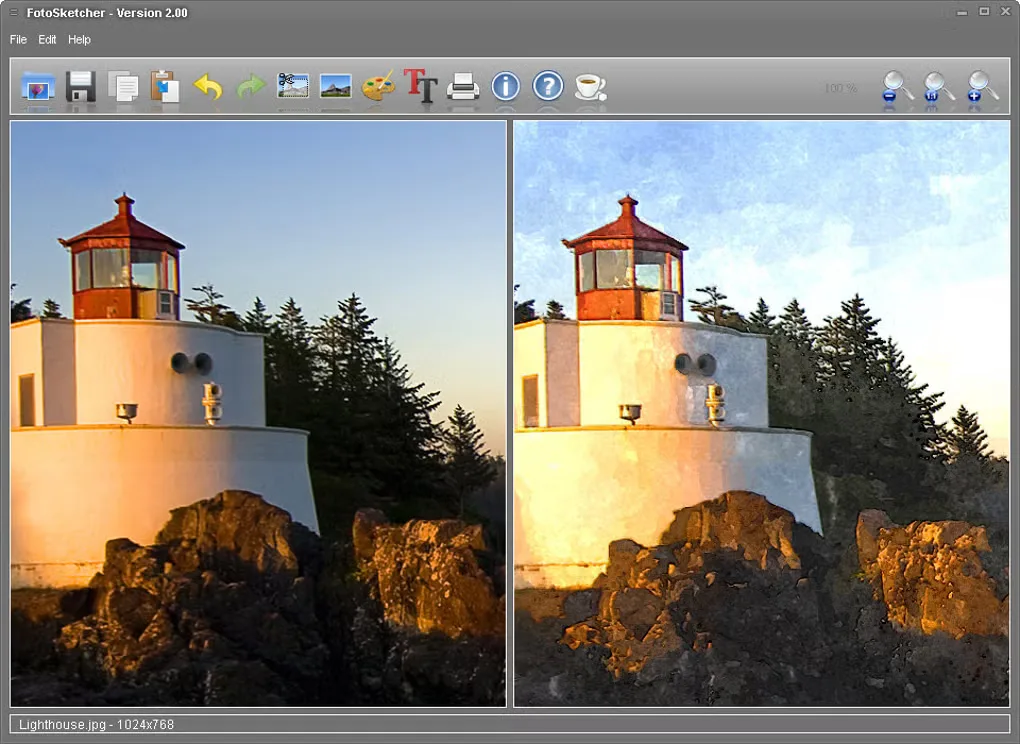
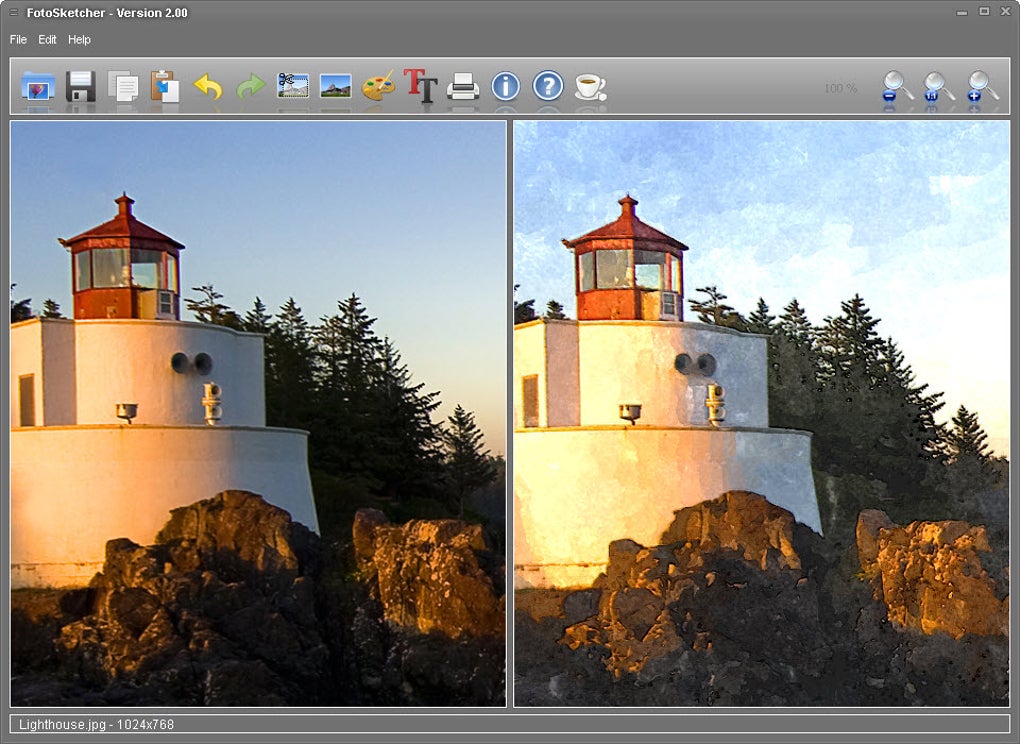
The linked Windows setup is Studio 4.60. A portable package is offered separately by the publisher. The gallery image shows the historical Windows 2.00 interface and illustrates the original/result comparison; it does not depict Studio 4.60.
What it offers
- Apply pencil-sketch, watercolor, oil-painting and pen-and-ink effects to existing photos.
- Adjust effect settings and save processed images at full resolution.
- Add frames and captions to the result.
- Process multiple photos in a batch.
- Work offline without an account or subscription, according to the publisher.
Good to know
- Effects start from an existing photo and use classical image processing rather than generative AI.
- Freeware does not mean public domain: copyright and redistribution conditions still apply.
Product images
Sources
References used for this listing. Retrieval dates do not indicate hands-on testing.
More in multimedia & graphics
View category ↗
1by1 2.17
Play music directly from folders with 1by1, a free Windows audio player with resume, gapless playback and file tools. Formats beyond MP3 need additional decoders.
3DVista Virtual Tour Pro
Build interactive 360° virtual tours from panoramas, videos and 3D models with 3DVista Virtual Tour Pro for Windows. Commercial software with a 30-day trial.

4DDiG Video Repair
Repair corrupted or unplayable videos in batches with the Video Repair tool in 4DDiG File Repair for Windows. A free trial is available; advanced features require a paid license.