

Multimedia & graphics Windows
Free MP3 Cutter Joiner for Windows
Cut a section from an MP3 or join several audio files with DVDVideoMedia's free Windows tool, using start and end markers and an output folder.
- Operating system
- Windows 11, 10, 8 and 7 (publisher-listed)
- Architecture
- Not specified by the publisher
- Download package
- EXE download
Windows support is publisher-listed, not installation-tested. The publisher links separate Mac software; this entry covers only Windows.
Link checked · Download guidance
What is Free MP3 Cutter Joiner?
Free MP3 Cutter Joiner handles two focused audio tasks: saving a selected section of a file and combining several files into one. The publisher's guide describes importing files with Add File or drag and drop, choosing start and end points, selecting an output folder and starting the export. You can enter the selection times directly rather than relying only on dragging the progress bar.
For joining, switch to the MP3 Joiner window and add the files to combine. The guide documents output settings for bit rate, channels and sample rate. It also describes removing a middle section by cutting out the beginning and end separately, then joining those retained pieces.
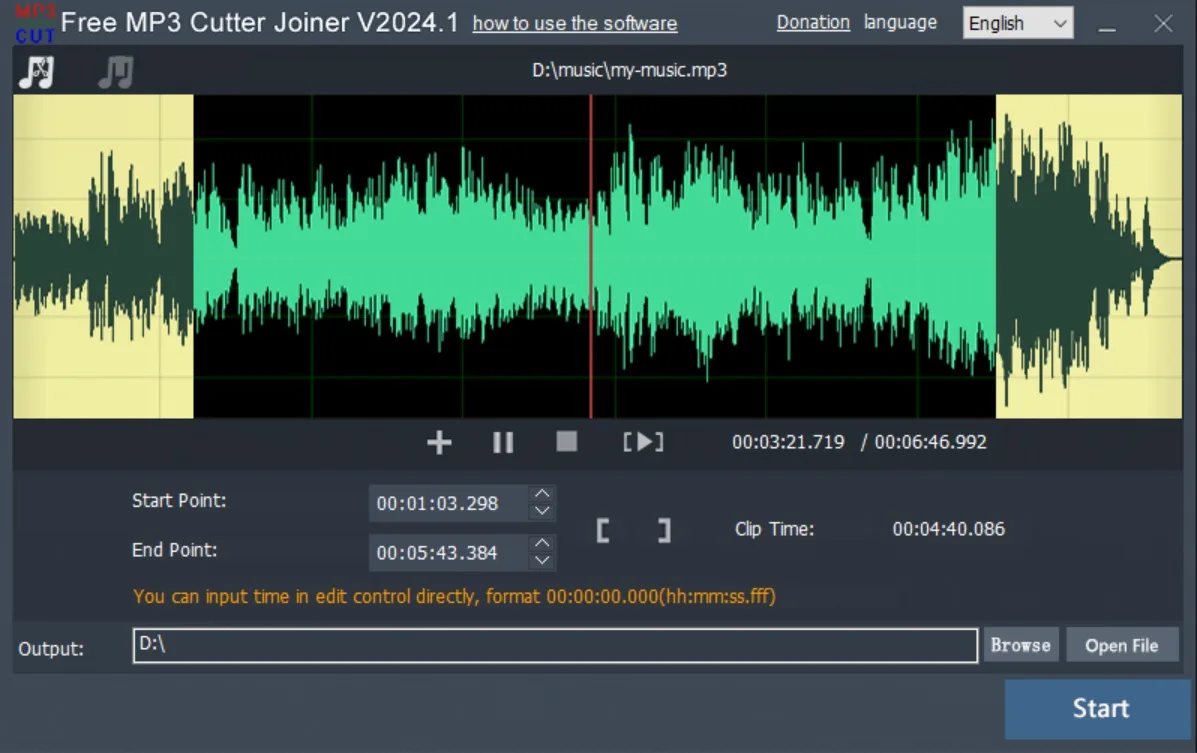
Format support needs caution. The current product page advertises MP3, WAV and FLAC cutting, but the publisher's guide and FAQ tell users to convert WAV, AAC, FLAC, AC3 or WMA to MP3 if cutting fails. This entry therefore does not promise reliable native cutting for those formats or guaranteed lossless output. The screenshot is the publisher's illustration labeled V2024.1, not a verified capture of the advertised V2026.2 release.
What it offers
- Cut a selected section using start and end markers or directly entered times.
- Import files through Add File or drag and drop, then choose an output folder for the result.
- Combine several files through the MP3 Joiner window.
- Set bit rate, channels and sample rate for joining, as documented in the publisher's guide.
Good to know
- Publisher documentation conflicts on non-MP3 support: the product page advertises WAV and FLAC cutting, while the guide and FAQ recommend converting WAV, AAC, FLAC, AC3 or WMA to MP3 if cutting fails.
- The publisher's guide notes that a higher joining bit rate also produces a larger output file.
Product images
Sources
References used for this listing. Retrieval dates do not indicate hands-on testing.
More in multimedia & graphics
View category ↗
1by1 2.17
Play music directly from folders with 1by1, a free Windows audio player with resume, gapless playback and file tools. Formats beyond MP3 need additional decoders.
3DVista Virtual Tour Pro
Build interactive 360° virtual tours from panoramas, videos and 3D models with 3DVista Virtual Tour Pro for Windows. Commercial software with a 30-day trial.

4DDiG Video Repair
Repair corrupted or unplayable videos in batches with the Video Repair tool in 4DDiG File Repair for Windows. A free trial is available; advanced features require a paid license.