
Multimedia & graphics Windows
Free PC Audio Recorder
Record microphone input and PC sound to MP3 with Free PC Audio Recorder for Windows, free for personal, non-commercial use.
- Operating system
- Windows; publisher does not provide a current version-specific support list
- Architecture
- Not specified by publisher
- Download package
- EXE installer
Publisher links pcrecorder_setup.exe. Installer version and architecture are unconfirmed; Windows 10/11 operation has not been independently verified.
Link checked · Download guidance
What is Free PC Audio Recorder?
Free PC Audio Recorder captures sound from a microphone or line-in device and audio playing through a Windows PC. The publisher describes recording system sound, online audio streams and incoming and outgoing voices, with recordings saved as MP3 files. It is aimed at straightforward sound capture rather than an editing workflow.
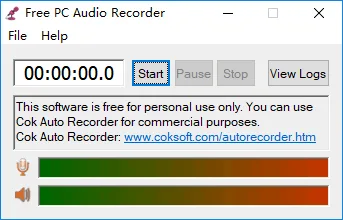
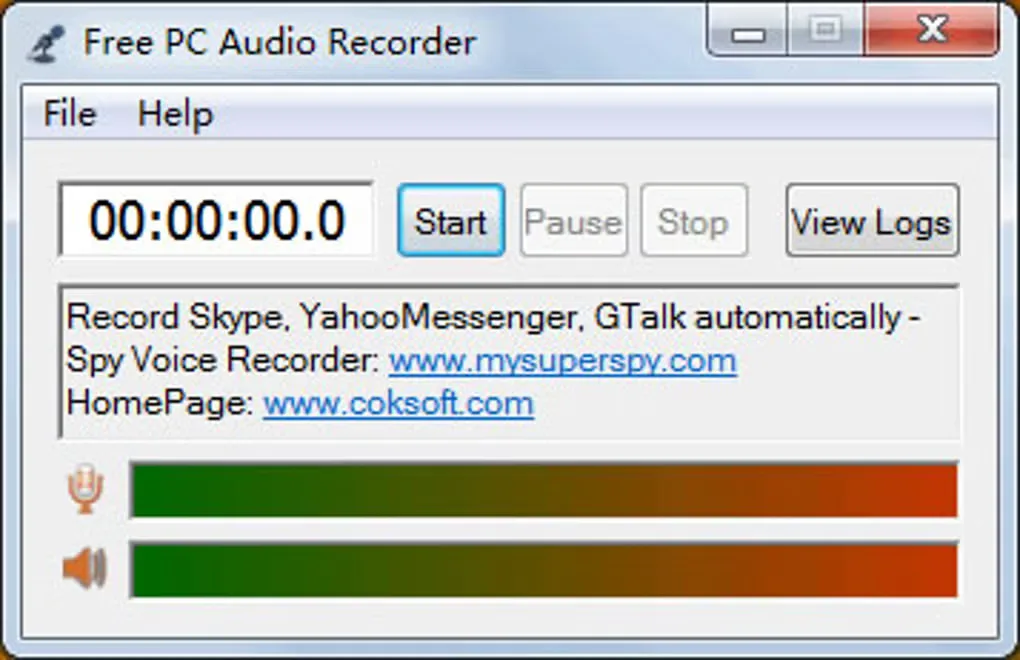
The interface provides a recording timer, Start, Pause and Stop controls, a View Logs button and separate microphone and speaker level indicators. Select the audio source appropriate to the sound you want to capture; recording your voice requires an available microphone.
Free use is limited to personal, non-commercial purposes. The publisher makes a broad Windows compatibility claim but does not give a current version-by-version support list or identify the installer architecture on the product page. Windows 10 and 11 compatibility has not been independently verified. Softonic lists version 3.1, but the publisher does not identify the version of the linked installer, so this entry does not assign that version to the download.
What it offers
- Capture audio from a microphone or other line-in device.
- Record system sound and audio streams playing on the PC.
- Record incoming and outgoing sound together, as described by the publisher.
- Save captured sound as MP3 files.
- Use Start, Pause and Stop controls with a recording timer and microphone/speaker level indicators.
Good to know
- Free use is restricted to personal, non-commercial purposes.
- Current Windows-version compatibility and installer architecture are not specified by the publisher; Windows 10 and 11 operation is unverified.
- Microphone recording requires microphone hardware; the software does not supply a physical microphone.
Product images
Sources
References used for this listing. Retrieval dates do not indicate hands-on testing.
More in multimedia & graphics
View category ↗
1by1 2.17
Play music directly from folders with 1by1, a free Windows audio player with resume, gapless playback and file tools. Formats beyond MP3 need additional decoders.
3DVista Virtual Tour Pro
Build interactive 360° virtual tours from panoramas, videos and 3D models with 3DVista Virtual Tour Pro for Windows. Commercial software with a 30-day trial.

4DDiG Video Repair
Repair corrupted or unplayable videos in batches with the Video Repair tool in 4DDiG File Repair for Windows. A free trial is available; advanced features require a paid license.