
Multimedia & graphics Windows
Free Photo Noise Reduction for Windows
Reduce grain and colored speckles in photos with separate luminance and color controls in this free Windows photo-noise editor.
What is Free Photo Noise Reduction?
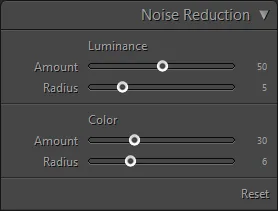
Free Photo Noise Reduction is a focused photo editor for reducing visible grain and colored speckles, including noise in high-ISO or low-light photographs. Its sliders separate luminance noise from color noise, so you can adjust each without treating both as the same problem. The publisher describes a draggable 1:1 preview in the Detail panel for checking the effect on small areas.
Start with the amount controls, then adjust the radius for the size of the noise you want to reduce. The trade-off is detail: a larger luminance radius can smooth away fine texture, while a larger color radius can cause color bleeding. Check detailed edges in the preview rather than assuming stronger reduction always produces a better photograph.
What it offers
- Adjust luminance noise reduction separately from color noise reduction.
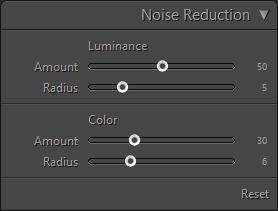
- Use amount and radius sliders to control the strength and detail size of each adjustment.
- Inspect a draggable 1:1 image preview in the Detail panel.
Good to know
- Higher luminance-radius settings can remove fine image detail along with noise.
- Higher color-radius settings can cause color bleeding; lower settings may leave color speckles.
Product images
Sources
References used for this listing. Retrieval dates do not indicate hands-on testing.
More in multimedia & graphics
View category ↗
1by1 2.17
Play music directly from folders with 1by1, a free Windows audio player with resume, gapless playback and file tools. Formats beyond MP3 need additional decoders.
3DVista Virtual Tour Pro
Build interactive 360° virtual tours from panoramas, videos and 3D models with 3DVista Virtual Tour Pro for Windows. Commercial software with a 30-day trial.

4DDiG Video Repair
Repair corrupted or unplayable videos in batches with the Video Repair tool in 4DDiG File Repair for Windows. A free trial is available; advanced features require a paid license.