
Multimedia & graphics Windows
Funny Photo Maker
Add photo frames, face templates, artistic effects and collages with Funny Photo Maker, a free Windows photo editor. The publisher lists Windows XP, Vista, 7 and 8; Windows 10 and 11 compatibility is unconfirmed.
- Operating system
- Windows XP, Vista, 7 and 8 (publisher-listed)
- Architecture
- Not specified by the publisher sources read
- Download package
- EXE installer
Windows 10 and 11 support is unconfirmed. Version 2.4.2 is documented by the publisher; installer contents were not inspected.
Link checked · Download guidance
What is Funny Photo Maker?
Funny Photo Maker turns existing pictures into framed scenes, face-template portraits and effect-based compositions. It is aimed at playful photo edits rather than detailed retouching: choose a picture, apply a template or artistic effect, adjust the result and export it. The publisher also advertises collage layouts and GIF animation output.
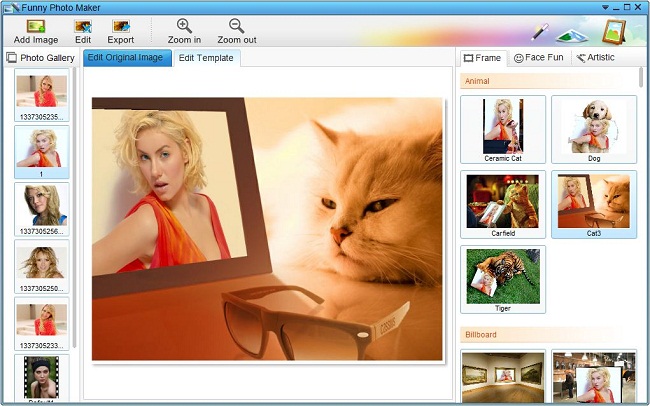
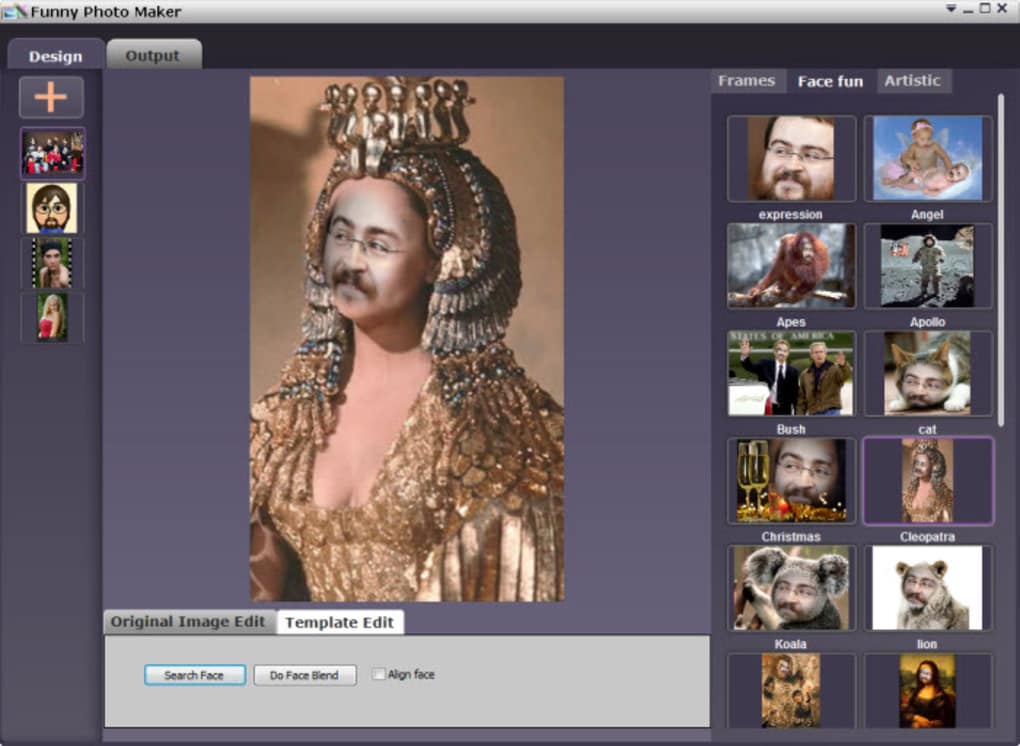
The official tutorial describes an Import, Edit, Export workflow. Open Image loads your first picture, while Add Image adds more pictures to the Photo Gallery. Frame, Face Fun and Artistic tabs select the type of effect. Export opens settings for the output format, image size and destination folder.
Template fit is a practical limitation. Softonic's editorial review reports stretched or warped results when effects do not match the source picture, along with difficult editing and temperamental export options. These are source-reported drawbacks, not findings from a hands-on test here.
The publisher lists version 2.4.2 and Windows XP, Vista, 7 and 8. Its documentation does not establish compatibility with Windows 10 or 11 or identify the processor architecture. The download links directly to the publisher's EXE installer; the retained verification checked HTTP headers only, not the installer contents or behavior.
What it offers
- Apply photo frames and Face Fun templates to existing pictures.
- Use artistic effects and publisher-advertised collage layouts.
- Import pictures such as BMP, JPG and PNG into the Photo Gallery.
- Set output format, image size and destination in the Export dialog.
- Export image files and publisher-advertised GIF animations.
Good to know
- The publisher lists Windows XP, Vista, 7 and 8 only; Windows 10 and 11 compatibility is not established.
- Softonic's review reports stretched or warped template results, difficult editing and temperamental export options; these issues were not independently tested here.
Product images


Sources
References used for this listing. Retrieval dates do not indicate hands-on testing.
More in multimedia & graphics
View category ↗
1by1 2.17
Play music directly from folders with 1by1, a free Windows audio player with resume, gapless playback and file tools. Formats beyond MP3 need additional decoders.
3DVista Virtual Tour Pro
Build interactive 360° virtual tours from panoramas, videos and 3D models with 3DVista Virtual Tour Pro for Windows. Commercial software with a 30-day trial.

4DDiG Video Repair
Repair corrupted or unplayable videos in batches with the Video Repair tool in 4DDiG File Repair for Windows. A free trial is available; advanced features require a paid license.