
Multimedia & graphics Windows
GardenBox 3D
Plan gardens and backyards in 2D and 3D with GardenBox 3D for Windows. Arrange buildings, plants and paths, customize materials, and preview the layout before landscaping.
- Operating system
- Windows 11, 10, 8 and 7
- Architecture
- Not specified in the consulted sources
- Download package
- EXE installer
Publisher-listed Windows compatibility; installer architecture and internal version were not inspected. Features vary by paid plan.
Link checked · Download guidance
What is GardenBox 3D?
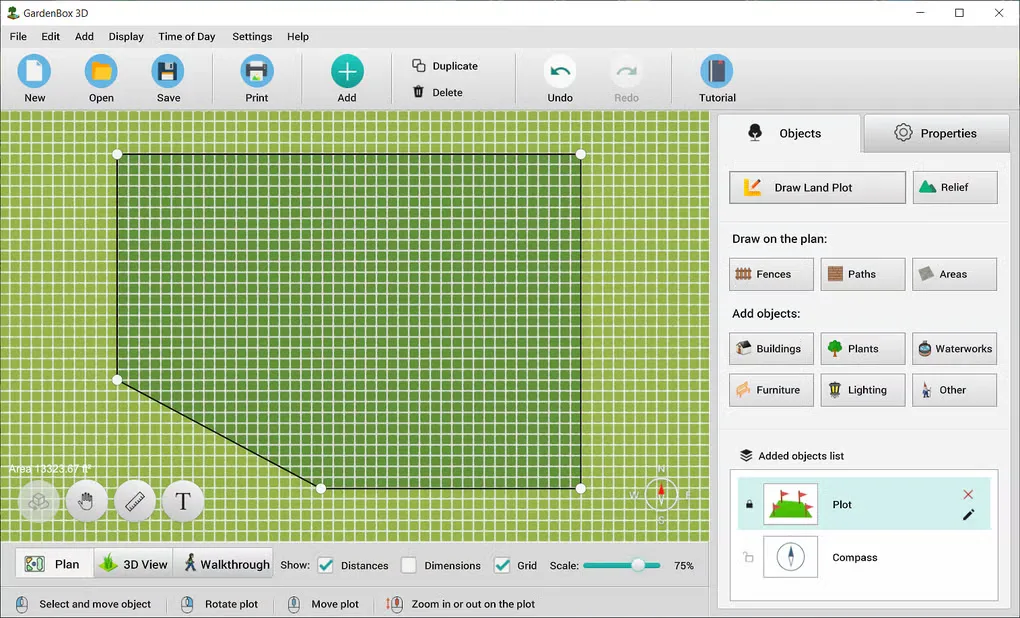
GardenBox 3D is a desktop landscape planner for laying out a garden, patio or backyard. Start with a plot outline or import an image of an existing blueprint, then position buildings, plants, fences and outdoor furniture. Measurement tools and a choice of metric or imperial units help relate the drawing to the space you want to change. The publisher says the software works offline.
Use the plan view to arrange objects and the 3D view to inspect their placement. Material and color controls let you compare exterior finishes; time-of-day previews show the design under different lighting. The publisher also advertises virtual walkthroughs and image or PDF export.
This is commercial Windows software with a trial download, not an unrestricted free garden planner. Paid plans differ: the publisher lists virtual tours in Premium and GOLD, while terrain editing is listed under GOLD. Check the edition comparison before relying on a particular tool. The linked EXE is hosted by the publisher; its availability was checked with a HEAD request, without downloading or running the installer.
What it offers
- Draw a plot outline or import a blueprint image as a planning reference.
- Arrange buildings, plants, fences, paths and outdoor furniture in a 2D plan with a 3D preview.
- Measure distances and choose feet, inches or metric units.
- Customize object colors and surface materials; preview different times of day.
- The publisher advertises image and PDF export, plus virtual walkthroughs in selected paid plans.
Good to know
- The download is a trial of commercial software; paid plans differ in their included tools and object libraries.
- Publisher compatibility is Windows 11, 10, 8 and 7. Virtual tours are listed in Premium and GOLD; terrain editing is listed under GOLD.
Product images
Sources
References used for this listing. Retrieval dates do not indicate hands-on testing.
- Garden Design Software & Planner - GardenBox 3D ↗Retrieved
- GardenBox 3D - Order Full Version ↗Retrieved
- GardenBox 3D - Download ↗Retrieved
More in multimedia & graphics
View category ↗
1by1 2.17
Play music directly from folders with 1by1, a free Windows audio player with resume, gapless playback and file tools. Formats beyond MP3 need additional decoders.
3DVista Virtual Tour Pro
Build interactive 360° virtual tours from panoramas, videos and 3D models with 3DVista Virtual Tour Pro for Windows. Commercial software with a 30-day trial.

4DDiG Video Repair
Repair corrupted or unplayable videos in batches with the Video Repair tool in 4DDiG File Repair for Windows. A free trial is available; advanced features require a paid license.