
Multimedia & graphics Windows
Geometrize
Turn photos into geometric artwork with Geometrize for Windows. Choose shape types, adjust the approximation and export SVG, PNG, JPG or JSON shape data.
- Operating system
- Windows; minimum version not stated in the selected release metadata
- Architecture
- 64-bit
- Download package
- EXE installer
This entry links to the Windows package for version 1.0.1. No installation or Windows-version compatibility test was performed.
Link checked · Download guidance
What is Geometrize?
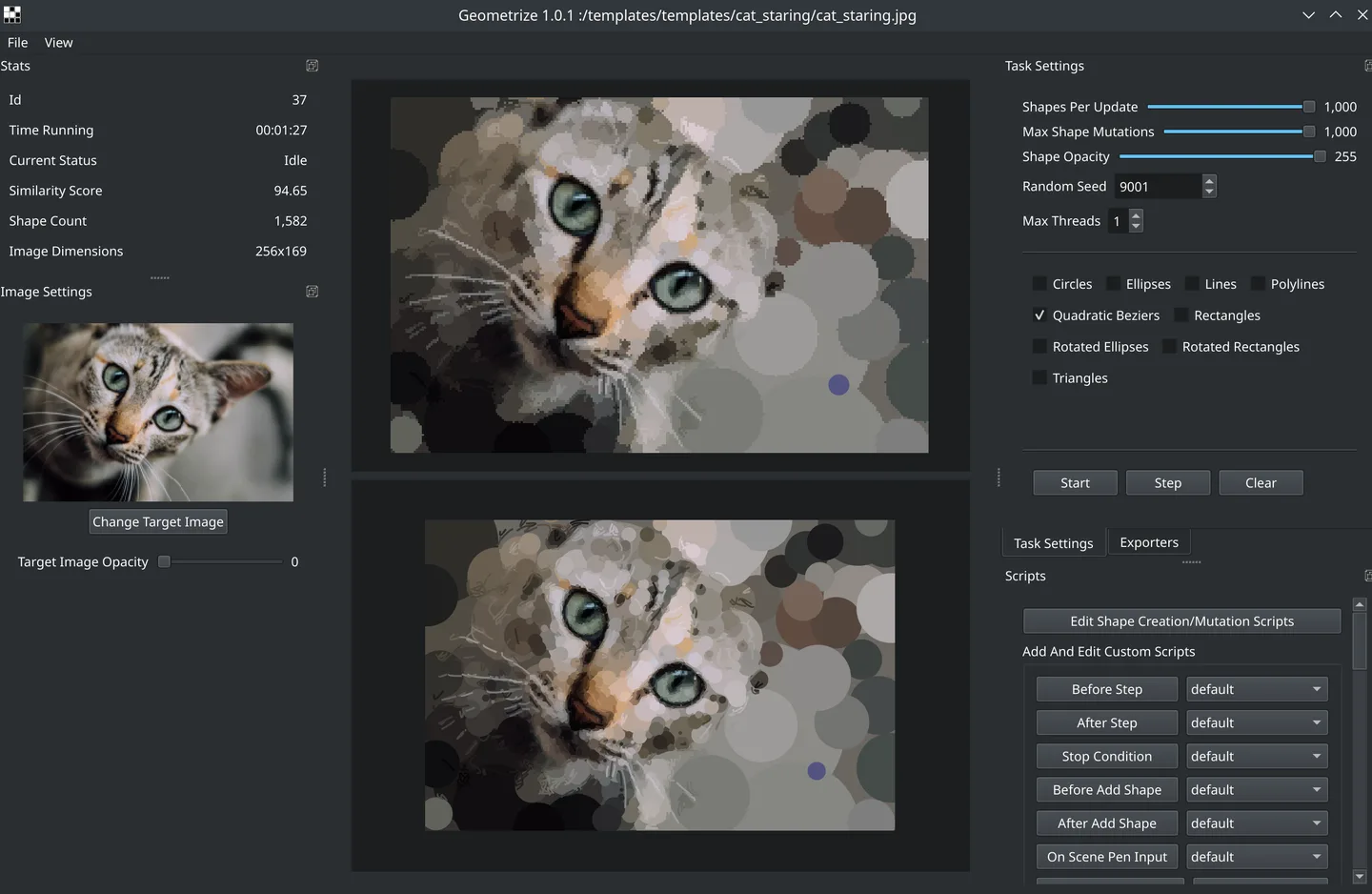
Geometrize recreates pictures as arrangements of geometric shapes. Choose an image and shape types, then start the approximation to build an abstract version of the original. It suits making stylized artwork from photos or exporting shape data for a separate creative project. Included images with preset settings provide a starting point.
Export the result as SVG for a vector workflow, PNG or JPG for an image, or JSON for the underlying shape data. ChaiScript scripting is available for users who want to control the core algorithm.
The output is an approximation, not a lossless reproduction of the original photograph. Shape choice and count change the result. The linked download is the publisher’s 64-bit Windows EXE installer for version 1.0.1, released in 2018. The release metadata does not specify a minimum Windows version; compatibility with a particular current Windows release has not been tested here.
What it offers
- Recreate images using geometric primitives, including rectangles, triangles and ellipses.
- Choose from included images with preset settings or select your own image.
- Export artwork as SVG, PNG or JPG.
- Export shape data as JSON for use in other projects.
- Customize the approximation algorithm with ChaiScript scripts.
Good to know
- Geometric output approximates the source image; it does not preserve every photographic detail.
- The selected Windows installer is 64-bit; the release metadata does not specify a minimum Windows version.
Product images
Sources
References used for this listing. Retrieval dates do not indicate hands-on testing.
More in multimedia & graphics
View category ↗
1by1 2.17
Play music directly from folders with 1by1, a free Windows audio player with resume, gapless playback and file tools. Formats beyond MP3 need additional decoders.
3DVista Virtual Tour Pro
Build interactive 360° virtual tours from panoramas, videos and 3D models with 3DVista Virtual Tour Pro for Windows. Commercial software with a 30-day trial.

4DDiG Video Repair
Repair corrupted or unplayable videos in batches with the Video Repair tool in 4DDiG File Repair for Windows. A free trial is available; advanced features require a paid license.