

Multimedia & graphics Windows
GoldWave for Windows
Record, edit and restore audio with GoldWave for Windows. Trim interviews, reduce noise in old recordings and batch-convert sound files; continued use requires a paid license.
- Operating system
- Windows 10 (64-bit) or later, including Windows 11
- Architecture
- 64-bit; AVX2 CPU support required
- Download package
- EXE installer (InstallGoldWave709.exe)
Windows desktop evaluation, not GoldWave Infinity. Requires AVX2; paid license needed for continued use. Older systems need a different release.
Link checked · Download guidance
What is GoldWave?
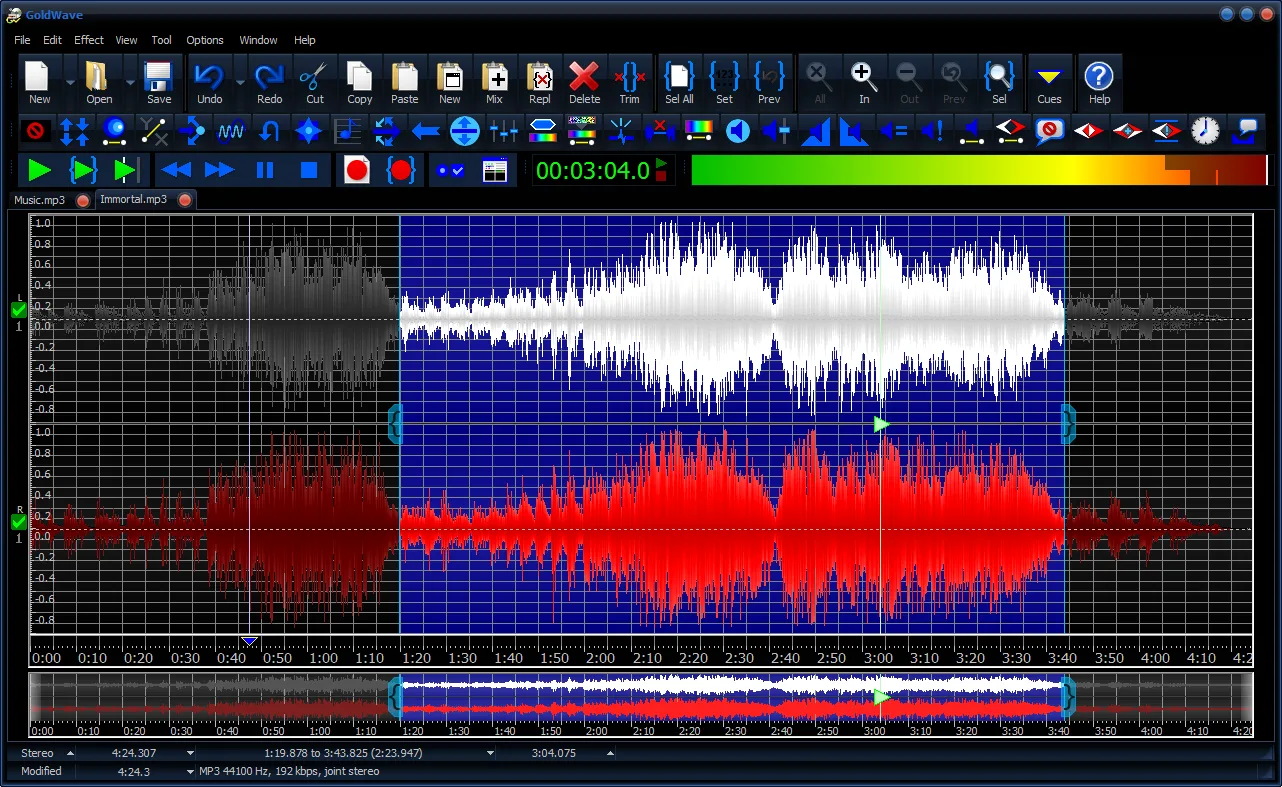
GoldWave is a desktop audio editor for recording sound, editing existing files and preparing audio for export. Cut unwanted sections from an interview, join clips, mix in background music or apply fades and equalization. Microphone, line-in and loopback recording cover voice work, connected audio equipment and computer playback.
For digitized tapes or vinyl, Noise Reduction and Pop/Click filters provide cleanup tools. Waveforms, spectrograms and level meters help inspect recordings, while batch processing applies effects or format conversion across folders. Supported formats include WAV, MP3, FLAC and Ogg.
This entry links to the Windows desktop installer, not the separate browser-based GoldWave Infinity. Version 7.09 needs 64-bit Windows 10 or later and an AVX2-capable processor. The evaluation is not freeware: it expires after a certain amount of use, and a paid license is required to keep using it.
What it offers
- Record from a microphone, line-in or loopback input, with timer and level-activated recording options.
- Cut, trim, join, mix and crossfade audio clips.
- Apply equalization, fades, echo and other effects, with real-time effect previews.
- Use Noise Reduction and Pop/Click filters to clean up digitized recordings.
- Inspect waveforms and spectrograms, or batch-process and convert supported audio files.
Good to know
- The evaluation expires after a certain amount of use; a paid license is required for continued use.
- Version 7.09 requires 64-bit Windows 10 or later and AVX2 CPU support; it is not the package for older Windows or non-AVX2 systems.
Product images
Sources
References used for this listing. Retrieval dates do not indicate hands-on testing.
More in multimedia & graphics
View category ↗
1by1 2.17
Play music directly from folders with 1by1, a free Windows audio player with resume, gapless playback and file tools. Formats beyond MP3 need additional decoders.
3DVista Virtual Tour Pro
Build interactive 360° virtual tours from panoramas, videos and 3D models with 3DVista Virtual Tour Pro for Windows. Commercial software with a 30-day trial.


4DDiG Video Repair
Repair corrupted or unplayable videos in batches with the Video Repair tool in 4DDiG File Repair for Windows. A free trial is available; advanced features require a paid license.