
Multimedia & graphics Windows
gPhotoShow Pro
Turn photo folders into Windows slideshows or screen savers with pan-and-zoom effects, captions and music. gPhotoShow Pro includes a 30-day trial.
- Operating system
- Windows 10 and Windows 11
- Architecture
- 64-bit (x64)
- Download package
- EXE installer
Standard 64-bit package, without the separately listed selected-plugin bundle. Version 11 requires DirectX 11; a 32-bit installer is offered separately.
Link checked · Download guidance
What is gPhotoShow Pro?
gPhotoShow Pro makes a slideshow or screen saver from photos and videos in local or network folders. Choose random, alphabetical or date-based playback, add a soundtrack, and display Exif, IPTC or XMP information as captions. Pan-and-zoom animation, transitions, PhotoWall and Scrapbook modes give you different ways to present the same collection. It can also create standalone slideshows and screen savers for distribution.
The linked download is the publisher’s standard 64-bit EXE installer for version 11.1.1, not the separate package with selected plugins. Version 11 requires Windows 10 or 11 and DirectX 11; pan-and-zoom animation and hardware-accelerated transitions also need a compatible display adapter. The evaluation lasts 30 days, and the publisher’s license agreement requires a paid license for continued use.
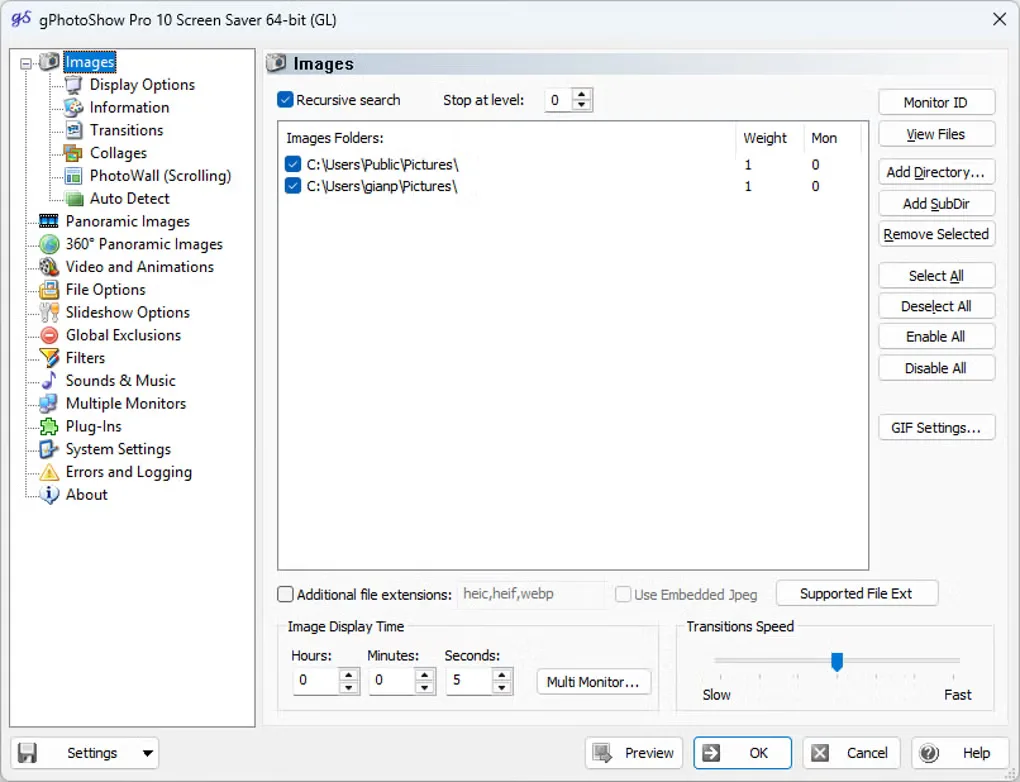
The gallery image shows the Windows version 10 configuration interface, including image folders and timing controls. It illustrates the application’s setup workflow, not a verified capture of version 11.1.1.
What it offers
- Build slideshows and screen savers from local or network photo and video folders.
- Apply pan-and-zoom animation, 2D and 3D transitions, PhotoWall mosaics or overlapping Scrapbook layouts.
- Add music and captions using Exif, IPTC or XMP photo metadata.
- Choose random or sorted playback, filter photos by keywords or ratings, and configure multiple monitors.
- Create standalone .exe slideshows or .scr screen savers for distribution.
Good to know
- The fully functional trial lasts 30 days; the license agreement requires a paid license for continued use.
- Version 11 requires at least Windows 10 and DirectX 11; pan-and-zoom and hardware-accelerated transitions need a compatible display adapter.
- Flickr and RSS integration require plugins; the linked standard installer is separate from the publisher’s selected-plugin bundle.
Product images
Sources
References used for this listing. Retrieval dates do not indicate hands-on testing.
More in multimedia & graphics
View category ↗
1by1 2.17
Play music directly from folders with 1by1, a free Windows audio player with resume, gapless playback and file tools. Formats beyond MP3 need additional decoders.
3DVista Virtual Tour Pro
Build interactive 360° virtual tours from panoramas, videos and 3D models with 3DVista Virtual Tour Pro for Windows. Commercial software with a 30-day trial.

4DDiG Video Repair
Repair corrupted or unplayable videos in batches with the Video Repair tool in 4DDiG File Repair for Windows. A free trial is available; advanced features require a paid license.