

Multimedia & graphics macOS
HandBrake for macOS
Convert videos to MP4, MKV or WebM on Mac with HandBrake, a free, open-source transcoder with device presets, subtitles and queued encoding.
- Operating system
- macOS 10.13 and later
- Architecture
- Universal macOS build
- Download package
- DMG disk image
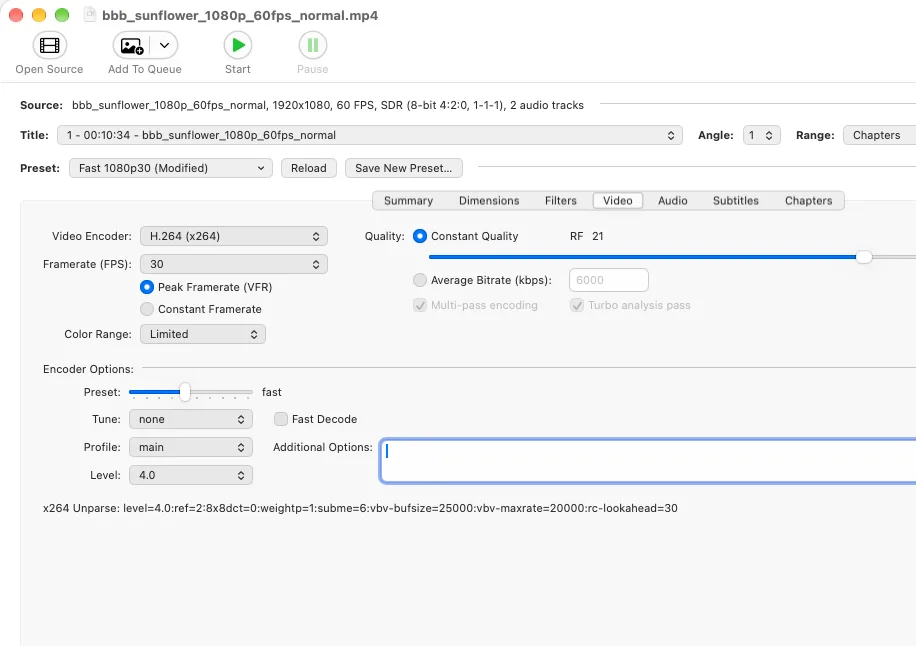
Publisher lists a universal macOS image. Windows and Linux downloads are separate. Interface screenshots are illustrative, not version-specific.
Link checked · Download guidance
What is HandBrake?
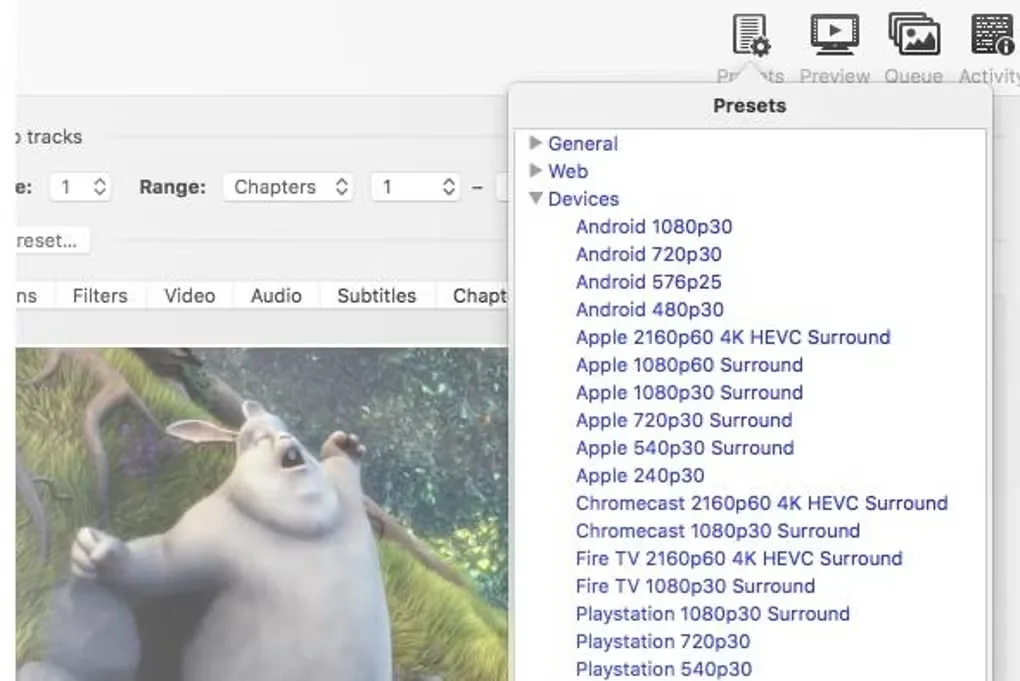
HandBrake converts existing videos into MP4, MKV or WebM files. Choose a device preset as a starting point, or adjust the video encoder, quality and other settings for a particular playback target. It suits preparing video files for different devices and queuing several conversions rather than setting up each encode separately.
The Mac interface includes controls for dimensions, filters, video, audio, subtitles and chapters. Constant-quality and average-bitrate encoding offer different ways to configure output; cropping, scaling and deinterlacing help adapt the picture. Supported video encoders include AV1, H.265, H.264, VP8 and VP9, with optional hardware-accelerated encoding.
Disc support has an important boundary: HandBrake accepts DVD and Blu-ray sources without copy protection. It is not a tool for removing that protection. The linked download is the publisher's version 1.11.2 universal macOS disk image; the screenshots illustrate the interface and are not proof of that release's exact appearance.
What it offers
- Convert common multimedia files into MP4, MKV or WebM containers.
- Start with built-in device presets, then adjust encoder and quality settings.
- Queue multiple encodes and select titles, chapters or a source range.
- Configure audio tracks and supported subtitles, including SRT and SSA.
- Apply cropping, scaling, deinterlacing and denoising filters.
Good to know
- DVD and Blu-ray input must be free of copy protection; HandBrake does not remove disc copy protection.
- Output containers are limited to MP4, MKV and WebM; the range of accepted input formats is broader.
Product images
Sources
References used for this listing. Retrieval dates do not indicate hands-on testing.
- HandBrake: Open Source Video Transcoder ↗Retrieved
- HandBrake: Downloads ↗Retrieved
- HandBrake: Features ↗Retrieved
- HandBrake — Downloading ... ↗Retrieved
- HandBrake for Mac - Download — normal browser observation ↗Retrieved
More in multimedia & graphics
View category ↗
1by1 2.17
Play music directly from folders with 1by1, a free Windows audio player with resume, gapless playback and file tools. Formats beyond MP3 need additional decoders.
3DVista Virtual Tour Pro
Build interactive 360° virtual tours from panoramas, videos and 3D models with 3DVista Virtual Tour Pro for Windows. Commercial software with a 30-day trial.

4DDiG Video Repair
Repair corrupted or unplayable videos in batches with the Video Repair tool in 4DDiG File Repair for Windows. A free trial is available; advanced features require a paid license.