

Multimedia & graphics Windows
HandBrake for Windows
Convert supported videos to MP4, MKV or WebM with HandBrake, a free Windows video transcoder with presets, batch queues and quality controls.
- Operating system
- Windows 11; Windows 10 version 1909 or later is deprecated
- Architecture
- Intel/AMD x64; separate Qualcomm ARM64 download
- Download package
- EXE installer — Windows GUI, version 1.11.2
Requires x64 Microsoft .NET Desktop Runtime 10.0. Publisher lists 16 GB RAM for SD/HD or 32 GB for 4K, and formally supports AMD Ryzen/Threadripper/Epyc or Intel Core 9th generation and newer/equivalent Xeon. Windows 10 is deprecated with no support; Windows 7/8.1 are unsupported. ARM64 EXE and portable ZIP packages are separate on the publisher downloads page.
Link checked · Download guidance
What is HandBrake?
HandBrake makes new video files from footage you already have. Use it to reduce storage needs, resize a recording or prepare a video for a device that supports the chosen output format and codec. Built-in presets provide a starting point; quality, bitrate, audio and subtitle controls let you refine the result. Processing happens locally on your computer.
For several recordings, add separate conversion jobs to the queue rather than starting each one manually. HandBrake can crop and scale video, apply deinterlacing filters and encode to MP4, MKV or WebM. These are output containers, not a promise that every source or playback device is compatible.
HandBrake is a transcoder, not a clip-joining editor or a lossless container-switching tool: it always converts the video stream. It cannot remove copy protection or process DRM-protected video. The linked 1.11.2 package is the Intel/AMD x64 Windows GUI installer; Qualcomm ARM64 uses a separate package. The Windows interface requires Microsoft .NET Desktop Runtime 10.0.
What it offers
- Convert supported sources to MP4, MKV or WebM, with video encoders including H.264, H.265 and AV1.
- Start from built-in presets and choose constant quality or average bitrate encoding.
- Queue multiple conversion jobs and select titles, chapters or a video range.
- Crop, scale and deinterlace video; configure audio tracks and subtitles.
- Process video locally without a required account or subscription.
Good to know
- Video is always re-encoded; HandBrake cannot pass the video stream through unchanged just to switch containers.
- Cannot remove copy protection or process DRM-protected video; DVD and Blu-ray input must be unprotected.
- Cannot combine multiple video clips into one output.
Product images
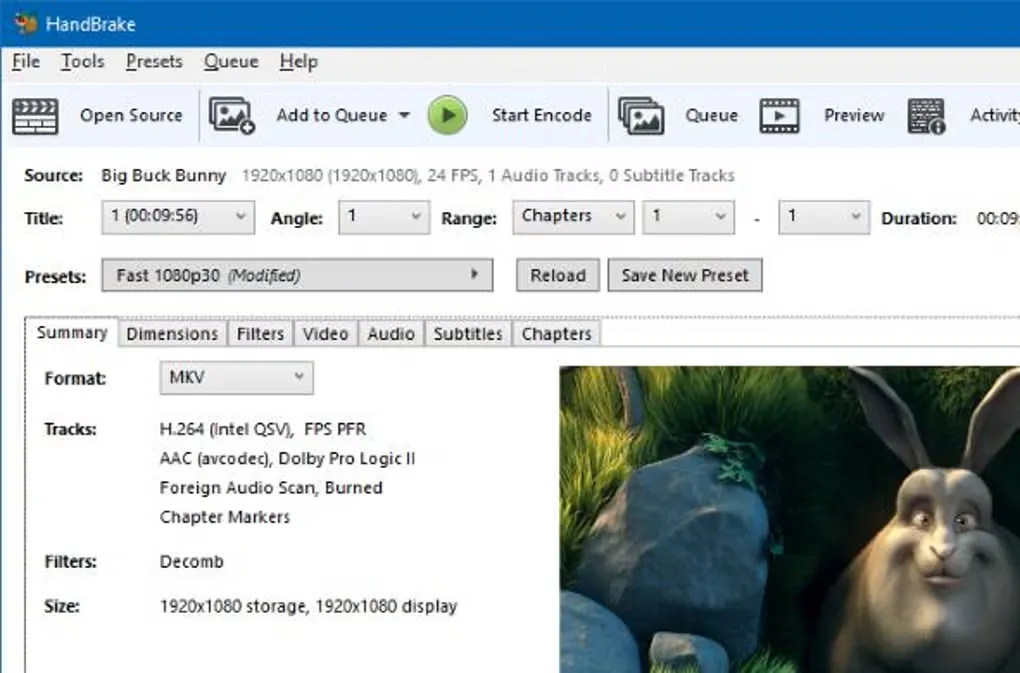
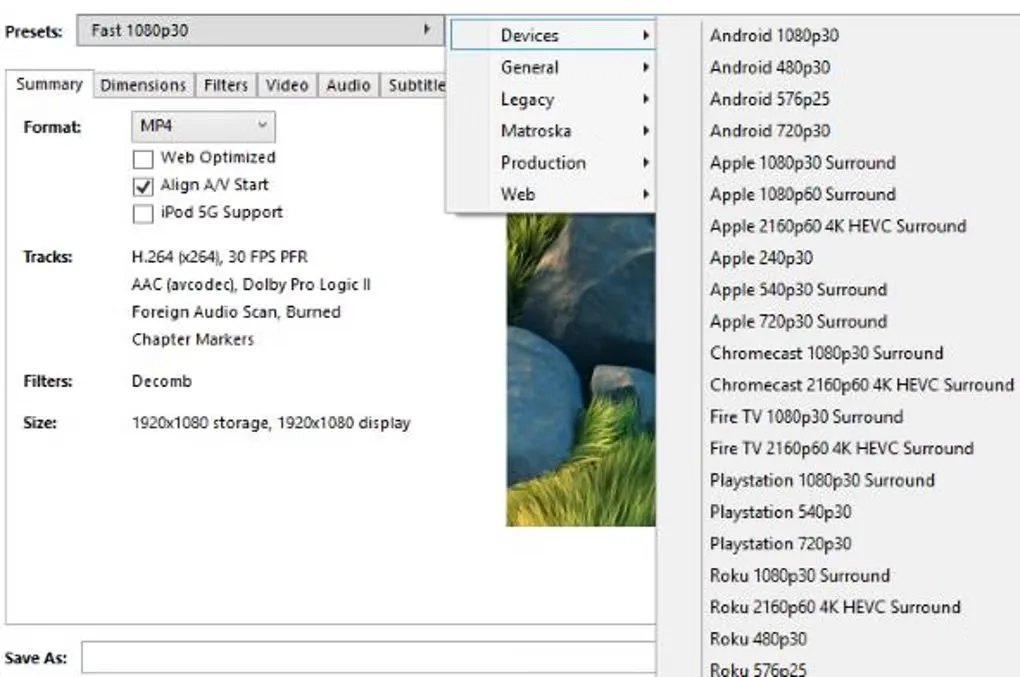
Sources
References used for this listing. Retrieval dates do not indicate hands-on testing.
- HandBrake — official downloads ↗Retrieved
- HandBrake — Windows x64 download interstitial and file information ↗Retrieved
- HandBrake — features and licensing ↗Retrieved
- HandBrake 1.11.0–1.11.2 documentation — About HandBrake ↗Retrieved
- HandBrake 1.11.0–1.11.2 documentation — System requirements ↗Retrieved
- HandBrake — Application and Project Information ↗Retrieved
- HandBrake GitHub release 1.11.2 — release and asset metadata ↗Retrieved
- HandBrake documentation — genuine project icon ↗Retrieved
- HandBrake - Download — Windows application screenshot gallery ↗Retrieved
More in multimedia & graphics
View category ↗
1by1 2.17
Play music directly from folders with 1by1, a free Windows audio player with resume, gapless playback and file tools. Formats beyond MP3 need additional decoders.
3DVista Virtual Tour Pro
Build interactive 360° virtual tours from panoramas, videos and 3D models with 3DVista Virtual Tour Pro for Windows. Commercial software with a 30-day trial.


4DDiG Video Repair
Repair corrupted or unplayable videos in batches with the Video Repair tool in 4DDiG File Repair for Windows. A free trial is available; advanced features require a paid license.