

Multimedia & graphics Windows
HEIC to JPG Converter for Windows
Convert HEIC photos to JPG in batches on a Windows PC with SoftOrbits HEIC to JPG Converter. The paid application offers a 10-day trial with reminder pauses.
- Operating system
- Windows 11, 10, 8.1, 8 and 7, as listed by the publisher
- Architecture
- Publisher lists 32-bit and 64-bit Windows; selected installer architecture unspecified
- Download package
- EXE installer
Publisher requirements include 4 GB RAM, 1 GB free disk space and a 1280 × 768 display. Installer contents and embedded version were not inspected.
Link checked · Download guidance
What is HEIC to JPG Converter?
HEIC to JPG Converter by SoftOrbits turns HEIC and HEIF photos into JPG files for use in editors, viewers and services that do not accept the original format. It works locally on a Windows PC rather than requiring photo uploads, and supports adding individual files or folders for batch conversion. The publisher lists Windows 10 and 11 alongside older Windows versions.
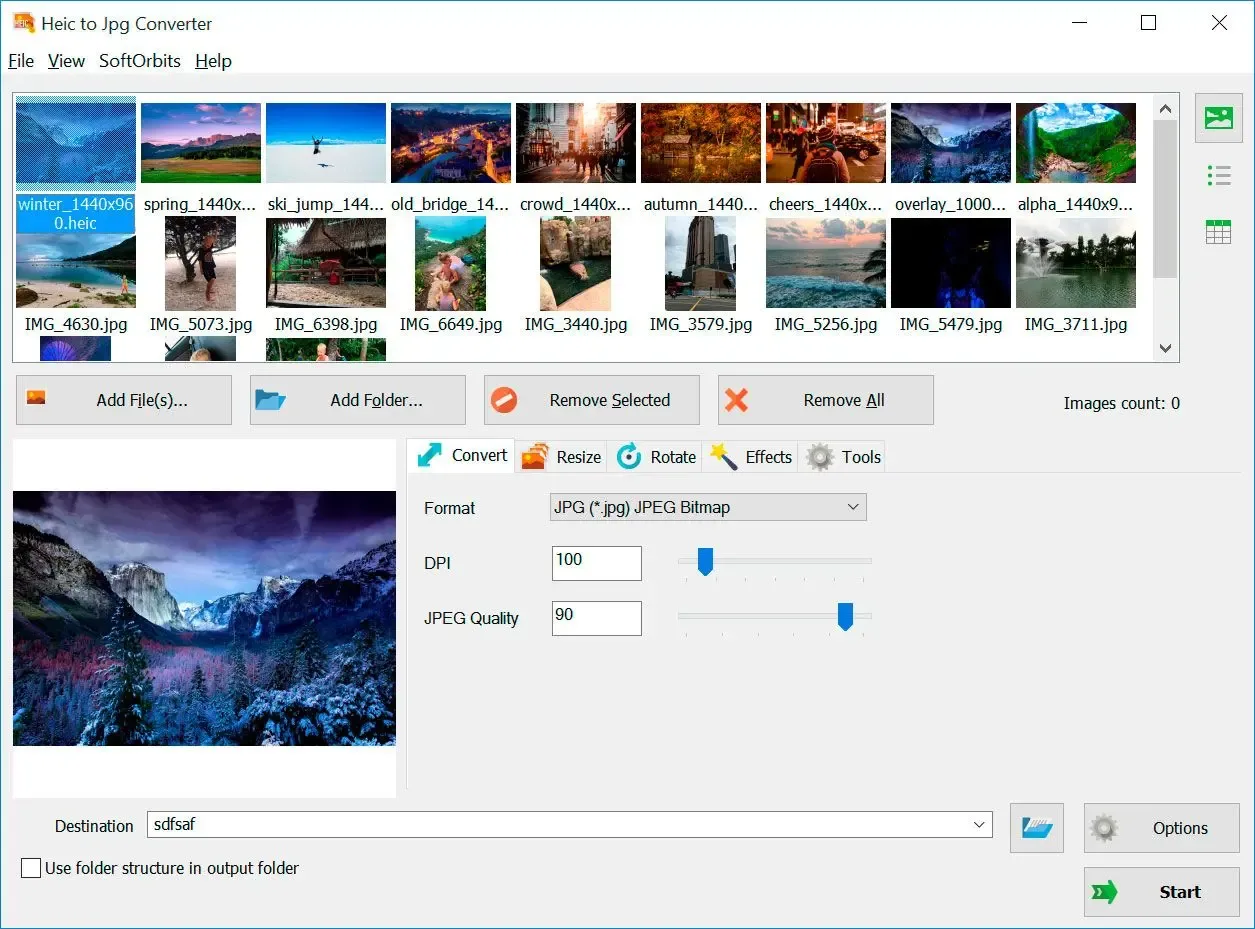
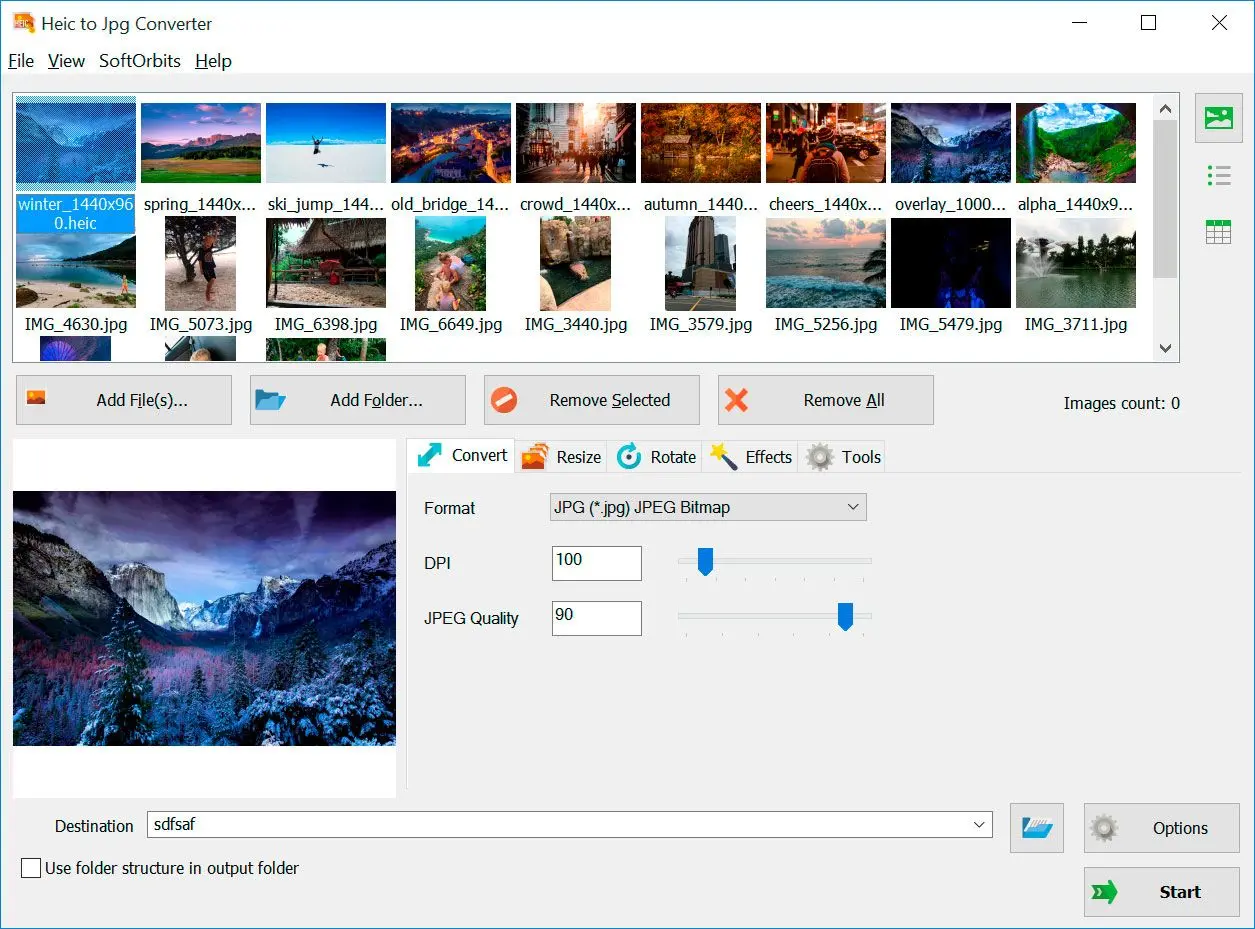
The conversion interface includes an image preview, output-format selection, DPI and JPEG-quality controls. Resize and rotate tools let you adjust images as part of a batch. JPG is the default output, while the publisher also lists PNG, TIFF, BMP, GIF, TGA and PCX. Original HEIC files remain in place.
This is commercial software, not an unlimited free converter. The publisher describes a 10-day trial that saves full-resolution images without a watermark, but interrupts batches with reminder windows. A paid license is required to continue after the trial. JPEG conversion is lossy, and JPG output from Live Photos or animated HEIC retains a still picture rather than motion. The version shown here is the publisher's listed 14.4; the installer itself was not downloaded or inspected.
What it offers
- Convert HEIC and HEIF photos to JPG locally without uploading the images.
- Add individual files or folders for batch conversion while retaining the originals.
- Adjust JPEG quality and DPI, with resize and rotation tools available in the interface.
- Export to PNG, TIFF, BMP, GIF, TGA or PCX as alternatives to JPG.
Good to know
- The 10-day trial pauses batches with reminder windows; continued use after the trial requires a paid license.
- JPEG re-encoding is lossy; a converted JPG is not a bit-for-bit copy of the source image.
- Live Photos and animated HEIC produce a still JPG; the motion component is not preserved.
Product images
Sources
References used for this listing. Retrieval dates do not indicate hands-on testing.
More in multimedia & graphics
View category ↗
1by1 2.17
Play music directly from folders with 1by1, a free Windows audio player with resume, gapless playback and file tools. Formats beyond MP3 need additional decoders.
3DVista Virtual Tour Pro
Build interactive 360° virtual tours from panoramas, videos and 3D models with 3DVista Virtual Tour Pro for Windows. Commercial software with a 30-day trial.

4DDiG Video Repair
Repair corrupted or unplayable videos in batches with the Video Repair tool in 4DDiG File Repair for Windows. A free trial is available; advanced features require a paid license.