
Multimedia & graphics macOS
Helio Workstation
Sketch MIDI compositions, edit notes in a piano roll and explore microtonal scales with Helio, a free, open-source music sequencer for Mac.
- Operating system
- macOS; selected binary's minimum version not established
- Architecture
- Not specified in the inspected publisher download listing
- Download package
- DMG disk image
Publisher-listed stable 3.18 build. No Intel, Apple silicon or Rosetta compatibility claim; package was not downloaded or run.
Link checked · Download guidance
What is Helio Workstation?
Helio Workstation is a music sequencer for developing musical ideas in a deliberately minimal interface. Its piano roll handles note editing, while the pattern roll handles arrangement. It is aimed at sketching and prototyping compositions, including experiments with unusual scales and microtonal temperaments, rather than putting every production control on screen at once.
The publisher's getting-started guide describes creating a project or importing a MIDI file, editing a track in the piano roll and switching to the pattern roll to arrange clips. Instruments are configured separately in the Orchestra Pit and can be reused across projects. That shared setup is useful when a collection of sketches uses the same instruments, but project files store instrument references rather than the complete instrument settings.
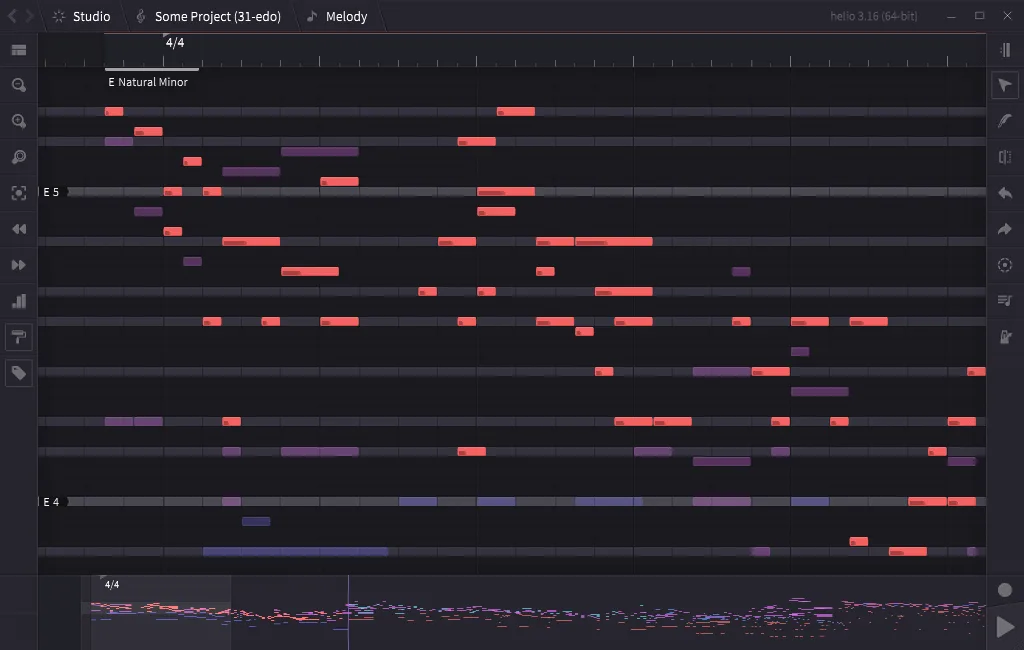
This download is the macOS 3.18 disk image listed under the publisher's stable builds, not the separate development build. The documentation is not versioned and warns that some described features may exist only in development builds. The publisher-hosted screenshot is a reference view of Helio 3.16 with Windows window controls; it illustrates the sequencer interface, not a tested Mac installation or the exact 3.18 build.
What it offers
- Edit MIDI notes in a piano roll and arrange clips in a separate pattern roll.
- Import MIDI files when opening a project, as described in the getting-started guide.
- Explore unusual scales and microtonal temperaments.
- Configure reusable instruments separately from projects in the Orchestra Pit.
Good to know
- Project files contain instrument references; instrument settings live in the application workspace rather than inside each project.
- The manual is not versioned, so some documented features may be available only in development builds.
- CPU architecture and the minimum macOS version of the selected 3.18 disk image were not established by the inspected publisher pages.
Product images
Sources
References used for this listing. Retrieval dates do not indicate hands-on testing.
- Helio — official sequencer overview and stable builds ↗Retrieved
- Intro - Helio 101 ↗Retrieved
- Getting Started - Helio 101 ↗Retrieved
- Helio sequencer — GNU General Public License v3 ↗Retrieved
More in multimedia & graphics
View category ↗
1by1 2.17
Play music directly from folders with 1by1, a free Windows audio player with resume, gapless playback and file tools. Formats beyond MP3 need additional decoders.
3DVista Virtual Tour Pro
Build interactive 360° virtual tours from panoramas, videos and 3D models with 3DVista Virtual Tour Pro for Windows. Commercial software with a 30-day trial.

4DDiG Video Repair
Repair corrupted or unplayable videos in batches with the Video Repair tool in 4DDiG File Repair for Windows. A free trial is available; advanced features require a paid license.