

Multimedia & graphics Windows
Helium Audio Converter for Windows
Convert music files between MP3, FLAC, M4A, Ogg Vorbis and other formats while carrying tags across with this free Windows audio converter.
What is Helium Audio Converter?
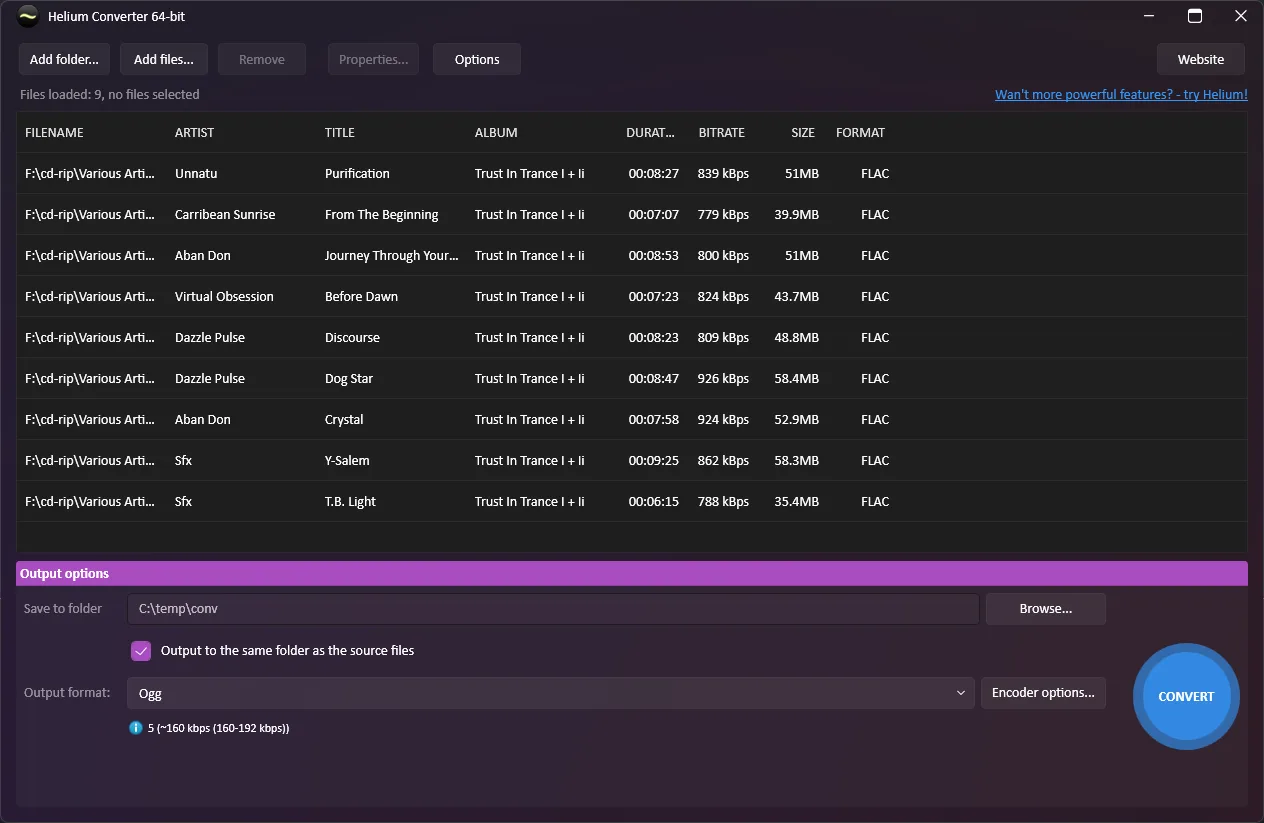
Helium Audio Converter, called Helium Converter on the publisher’s website, converts audio files and their metadata on Windows. Add individual files or whole folders, choose an output folder and format, and adjust the encoder settings before converting. It is useful for preparing a collection in a format another player supports without manually re-entering track tags.
The publisher lists FLAC, M4A, M4B, MP3, MP4, Ogg Vorbis, WavPack, Wave and WMA as output formats. Source support also includes AAC, Monkey’s Audio (APE), MPEG+/MPC and DSF/DSD. Tags, custom text and embedded artwork can be transferred to the destination files. A Properties view lets you inspect audio details, metadata and attached pictures before conversion.
Source and output support are not identical: formats such as APE and DSF/DSD appear in the source list, not the target list. DRM-protected music cannot be converted. Volume normalization is available for most output formats, with settings that depend on the selected encoder.
What it offers
- Queue individual audio files or entire folders for batch conversion.
- Convert to FLAC, M4A, M4B, MP3, MP4, Ogg Vorbis, WavPack, Wave or WMA.
- Transfer tag metadata, custom text and embedded artwork to converted files.
- Inspect audio properties, tags and attached pictures before converting.
- Configure encoder-specific settings and volume normalization for supported output formats.
Good to know
- DRM-protected music files cannot be converted.
- Input support does not imply output support: APE and DSF/DSD are listed as source formats, not target formats.
Product images
Sources
References used for this listing. Retrieval dates do not indicate hands-on testing.
More in multimedia & graphics
View category ↗
1by1 2.17
Play music directly from folders with 1by1, a free Windows audio player with resume, gapless playback and file tools. Formats beyond MP3 need additional decoders.
3DVista Virtual Tour Pro
Build interactive 360° virtual tours from panoramas, videos and 3D models with 3DVista Virtual Tour Pro for Windows. Commercial software with a 30-day trial.

4DDiG Video Repair
Repair corrupted or unplayable videos in batches with the Video Repair tool in 4DDiG File Repair for Windows. A free trial is available; advanced features require a paid license.