

Multimedia & graphics macOS
HoudahGeo for macOS
Add GPS locations to photos and videos on Mac using track logs, reference photos or a map. HoudahGeo writes location metadata into supported files and can update Apple Photos.
- Operating system
- macOS 12.4 or later
- Architecture
- Apple Silicon (native support)
- Download package
- DMG disk image
Publisher minimum system requirement and native Apple Silicon support. No installation or hardware compatibility test performed.
Link checked · Download guidance
What is HoudahGeo?
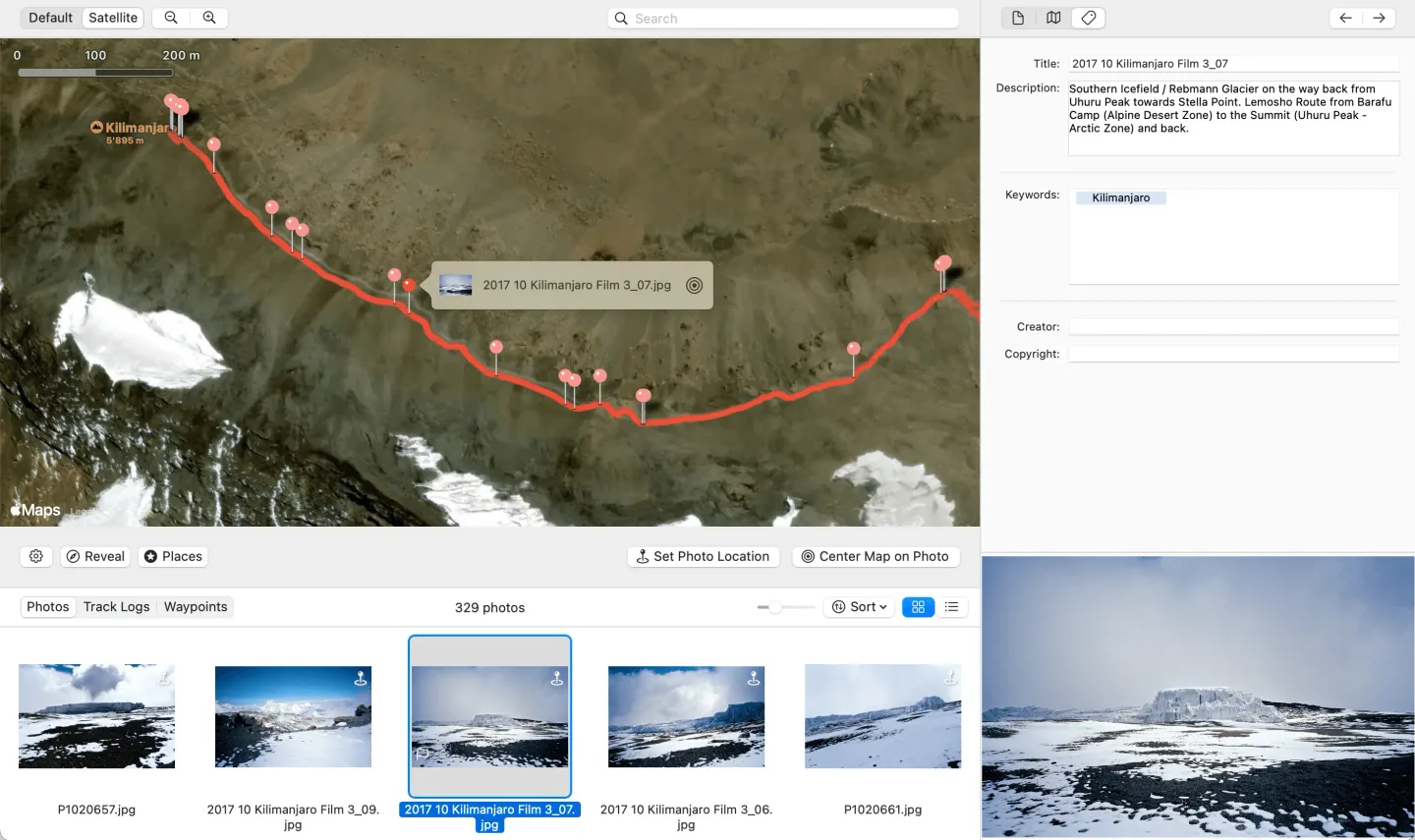
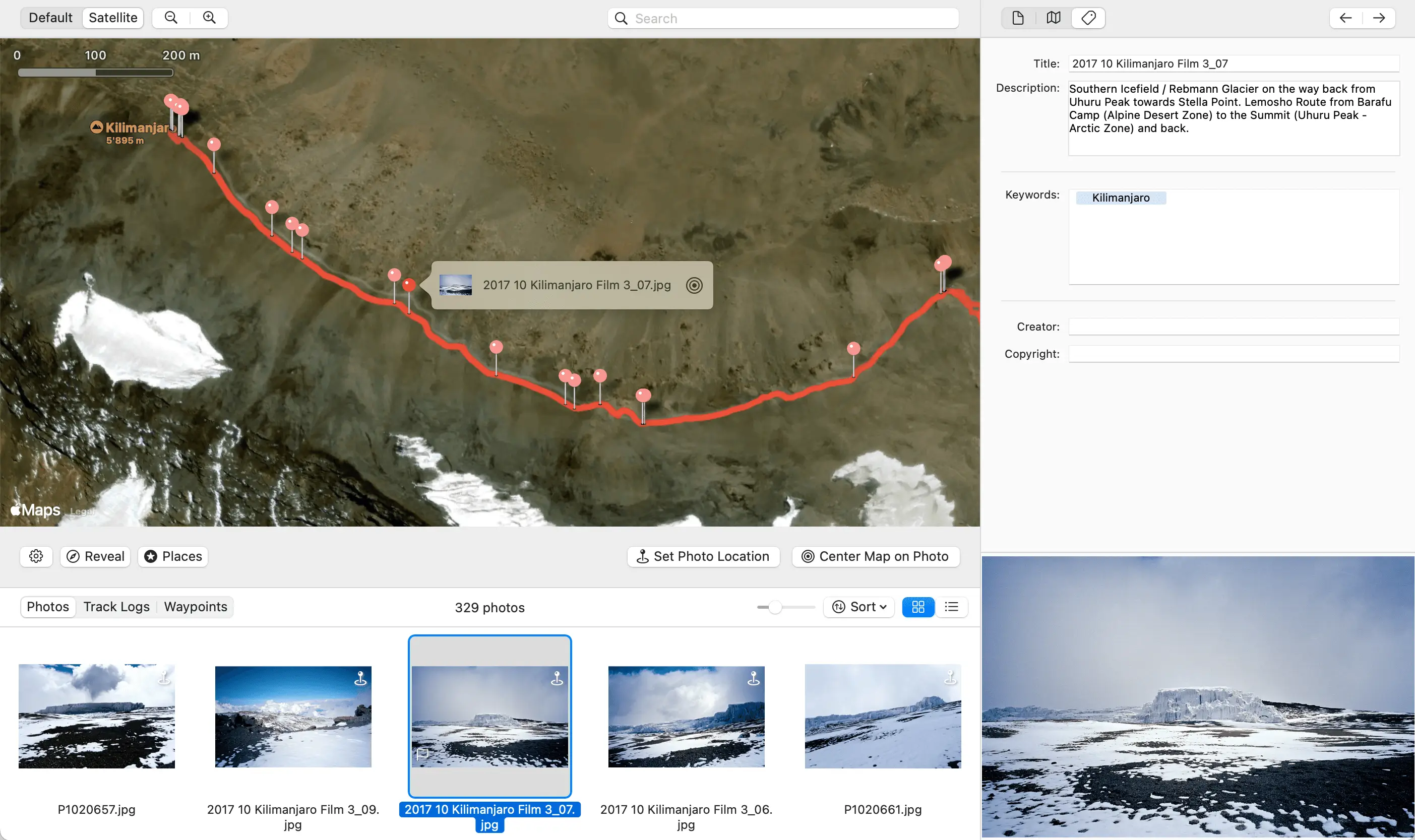
HoudahGeo adds location information to photos and videos that do not already have useful GPS data. Match capture times to a recorded GPS track, use geotagged reference photos or place media on the built-in map. The Camera Setup tools help align camera timestamps with track-log times.
The workflow separates loading media, checking locations and writing the results. Export coordinates and descriptive metadata to supported EXIF, XMP and IPTC fields, work with XMP sidecars, or create KML/KMZ files for Google Earth. Apple Photos users can also send location updates to their library; the publisher documents a local-file workflow for Lightroom Classic.
This is paid software with a free trial, not a free unrestricted application. Format support varies, so the publisher recommends checking your own photo and track-log formats with the trial. iCloud Photos does not re-upload original files modified by geotagging: process files before adding them to Photos if you need the embedded tags uploaded. Keep backups before writing metadata to originals.
What it offers
- Match photo and video timestamps to GPS track logs, including GPX.
- Assign or adjust locations with a map or geotagged reference photos.
- Write coordinates and descriptive metadata to supported files or XMP sidecars.
- Update Apple Photos location data and browse locally stored media from Lightroom Classic.
- Export geotagged media and routes as KML or KMZ for Google Earth.
Good to know
- Paid license required for unrestricted use; the free trial is for evaluation.
- iCloud Photos does not sync changes made to original files after geotagging. Geotag before importing if embedded metadata must reach iCloud.
- HoudahGeo 7 does not connect directly to GPS devices; import track-log files instead.
- Supported photo, video and track-log formats vary; use the trial to check your own files.
Product images
Sources
References used for this listing. Retrieval dates do not indicate hands-on testing.
More in multimedia & graphics
View category ↗
1by1 2.17
Play music directly from folders with 1by1, a free Windows audio player with resume, gapless playback and file tools. Formats beyond MP3 need additional decoders.
3DVista Virtual Tour Pro
Build interactive 360° virtual tours from panoramas, videos and 3D models with 3DVista Virtual Tour Pro for Windows. Commercial software with a 30-day trial.

4DDiG Video Repair
Repair corrupted or unplayable videos in batches with the Video Repair tool in 4DDiG File Repair for Windows. A free trial is available; advanced features require a paid license.