
Multimedia & graphics Windows
IconLover
Create Windows icons, edit cursors and organize icon libraries with IconLover, a Windows graphics editor offered as a 30-day trial.
- Operating system
- Windows PC, as specified by the publisher
- Architecture
- Package architecture not specified by the publisher
- Download package
- EXE download
This is a Windows application. Support for Mac ICNS and mobile PNG icons is file-format support, not evidence of native Mac, Linux, Android or iOS applications.
Link checked · Download guidance
What is IconLover?
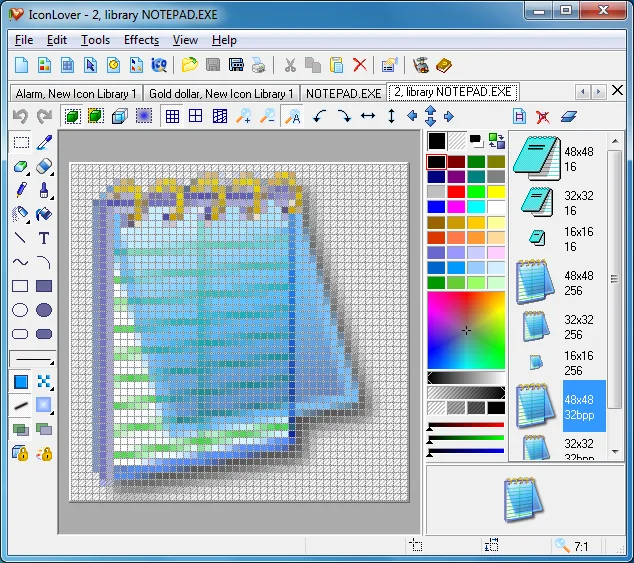
IconLover combines an icon editor with tools for managing icon and cursor libraries. Use it to draw an icon from scratch, convert an existing image into an icon, or edit the different sizes and color depths stored in an icon file. Layers, gradients, transparency controls and image effects support detailed work on small graphics.
The Windows application handles ICO and Mac ICNS icons as well as common bitmap formats such as PNG, BMP and JPEG. It can also edit animated cursors and GIF images, extract icons from Windows executables and libraries, and convert multiple icons in a batch. Support for Mac, Linux and mobile icon formats describes the files it can create, not native versions of the application for those operating systems.
The publisher lists version 5.48 with a release date of March 23, 2019. Evaluation is limited to 30 days and includes a nag screen; continued use requires a license. Importing SVG, AI or PDF vector artwork requires a separate Inkscape installation.
What it offers
- Create and edit Windows ICO and Mac ICNS icons, including multiple sizes and color depths.
- Work with layers, gradients, transparency, drop shadows and other image effects.
- Edit static and animated cursors and create animated GIF images.
- Manage icon libraries and extract icons from Windows executables and libraries.
- Convert images to icons or apply conversions and effects to multiple icons at once.
Good to know
- The evaluation version is limited to 30 days and displays a nag screen; use after the trial requires a license.
- SVG, AI and PDF vector import requires Inkscape to be installed separately.
Product images
Sources
References used for this listing. Retrieval dates do not indicate hands-on testing.
More in multimedia & graphics
View category ↗
1by1 2.17
Play music directly from folders with 1by1, a free Windows audio player with resume, gapless playback and file tools. Formats beyond MP3 need additional decoders.
3DVista Virtual Tour Pro
Build interactive 360° virtual tours from panoramas, videos and 3D models with 3DVista Virtual Tour Pro for Windows. Commercial software with a 30-day trial.


4DDiG Video Repair
Repair corrupted or unplayable videos in batches with the Video Repair tool in 4DDiG File Repair for Windows. A free trial is available; advanced features require a paid license.