
Multimedia & graphics macOS
ImageJ for macOS
Measure and process scientific images on Mac with ImageJ, a public-domain application with image stacks, selection tools, macros and plugins.
- Operating system
- Mac OS X / macOS; publisher lists a separate M1 Mac package
- Architecture
- ARM (publisher-designated M1 Mac download)
- Download package
- ZIP archive with Zulu OpenJDK 13.0.6
Selected download is the publisher’s M1/ARM package. A separate Java 8 Mac package is available. No minimum macOS version or compatibility with every Apple Silicon model was verified.
Link checked · Download guidance
What is ImageJ?
ImageJ is a scientific image-processing and analysis application. Use it to measure areas, lengths and pixel intensities, compare histograms and profile plots, or apply filters and thresholding to images. It supports grayscale and RGB data, opens formats including TIFF and DICOM, and can process related images as a stack. Macros automate repeated steps, while plugins add specialized tools.
This entry covers the original ImageJ, also called ImageJ 1.x, rather than the separate ImageJ2 redesign or the Fiji distribution. The linked Mac ZIP is the publisher’s M1/ARM package bundled with Zulu OpenJDK 13.0.6; the official download page also lists a separate Mac package with Java 8.
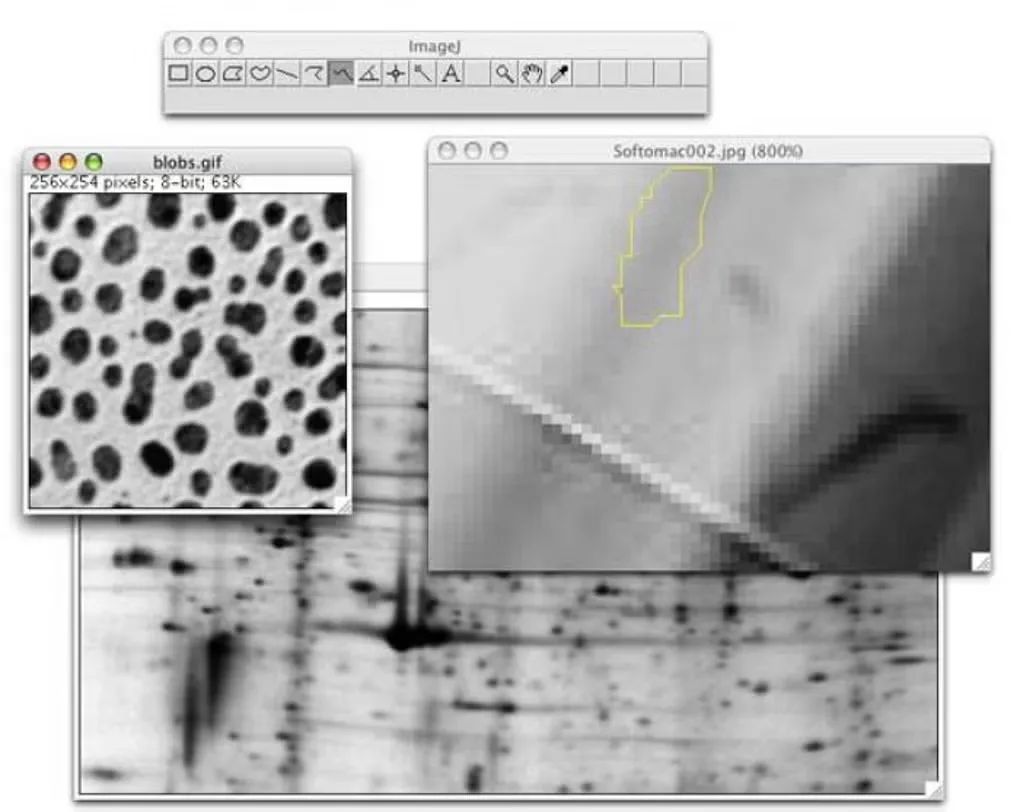
Mac installation has a documented limitation: macOS Path Randomization can prevent plugins from appearing in the Plugins menu. The publisher describes moving ImageJ.app to another folder as a workaround. The screenshot shows a historical Mac interface, not proof of the appearance of the currently linked package.
What it offers
- Measure areas, lengths, angles and image intensity statistics; generate histograms and profile plots.
- Adjust brightness and contrast, apply filters and thresholding, and crop, resize or rotate images.
- Open TIFF, PNG, JPEG and DICOM images; work with grayscale, floating-point and RGB data.
- Process related images as stacks and save stacks as multi-image TIFF files.
- Automate repeated tasks with macros and extend analysis tools with plugins.
Good to know
- macOS Path Randomization can prevent plugins from appearing in the Plugins menu; the publisher documents moving ImageJ.app to another folder as a workaround.
- Legacy commands and plugins that depend on QuickTime for Java fail with 64-bit Java and on OS X 10.10 or later.
Product images
Sources
References used for this listing. Retrieval dates do not indicate hands-on testing.
- ImageJ for Mac - Download ↗Retrieved
- ImageJ — Download ↗Retrieved
- ImageJ — original ImageJ and related distributions ↗Retrieved
- ImageJ Features ↗Retrieved
- ImageJ — OS X Installation ↗Retrieved
More in multimedia & graphics
View category ↗
1by1 2.17
Play music directly from folders with 1by1, a free Windows audio player with resume, gapless playback and file tools. Formats beyond MP3 need additional decoders.
3DVista Virtual Tour Pro
Build interactive 360° virtual tours from panoramas, videos and 3D models with 3DVista Virtual Tour Pro for Windows. Commercial software with a 30-day trial.

4DDiG Video Repair
Repair corrupted or unplayable videos in batches with the Video Repair tool in 4DDiG File Repair for Windows. A free trial is available; advanced features require a paid license.