

Multimedia & graphics Windows
Inkscape for Windows
Draw logos, diagrams and illustrations with Inkscape, a free, open-source vector editor that uses SVG as its native format.
- Operating system
- Windows; minimum version for 1.4.4 not confirmed by the fetched publisher requirements section
- Architecture
- x64 (Intel/AMD 64-bit)
- Download package
- MSI installer
Not the separate Windows on Arm package. Publisher says to uninstall the previous version before updating; use its separate 7z archive for parallel versions.
Link checked · Download guidance
What is Inkscape?
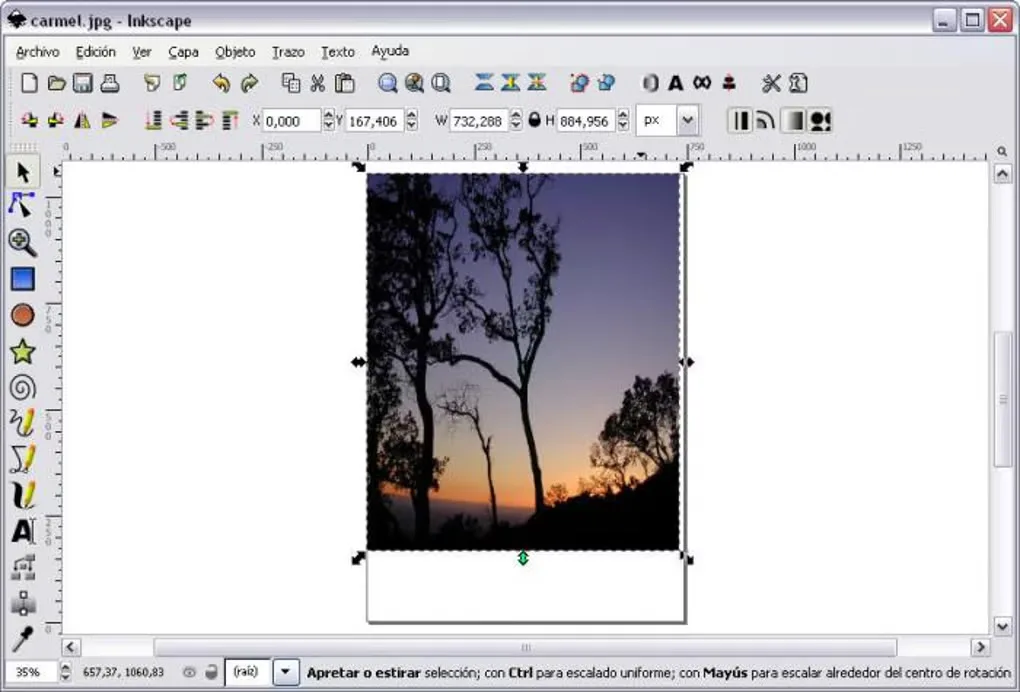
Inkscape creates artwork from editable shapes, paths and text rather than a fixed grid of pixels. Use its pen and node tools to refine a logo, align objects for a diagram, or combine lettering and gradients in an illustration. SVG is its native format; PNG and PDF export let you share finished work without requiring the recipient to edit the original drawing. Bitmap tracing can turn imported images into vector paths.
This download is the Inkscape 1.4.4 x64 MSI installer for Windows, not the separate Windows on Arm package or a browser extension. The publisher asks users to uninstall the previous version before updating and recommends the separate 7z archive for parallel versions. Its fetched requirements section names older releases, so the minimum Windows version for 1.4.4 is not confirmed here.
Inkscape is intended for vector drawing, not pixel-by-pixel photo retouching. The 1.4.4 release notes also document a Windows display issue: long page names can overflow their canvas label boxes and leave visual artifacts.
What it offers
- Draw freehand paths, Bézier curves, geometric shapes and editable text.
- Refine nodes and combine paths with Boolean operations or the Shape Builder tool.
- Organize artwork with layers, grouping, alignment and snapping controls.
- Trace bitmap images into vector paths and apply gradients, fills and strokes.
- Edit SVG documents and export artwork to PNG or PDF.
Good to know
- Vector-focused editing is not a substitute for pixel-by-pixel photo retouching.
- In version 1.4.4 on Windows, long page names can overflow canvas label boxes and leave visual artifacts.
Product images
Sources
References used for this listing. Retrieval dates do not indicate hands-on testing.
- Features | Inkscape — publisher text retrieved through Jina Reader ↗Retrieved
- FAQ | Inkscape — publisher text retrieved through Jina Reader ↗Retrieved
- Download Inkscape 1.4.4 for Windows: 64-bit MSI — retrieved through Jina Reader ↗Retrieved
- Inkscape 1.4.4 Release Notes — retrieved through Jina Reader ↗Retrieved
- Inkscape 1.4.4 Windows 64bit MSI — publisher gallery retrieved through Jina Reader ↗Retrieved
- Licensing | Inkscape — retrieved through Jina Reader ↗Retrieved
- Branding & Trademark | Inkscape — retrieved through Jina Reader ↗Retrieved
- Inkscape - Download — normal-browser Windows screenshot gallery ↗Retrieved
More in multimedia & graphics
View category ↗
1by1 2.17
Play music directly from folders with 1by1, a free Windows audio player with resume, gapless playback and file tools. Formats beyond MP3 need additional decoders.
3DVista Virtual Tour Pro
Build interactive 360° virtual tours from panoramas, videos and 3D models with 3DVista Virtual Tour Pro for Windows. Commercial software with a 30-day trial.

4DDiG Video Repair
Repair corrupted or unplayable videos in batches with the Video Repair tool in 4DDiG File Repair for Windows. A free trial is available; advanced features require a paid license.