

Multimedia & graphics Windows
IrfanView for Windows
View photos, crop images and convert batches of files with IrfanView for Windows. Free for private, non-commercial use; business use needs a license.
- Operating system
- 64-bit Windows Vista, 7, 8, 10 and 11
- Architecture
- x64 (64-bit)
- Download package
- English EXE installer
Version 4.76 x64 via publisher-recommended FileForum mirror. Plug-ins are separate; this is not the 32-bit edition.
Link checked · Download guidance
What is IrfanView?
IrfanView is a Windows image viewer with tools for everyday edits and file conversion. Browse a folder through thumbnails, crop a picture, add a text or image watermark, or apply image processing to a batch of files. Slideshows and multipage TIFF editing give it uses beyond opening one photo at a time.
JPEG, PNG, GIF, BMP and TIFF can be read and saved, but format support is not uniform. The publisher marks formats such as WebP, HEIC and camera RAW as requiring plug-ins; being able to open a format does not necessarily mean IrfanView can save it. Match the plug-in package to the application's bit version.
The linked download is the English 4.76 x64 EXE installer from FileForum, a mirror recommended on the publisher's download page. It is not the separate plug-in bundle. This edition requires 64-bit Windows; the publisher also offers a 32-bit edition for users who need older plug-ins or scanning command-line options unavailable in the 64-bit edition.
What it offers
- Browse images with thumbnail previews and directory navigation.
- Crop images, add text or image watermarks, and change color depth.
- Convert batches of files with advanced image processing.
- Create slideshows and edit multipage TIFF files.
- Read and save JPEG, PNG, GIF, BMP and TIFF; extend format support with separate plug-ins.
Good to know
- Commercial or workplace use requires a purchased license; free use covers private non-commercial use and the educational and charity uses listed in the EULA.
- WebP, HEIC and camera RAW support requires plug-ins. Read and save capabilities differ by format; the main installer is not the plug-in bundle.
- Not all 32-bit plug-ins are available for the 64-bit edition. The publisher lists scanning command-line options such as /scan as 32-bit-only.
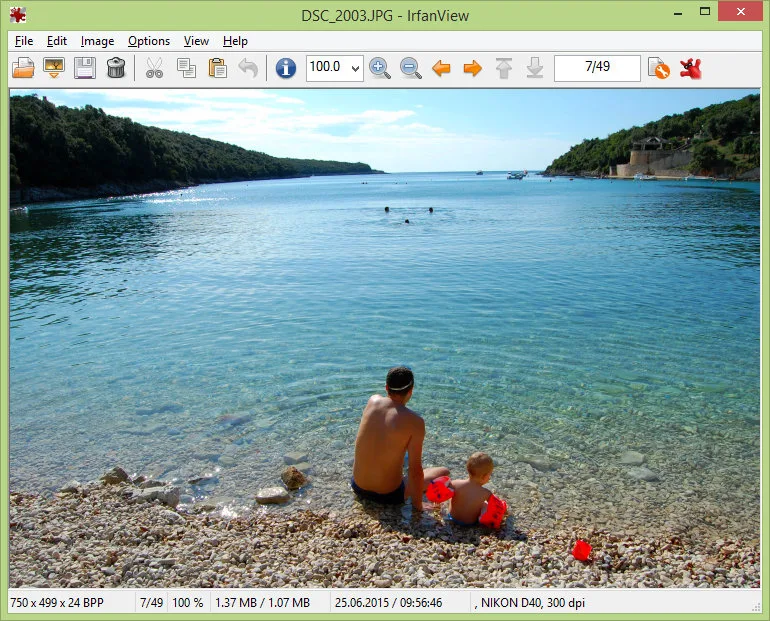
Product images
Sources
References used for this listing. Retrieval dates do not indicate hands-on testing.
- What is IrfanView? — official features and usage agreement ↗Retrieved
- IrfanView Software License Agreement ↗Retrieved
- IrfanView 64-bit version — compatibility and package differences ↗Retrieved
- Supported file formats in IrfanView ↗Retrieved
- History of IrfanView Changes/Versions ↗Retrieved
- Download IrfanView — publisher-recommended mirrors ↗Retrieved
- Download IrfanView 4.76 — FileForum 64-bit handoff ↗Retrieved
- IrfanView official gallery — Viewer window screenshot ↗Retrieved
More in multimedia & graphics
View category ↗
1by1 2.17
Play music directly from folders with 1by1, a free Windows audio player with resume, gapless playback and file tools. Formats beyond MP3 need additional decoders.
3DVista Virtual Tour Pro
Build interactive 360° virtual tours from panoramas, videos and 3D models with 3DVista Virtual Tour Pro for Windows. Commercial software with a 30-day trial.

4DDiG Video Repair
Repair corrupted or unplayable videos in batches with the Video Repair tool in 4DDiG File Repair for Windows. A free trial is available; advanced features require a paid license.