
Multimedia & graphics macOS
iShowU
Record your Mac screen and audio to QuickTime movies with classic iShowU. This legacy download is version 1.94.6, listed by the publisher for OS X Lion and later.
- Operating system
- Legacy OS X; publisher labels version 1.94.6 “Lion+”
- Architecture
- Not specified for this legacy DMG
- Download package
- DMG disk image
Classic iShowU, not Instant, HD or V6. Modern macOS and Apple Silicon compatibility have not been established.
Link checked · Download guidance
What is iShowU?
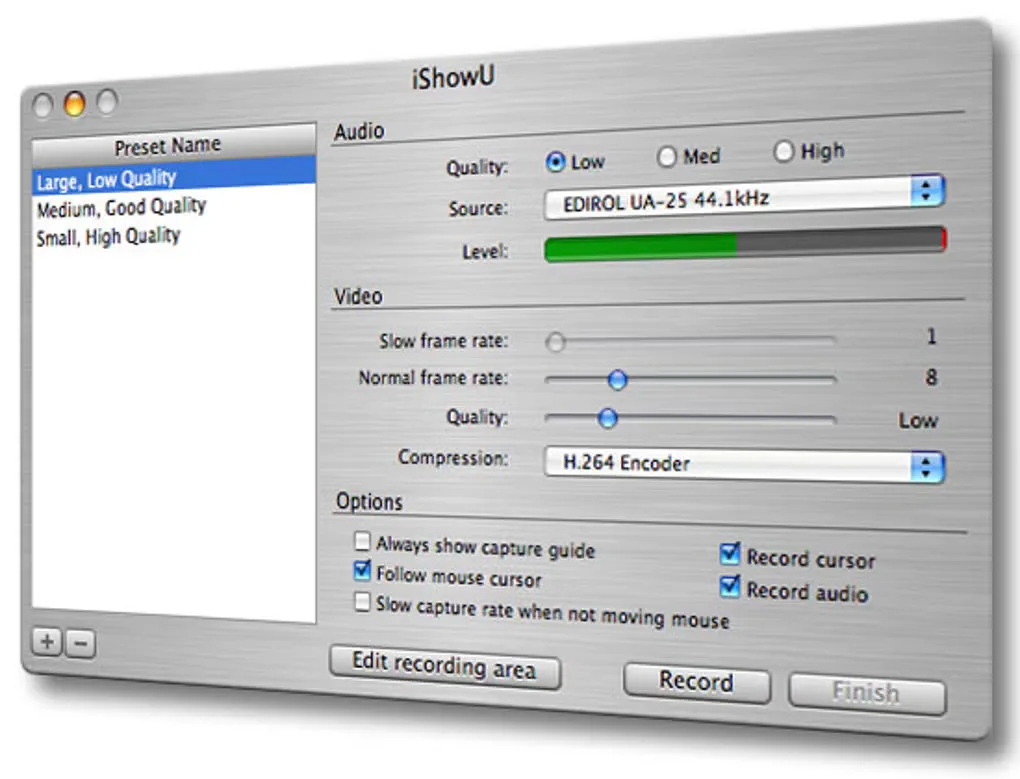
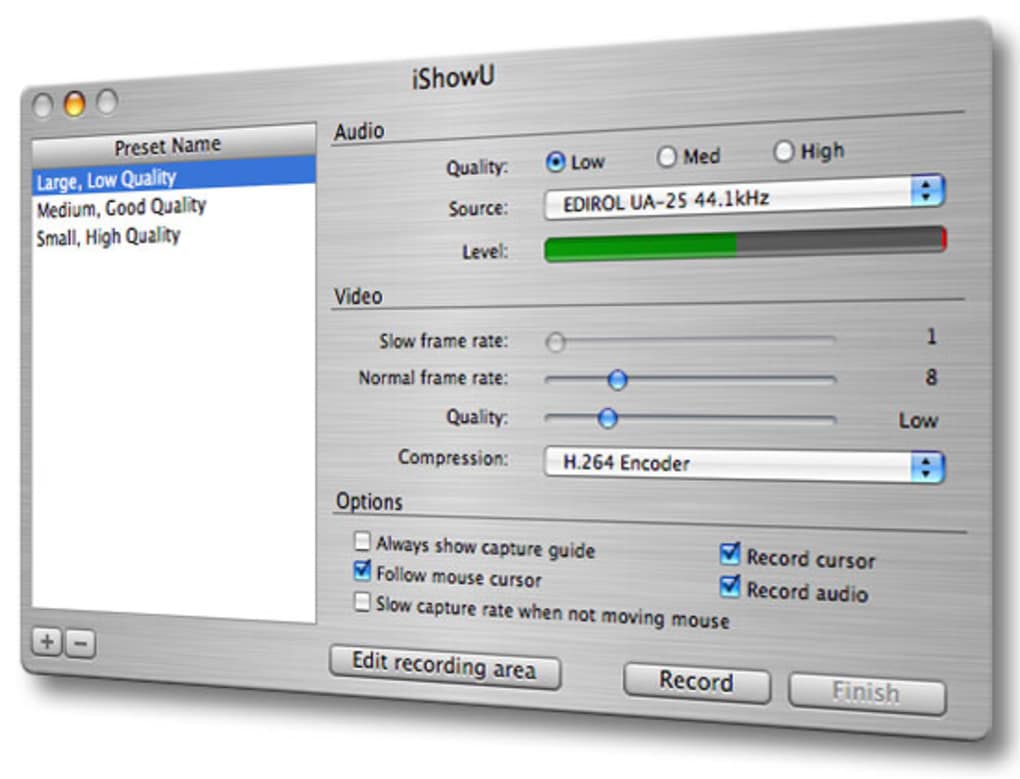
iShowU is the classic screen recorder from shinywhitebox. It captures a selected area of the Mac screen and audio into a QuickTime movie, making it useful for narrated demonstrations and showing someone how a task works. Presets group recording settings so you can switch between output sizes and quality choices without configuring each option again.
The classic manual describes microphone and system-audio recording, adjustable capture areas, mouse-following capture, frame-rate controls and video compression options. System-audio capture uses Soundflower and can require additional setup; the manual notes that some applications may not follow changes to the default audio device.
This entry links to the publisher’s legacy iShowU 1.94.6 DMG, labelled “Lion+”. It is not iShowU Instant, HD or V6. The publisher’s main linked page now describes Instant, whose Apple Silicon and newer macOS requirements must not be applied to this older build. Compatibility with current macOS releases and Apple Silicon is not established by the legacy listing. The demo adds green text to recordings; the manual describes registration to remove it, but current legacy activation availability has not been verified.
What it offers
- Capture screen video and audio directly into a QuickTime movie.
- Save recording presets for different capture sizes and output settings.
- Choose the recording area, follow the mouse cursor and include the cursor in recordings.
- Adjust frame rate and video compression; record microphone and system audio with the classic audio setup.
Good to know
- Legacy build: the publisher labels version 1.94.6 “Lion+”; current macOS and Apple Silicon compatibility are not established.
- The demo adds green text to recorded videos. The manual describes registration to remove it; current legacy activation availability is unverified.
- System-audio recording relies on Soundflower, and applications that ignore audio-device changes may not be captured as expected.
Product images
Sources
References used for this listing. Retrieval dates do not indicate hands-on testing.
More in multimedia & graphics
View category ↗
1by1 2.17
Play music directly from folders with 1by1, a free Windows audio player with resume, gapless playback and file tools. Formats beyond MP3 need additional decoders.
3DVista Virtual Tour Pro
Build interactive 360° virtual tours from panoramas, videos and 3D models with 3DVista Virtual Tour Pro for Windows. Commercial software with a 30-day trial.

4DDiG Video Repair
Repair corrupted or unplayable videos in batches with the Video Repair tool in 4DDiG File Repair for Windows. A free trial is available; advanced features require a paid license.