

Multimedia & graphics Windows
iTunes for Windows
Manage podcasts and audiobooks on Windows with iTunes, or use its music library and CD-import tools when Apple Music and Apple TV are not installed.
- Operating system
- Windows 10; Windows 11 is also listed by Softonic
- Architecture
- 64-bit (x64)
- Download package
- EXE installer (iTunes64Setup.exe)
Selected Apple link is the 64-bit standalone installer; 32-bit and Microsoft Store editions are separate. Apple lists 400MB of available disk space.
Link checked · Download guidance
What is iTunes?
iTunes brings podcasts, audiobooks and a media library to a Windows PC. Apple still identifies it as the Windows app for podcasts and audiobooks. For a PC that has not moved to the separate Apple Music and Apple TV apps, iTunes also plays music, imports songs from CDs and provides access to the iTunes Store. Playlists help organize a local collection.
The important choice is which Apple apps you use on the same PC. Apple states that installing Apple Music or Apple TV moves music, movies and TV shows to those apps; iTunes remains available for audiobooks and podcasts. Apple Devices is the separate option for updating, backing up, restoring and syncing an iPhone or iPad. Do not choose iTunes expecting every older media or device-management workflow to remain unchanged after that transition.
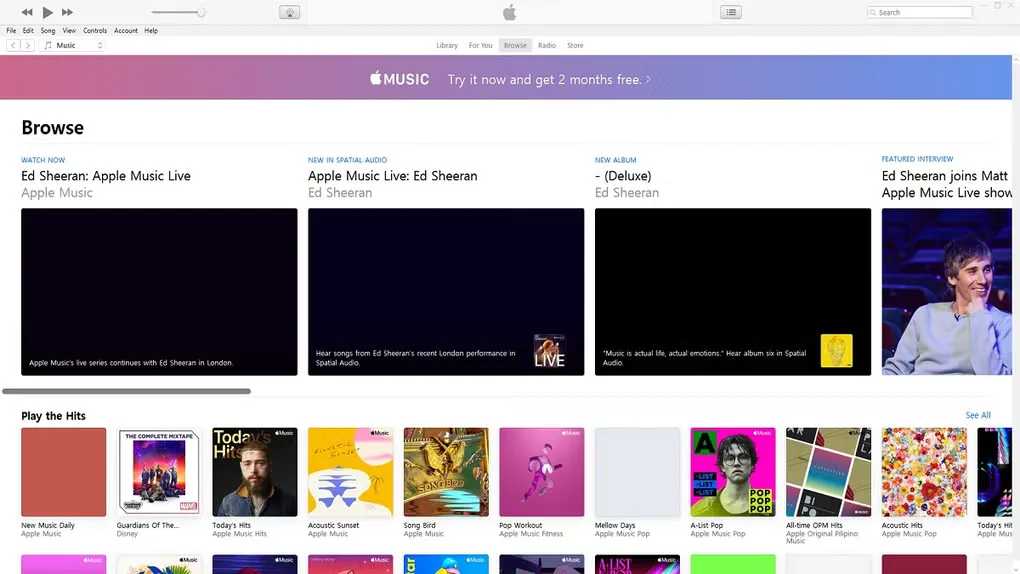
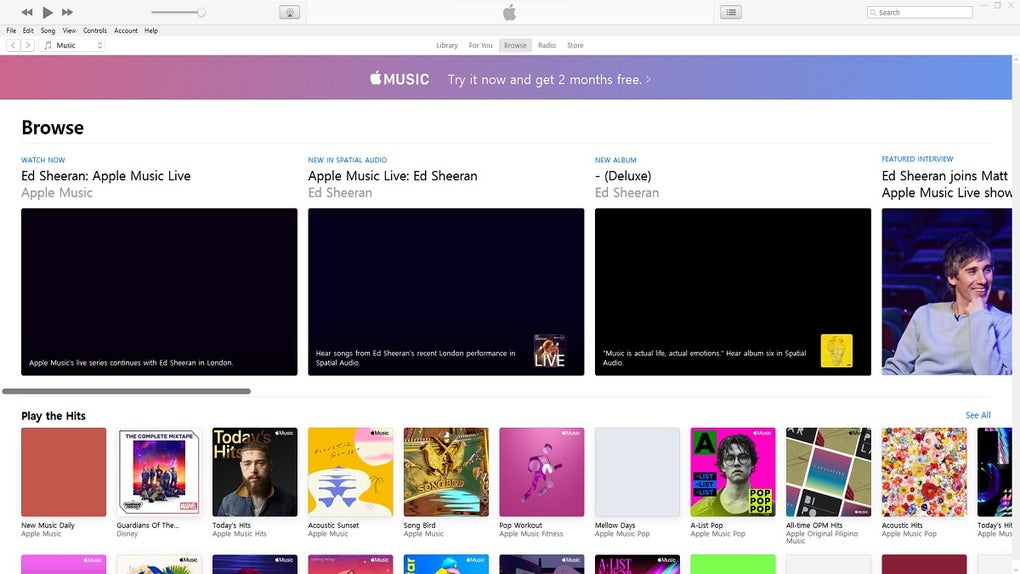
This entry links to Apple’s standalone 64-bit Windows installer. Apple also offers a separate 32-bit option and a Microsoft Store edition. The application is free to download, but media purchases, rentals and Apple Music subscriptions are separate costs. Store features and service availability depend on your country or region. The source gallery screenshot illustrates the iTunes music-browsing interface, not a verified view of the current installer.
What it offers
- Listen to and manage podcasts and audiobooks on a Windows PC.
- Play music and organize playlists when the separate Apple Music and Apple TV apps are not installed.
- Import songs from audio CDs into the iTunes library.
- Access the iTunes Store for supported media purchases and rentals, subject to regional availability.
Good to know
- Installing Apple Music or Apple TV moves music, movies and TV shows to those apps; iTunes then remains for podcasts and audiobooks.
- The free application does not make paid media or an Apple Music subscription free; store features vary by country or region.
- Songs from the Apple Music catalog cannot be burned to an audio CD.
Product images
Sources
References used for this listing. Retrieval dates do not indicate hands-on testing.
- iTunes - Apple: Windows download and requirements ↗Retrieved
- Download Apple Music, Apple TV, Apple Devices, and iTunes for Windows - Apple Support ↗Retrieved
- How iTunes is changing on PC - Apple Support ↗Retrieved
- iTunes User Guide for PC - Apple Support ↗Retrieved
- iTunes - Download — observed Windows product page and screenshot gallery ↗Retrieved
More in multimedia & graphics
View category ↗
1by1 2.17
Play music directly from folders with 1by1, a free Windows audio player with resume, gapless playback and file tools. Formats beyond MP3 need additional decoders.
3DVista Virtual Tour Pro
Build interactive 360° virtual tours from panoramas, videos and 3D models with 3DVista Virtual Tour Pro for Windows. Commercial software with a 30-day trial.

4DDiG Video Repair
Repair corrupted or unplayable videos in batches with the Video Repair tool in 4DDiG File Repair for Windows. A free trial is available; advanced features require a paid license.