

Multimedia & graphics Windows
Jaikoz for Windows
Correct music tags with database matching and spreadsheet-style editing in Jaikoz for Windows. The commercial tagger offers a 30-day trial with limited saving.
Version 12.6 Elastica · Direct publisher file
Link checked · Download guidance
What is Jaikoz?
Jaikoz edits the metadata in a music collection, combining automatic matching with a spreadsheet-style view for manual corrections. It looks up recordings through MusicBrainz and Discogs and uses Acoustid audio identification to help match tracks that lack useful tags. Supported tagging formats include MP3, FLAC, AIFF, WAV, DSF, MP4, M4A, OGG and WMA.
Beyond correcting titles, artists and albums, Jaikoz includes artwork handling, duplicate deletion and file renaming. Standard and Premium are paid editions; Bandcamp autocorrect and acoustic metadata such as BPM and mood belong to Premium.
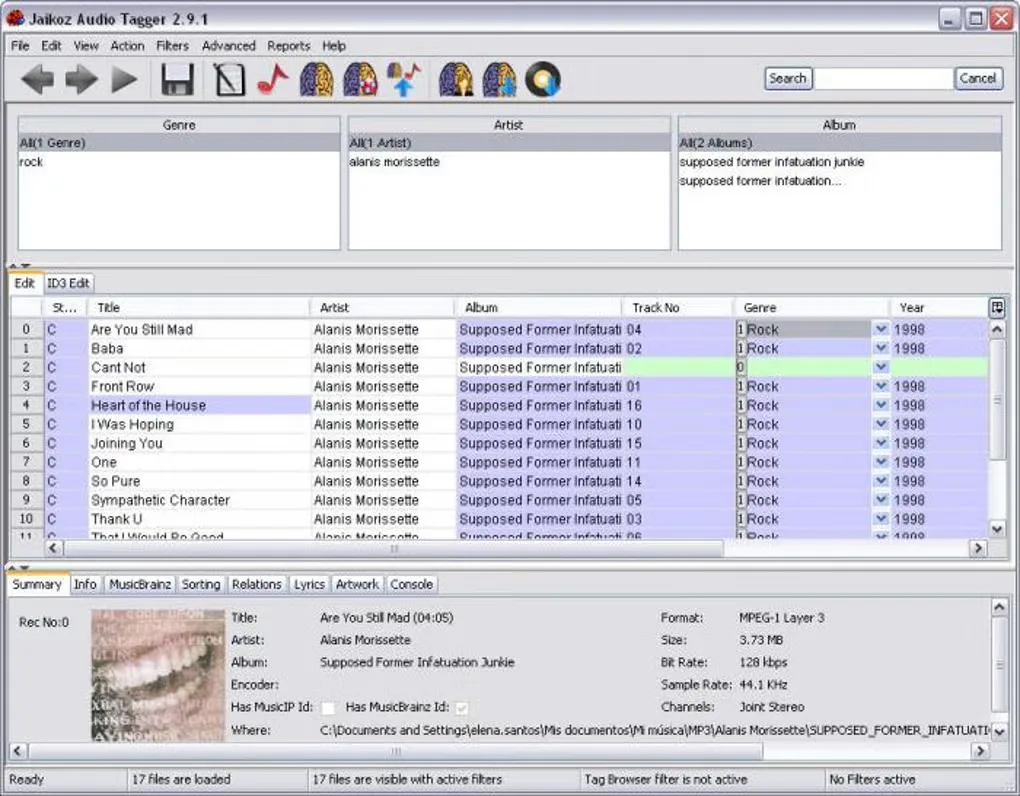
The publisher identifies the Windows release as 12.6 Elastica and links a 64-bit MSI package. Its 30-day trial excludes Premium-only features and saves changes to at most 20 files per use. A license is required to continue after the trial. The gallery image shows the older Windows 2.9.1 interface, not version 12.6.
What it offers
- Match music using MusicBrainz and Discogs metadata and Acoustid audio identification.
- Edit track metadata in a spreadsheet-style interface.
- Tag MP3, FLAC, AIFF, WAV, DSF, MP4, M4A, OGG and WMA files.
- Work with artwork, delete duplicates and rename music files.
- Use dedicated metadata support for classical music.
Good to know
- The 30-day trial saves changes to only 20 files per use and excludes Premium-only features; continued use requires a paid license.
- Bandcamp autocorrect and acoustic metadata such as BPM and mood require Premium.
Product images
Sources
References used for this listing. Retrieval dates do not indicate hands-on testing.
More in multimedia & graphics
View category ↗
1by1 2.17
Play music directly from folders with 1by1, a free Windows audio player with resume, gapless playback and file tools. Formats beyond MP3 need additional decoders.
3DVista Virtual Tour Pro
Build interactive 360° virtual tours from panoramas, videos and 3D models with 3DVista Virtual Tour Pro for Windows. Commercial software with a 30-day trial.

4DDiG Video Repair
Repair corrupted or unplayable videos in batches with the Video Repair tool in 4DDiG File Repair for Windows. A free trial is available; advanced features require a paid license.