
Multimedia & graphics Windows
JPEG Lossless Rotator
Rotate individual JPEG photos or whole folders on Windows using lossless block transformations, with EXIF-based automatic rotation and optional Explorer integration.
- Operating system
- Windows 7, 8, 10 and 11
- Architecture
- 32-bit and 64-bit
- Download package
- EXE installer (combined 32-bit and 64-bit)
Separate 32-bit and 64-bit portable ZIP editions are offered by the publisher. Explorer integration requires installation.
Link checked · Download guidance
What is JPEG Lossless Rotator?
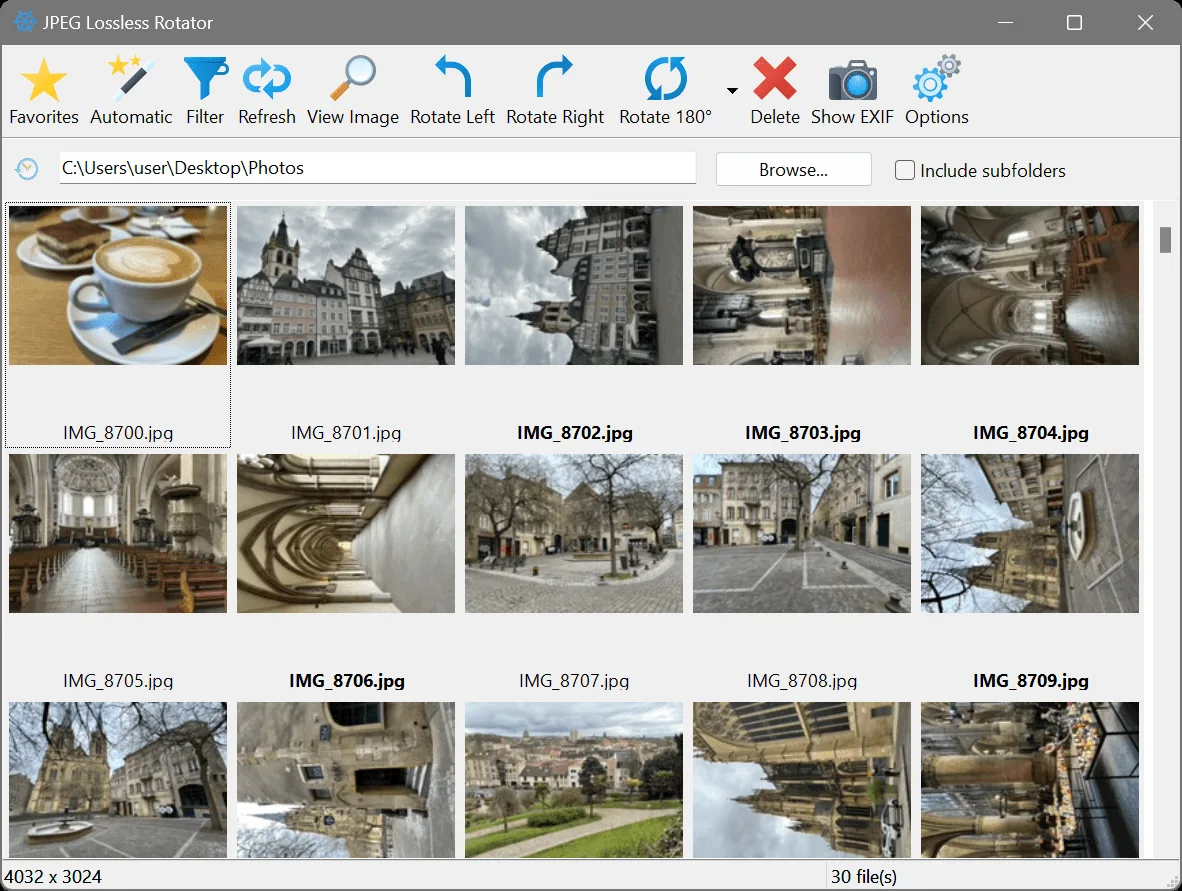
JPEG Lossless Rotator corrects the orientation of .jpg and .jpeg photos without the decode-and-recompress cycle used by many image editors. Browse to a folder, select thumbnails and rotate them left, right or 180 degrees. For photos with usable EXIF orientation information, the Automatic command can rotate the detected images together; the Filter button narrows the view to photos detected as needing rotation.
The application also flips images, displays EXIF information and can reset the orientation tag without rotating the picture. Both installer and portable editions are available for 32-bit and 64-bit Windows. The linked EXE is the publisher's combined installer; choose it if you need the optional Explorer right-click commands, which are not available in the portable edition.
Lossless does not mean every image can retain its full edges: JPEG block alignment can require cropping by up to 15 pixels. Automatic rotation follows EXIF tags, so missing or incorrect orientation information can require manual correction. Rotations overwrite originals by default; enable Create backup image before rotation or work on copies before processing a collection. The publisher recommends checking spare photos from each camera before extensive use.
What it offers
- Rotate selected JPEG photos left, right or 180 degrees, including batches of images.
- Use EXIF-guided automatic rotation and filter the thumbnail view to photos detected as needing rotation.
- Display EXIF data and reset the orientation tag to Normal without rotating the image.
- Flip images horizontally or vertically, rename files and retain modification timestamps through an option.
- Choose portable operation or installer-only Explorer integration; command-line transformations are also documented.
Good to know
- Some JPEG dimensions require edge cropping by up to 15 pixels for lossless block rotation.
- Automatic rotation depends on EXIF orientation tags; missing or incorrect tags can prevent correct automatic results.
- Original files are overwritten by default unless you enable backup creation or make your own copies.
- Explorer shell integration requires the installer and is not included in the portable edition.
- The stated freeware license covers private non-commercial or educational use, including non-profit organisations; unrestricted commercial use is not established.
Product images
Sources
References used for this listing. Retrieval dates do not indicate hands-on testing.
More in multimedia & graphics
View category ↗
1by1 2.17
Play music directly from folders with 1by1, a free Windows audio player with resume, gapless playback and file tools. Formats beyond MP3 need additional decoders.
3DVista Virtual Tour Pro
Build interactive 360° virtual tours from panoramas, videos and 3D models with 3DVista Virtual Tour Pro for Windows. Commercial software with a 30-day trial.

4DDiG Video Repair
Repair corrupted or unplayable videos in batches with the Video Repair tool in 4DDiG File Repair for Windows. A free trial is available; advanced features require a paid license.