

Multimedia & graphics Windows
JPEGView for Windows
View photos and adjust sharpness, color balance, perspective and exposure in JPEGView, a free, open-source image viewer and basic editor for Windows.
- Operating system
- Windows 7, 8, 10 and 11 (64-bit), as listed by the publisher
- Architecture
- x64
- Download package
- English MSI installer
This is the 64-bit MSI, not a portable archive. Separate 32-bit and portable packages are available. The publisher states that its MSI is unsigned.
Link checked · Download guidance
What is JPEGView?
JPEGView opens photos in a minimal viewing interface and lets you make basic corrections without switching to a separate editor. Adjust sharpness, color balance, contrast, rotation, perspective and local exposure while viewing an image. Its format support includes JPEG, PNG, TIFF, GIF, WebP, JPEG XL, HEIF/HEIC, AVIF and supported camera RAW files. A slideshow mode can play a folder of JPEGs.
The linked download is version 1.3.46 of the maintained sylikc fork, which continues David Kleiner’s original JPEGView project. This entry selects the English x64 MSI for 64-bit Windows; the publisher also provides separate 32-bit builds and portable archives.
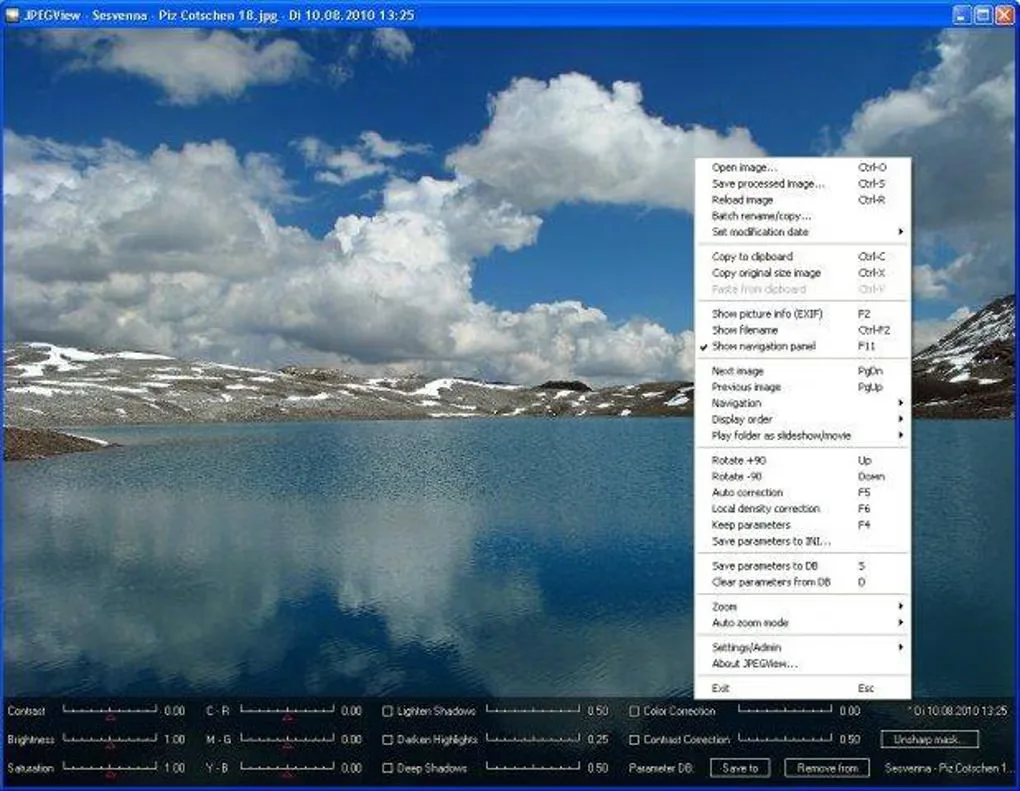
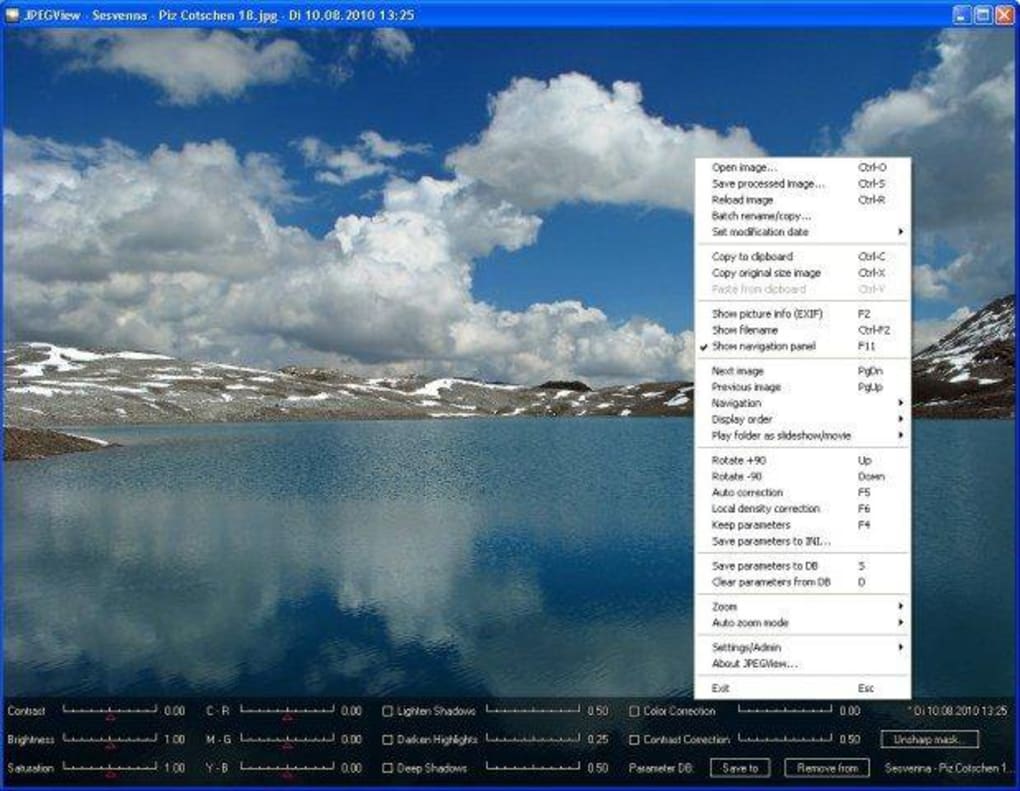
Editing is focused on basic image adjustments. PSD support is limited to 8-bit files using uncompressed or RLE compression, so it does not cover every Photoshop document. The publisher states that the MSI is unsigned and supplies release checksums. The gallery image is a historical Windows screenshot showing the viewer, context menu and adjustment controls, not a capture of the selected release.
What it offers
- Open common photo formats including JPEG, PNG, TIFF and GIF, plus WebP, JPEG XL, HEIF/HEIC, AVIF and supported camera RAW files.
- Adjust sharpness, color balance, contrast, perspective, rotation and local exposure while viewing images.
- Play a folder of JPEG images in movie/slideshow mode.
- Choose an MSI installation or a separate portable archive from the publisher.
Good to know
- Editing tools focus on basic corrections rather than a full photo-editing workflow.
- PSD support covers only 8-bit files using Raw/Uncompressed or RLE compression.
- The publisher describes the MSI as unsigned and recommends verifying release checksums.
Product images
Sources
References used for this listing. Retrieval dates do not indicate hands-on testing.
- JPEGView 1.3.46 — publisher README ↗Retrieved
- JPEGView v1.3.46 — release notes ↗Retrieved
- JPEGView v1.3.46 — publisher asset list ↗Retrieved
- JPEGView — license and copyright ↗Retrieved
- JPEGView - Download ↗Retrieved
More in multimedia & graphics
View category ↗
1by1 2.17
Play music directly from folders with 1by1, a free Windows audio player with resume, gapless playback and file tools. Formats beyond MP3 need additional decoders.
3DVista Virtual Tour Pro
Build interactive 360° virtual tours from panoramas, videos and 3D models with 3DVista Virtual Tour Pro for Windows. Commercial software with a 30-day trial.

4DDiG Video Repair
Repair corrupted or unplayable videos in batches with the Video Repair tool in 4DDiG File Repair for Windows. A free trial is available; advanced features require a paid license.