

Multimedia & graphics Windows
Jubler for Windows
Create, retime and convert text-based subtitles with Jubler, a free, open-source editor for Windows. Video preview and audio waveforms require VLC.
- Operating system
- Windows; exact supported Windows versions not established by the publisher catalog
- Architecture
- x64
- Download package
- EXE
Publisher-listed Windows 10.0.0 package. VLC is required for video preview and audio waveforms; ASpell is used for spell checking.
Link checked · Download guidance
What is Jubler?
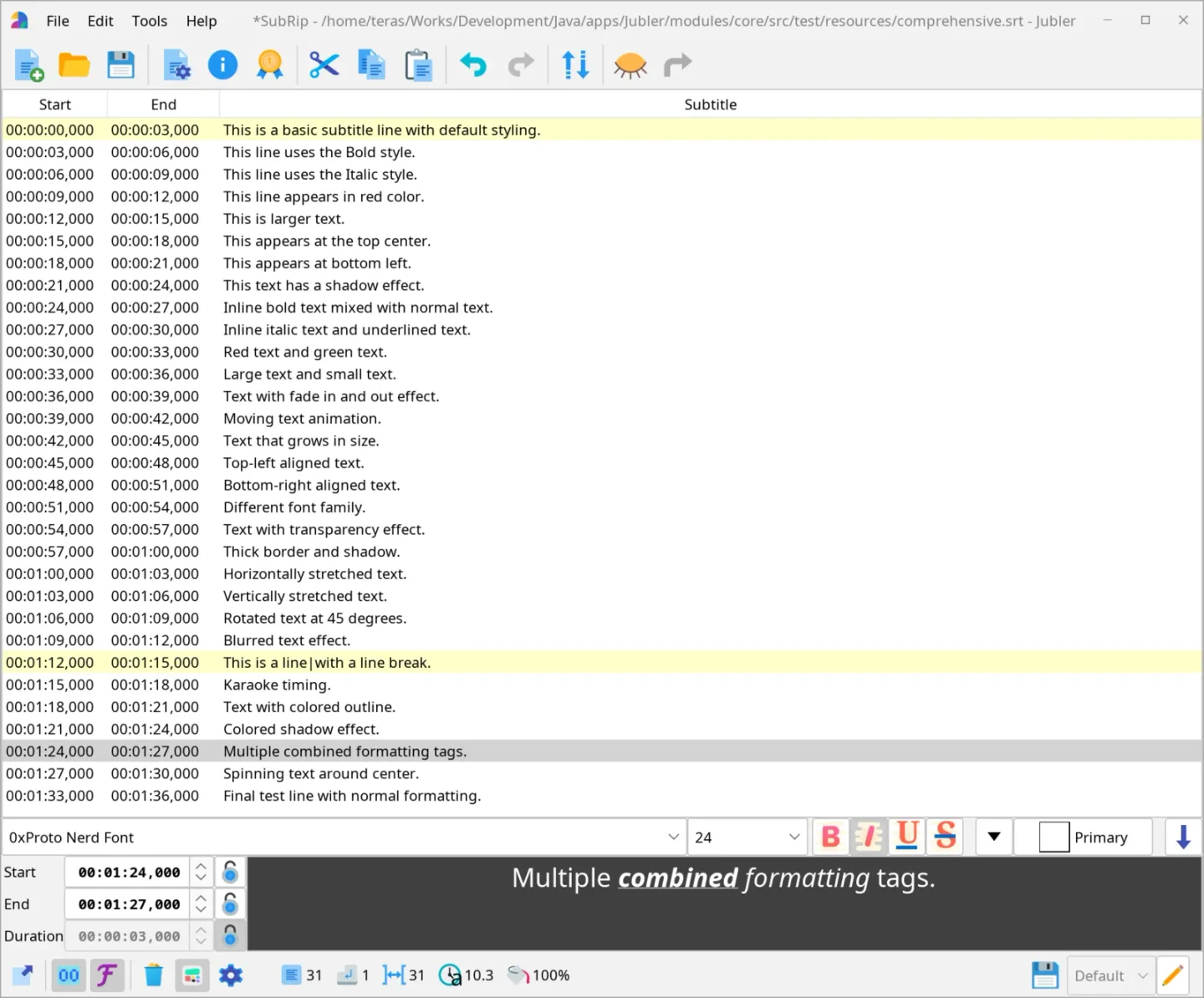
Jubler edits text-based subtitles for video: write new lines, adjust their start and end times, or convert an existing subtitle file to another supported format. Its format support includes SubRip (SRT), ASS/SSA and WebVTT. Timing tools include time shifting, frame-rate conversion and two-point synchronization, while split/join tools help restructure subtitle entries.
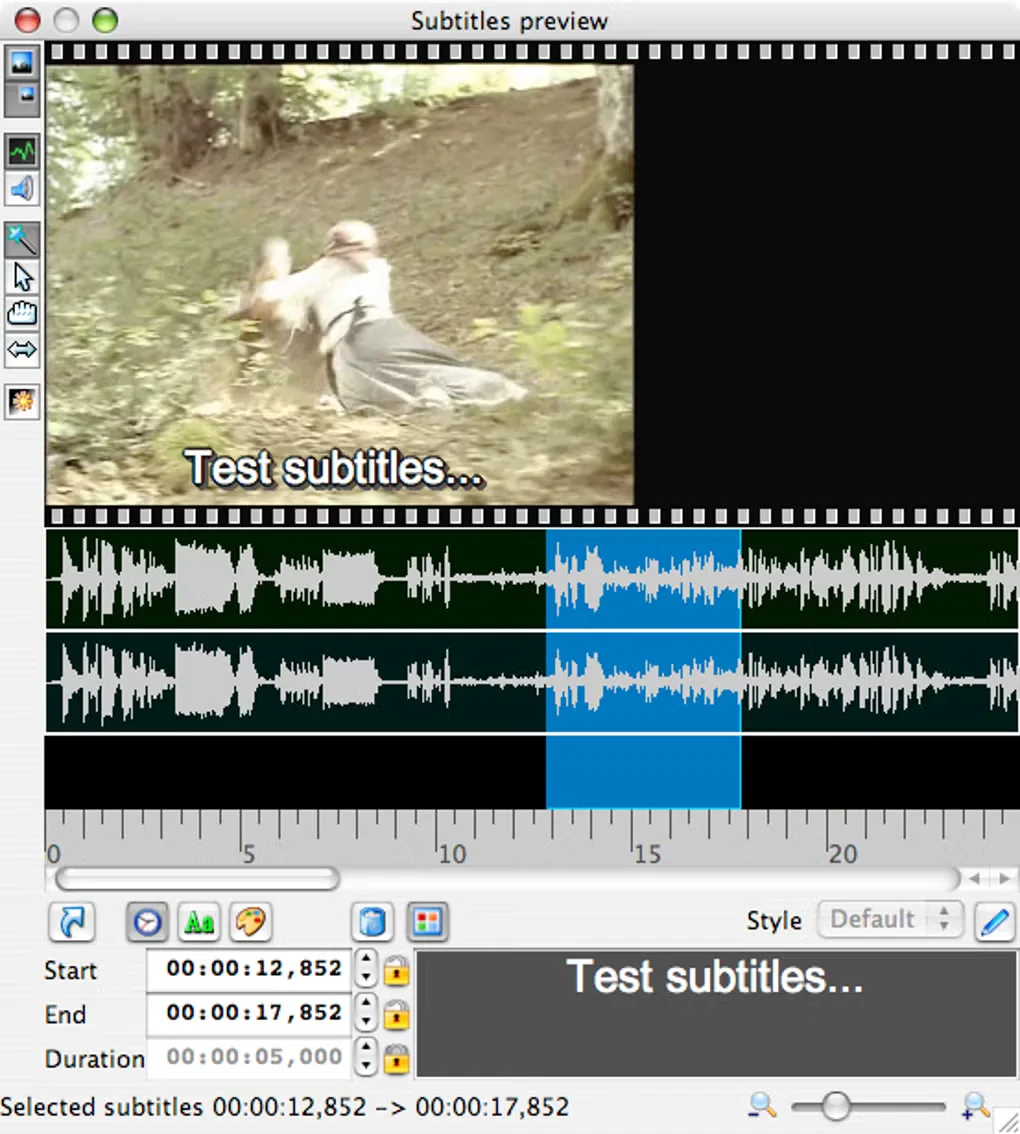
The editor combines subtitle text and timing controls with styling options for advanced formats. With VLC installed, video preview and audio waveforms provide reference points when aligning dialogue. Spell checking uses an additional external tool, ASpell.
This entry links to the publisher-listed Windows x64 EXE for version 10.0.0. Preview is not self-contained: VLC is required for video and waveform functions. The screenshots illustrate Jubler's editing workflow across publisher/source images; they are not verified captures of the Windows 10.0.0 package.
What it offers
- Create, edit and convert subtitles in formats including SRT, ASS/SSA and WebVTT.
- Adjust timing with time shifting, frame-rate conversion and two-point synchronization.
- Split or join subtitle entries and use regular-expression find and replace.
- Apply character and paragraph styling in subtitle formats that support it.
- Preview video and audio waveforms through VLC integration.
Good to know
- Video preview and audio waveforms require an additional VLC installation.
- Spell checking requires the external ASpell tool.
Product images
Sources
References used for this listing. Retrieval dates do not indicate hands-on testing.
More in multimedia & graphics
View category ↗
1by1 2.17
Play music directly from folders with 1by1, a free Windows audio player with resume, gapless playback and file tools. Formats beyond MP3 need additional decoders.
3DVista Virtual Tour Pro
Build interactive 360° virtual tours from panoramas, videos and 3D models with 3DVista Virtual Tour Pro for Windows. Commercial software with a 30-day trial.

4DDiG Video Repair
Repair corrupted or unplayable videos in batches with the Video Repair tool in 4DDiG File Repair for Windows. A free trial is available; advanced features require a paid license.