
Multimedia & graphics Windows
Kanto Karaoke
Play local karaoke files, organize song queues and record vocals with Kanto Karaoke for Windows. The free edition limits playlists to five songs and recordings to one minute.
- Operating system
- Windows 10 listed by Softonic; publisher also documents older Windows versions
- Architecture
- 64-bit Windows mirror, as labelled by the publisher
- Download package
- EXE installer
Selected mirror is explicitly labelled 64bit in the publisher catalog. Exact package version and current Windows 11 support were not established; no installation or runtime compatibility testing was performed.
Link checked · Download guidance
What is Kanto Karaoke?
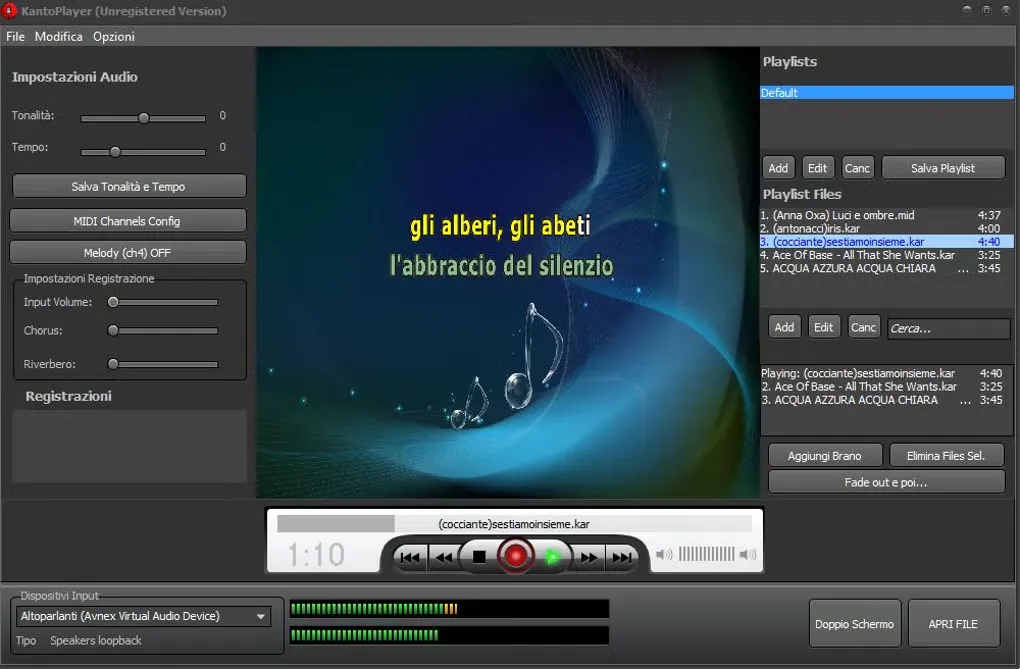
Kanto Karaoke is a Windows karaoke player for songs stored on your computer. It plays formats such as MP3+CDG, MIDI/KAR and karaoke videos, combining a lyrics display with playlists and a Live Performance queue. Key and tempo controls let you adjust a backing track, while microphone recording and MIDI-to-MP3 conversion cover practice and audio export.
Use Quick Open File for a single song or build a playlist for a session. Opening a file starts playback automatically; the publisher documents Edit > No AutoPlay for disabling that behavior. Dual Display opens a separate lyrics window for a second monitor or TV.
The free Windows edition is restricted to five songs per playlist, one-minute recordings and one-minute MIDI conversions, with additional dual-screen limitations. It is not licensed for professional use. Paid Standard remains a personal-use edition; the Professional edition is the publisher's option for professional use. This entry links to the publisher-listed 64-bit Windows EXE mirror, not an independently installed or tested build.
What it offers
- Play MP3+CDG, zipped MP3+CDG, MIDI/KAR and karaoke video files from local storage.
- Create playlists and queue upcoming songs in Live Performance.
- Change song key and tempo through Audio Settings.
- Show lyrics in a separate Dual Display window for a second monitor or TV.
- Record microphone vocals over a backing track and convert MIDI files to MP3, subject to edition limits.
Good to know
- The free Windows edition allows at most five songs per playlist.
- Free recording and MIDI-to-MP3 conversion are each limited to one minute; the free edition also has dual-screen restrictions.
- Free and Standard editions do not permit professional use; the publisher lists a separate Professional edition.
- The Windows guide says crossfade is unavailable for video and KFN files.
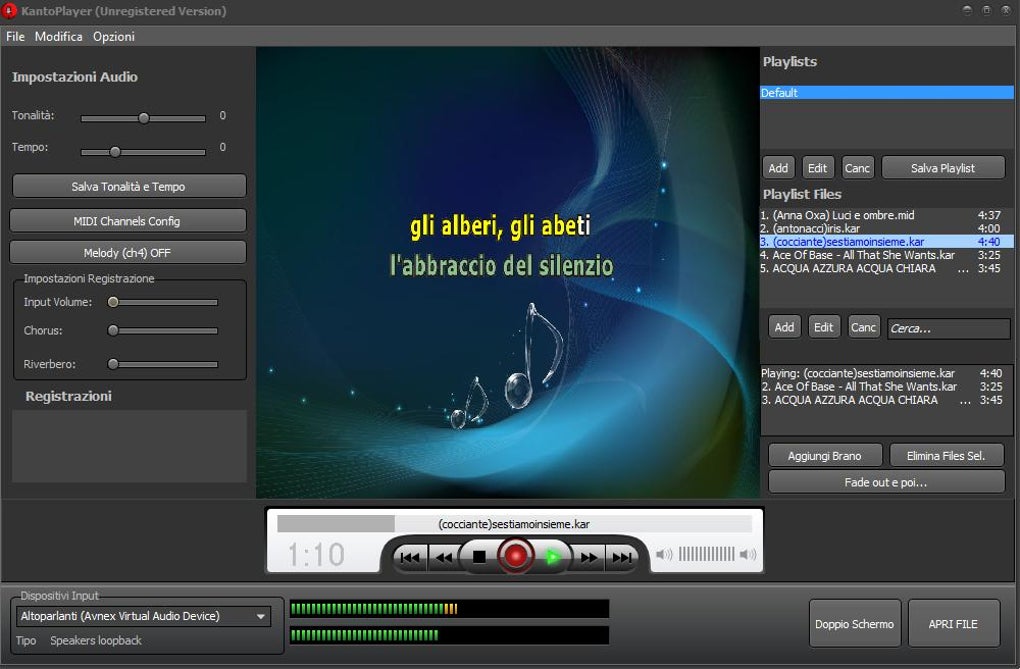
Product images
Sources
References used for this listing. Retrieval dates do not indicate hands-on testing.
- Kanto Karaoke - Download ↗Retrieved
- Kanto Karaoke | Free Karaoke Player for Windows and Mac ↗Retrieved
- How it works | Kanto Karaoke ↗Retrieved
- Download | Kanto Karaoke ↗Retrieved
More in multimedia & graphics
View category ↗
1by1 2.17
Play music directly from folders with 1by1, a free Windows audio player with resume, gapless playback and file tools. Formats beyond MP3 need additional decoders.
3DVista Virtual Tour Pro
Build interactive 360° virtual tours from panoramas, videos and 3D models with 3DVista Virtual Tour Pro for Windows. Commercial software with a 30-day trial.

4DDiG Video Repair
Repair corrupted or unplayable videos in batches with the Video Repair tool in 4DDiG File Repair for Windows. A free trial is available; advanced features require a paid license.