

Multimedia & graphics Windows
KaraFun for Windows
Host karaoke on Windows with song queues, adjustable vocals, key and tempo controls, and lyrics on a second screen. Full catalog access requires a subscription.
- Operating system
- Windows 10 minimum; 64-bit Windows required
- Architecture
- 64-bit; publisher lists a 1 GHz Intel processor
- Download package
- EXE installer
Publisher minimums: 4 GB RAM, 64 GB storage and DirectX 12. The official download redirects to KaraFun-Setup-3.13.1.156.exe; installer contents were not inspected.
Link checked · Download guidance
What is KaraFun?
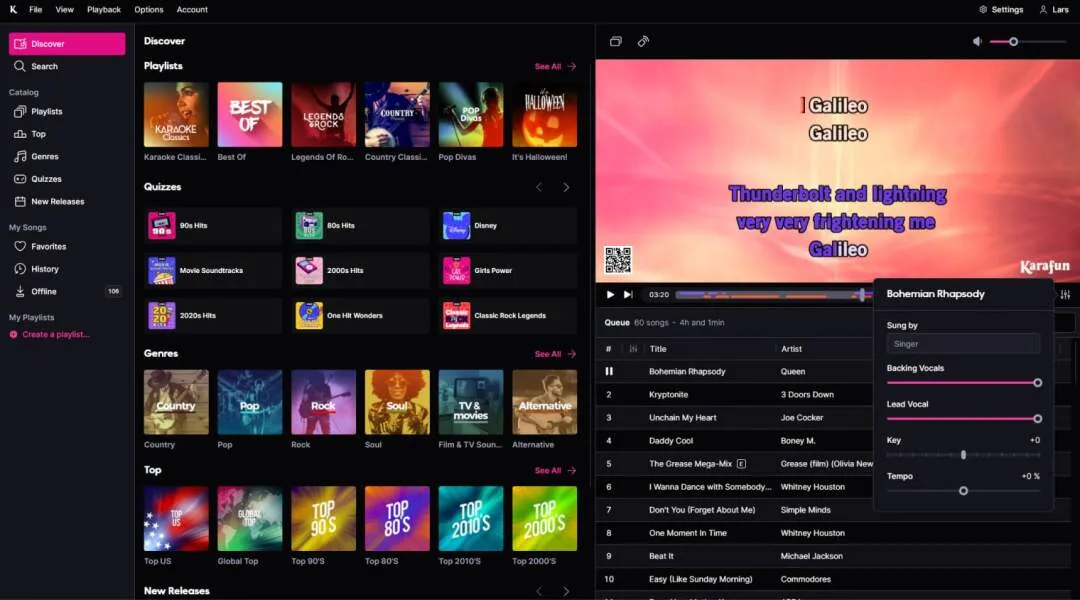
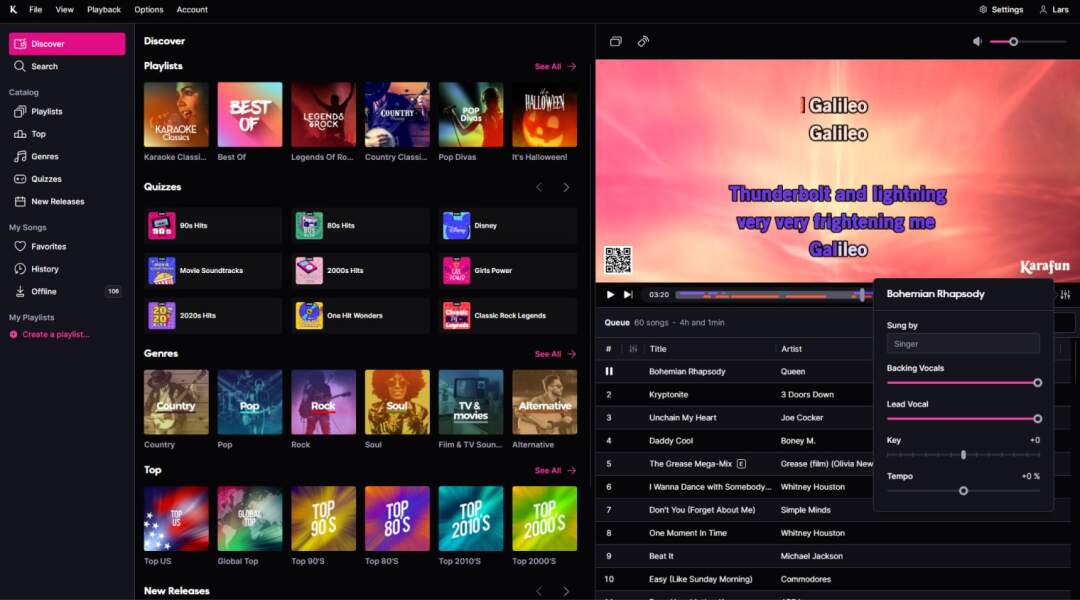
KaraFun turns a Windows computer into a karaoke host station. Browse songs, prepare playlists and manage the queue while lyrics play in the player window. Dual Display moves the lyrics to a connected TV or projector, leaving the main screen available for choosing songs and managing the session. Guests can also use their phones to browse the catalog and add requests.
Playback controls let you change the key and tempo and adjust lead and backing vocals separately. Offline Sync saves selected songs for use without an internet connection, making it useful when a venue connection is unreliable or unavailable.
Downloading the app does not unlock the entire song catalog. The free tier includes free songs and previews of Premium songs; a paid plan is needed for full catalog access and Offline Sync. The publisher distinguishes personal subscriptions from Pro, which includes a commercial license. Check the appropriate plan before using KaraFun for customers.
What it offers
- Manage a song queue and create playlists for a karaoke session.
- Show lyrics on a connected TV or projector with Dual Display.
- Adjust song key, tempo, lead vocals and backing vocals.
- Let guests browse songs and add requests from their smartphones.
- Save selected songs with Offline Sync on a qualifying paid plan.
Good to know
- The free tier provides free songs and Premium song previews, not unrestricted access to the entire catalog.
- Offline Sync requires a paid plan; songs must be saved before using them offline.
- The publisher lists a commercial license under Pro; personal-plan access should not be treated as commercial-use permission.
Product images
Sources
References used for this listing. Retrieval dates do not indicate hands-on testing.
More in multimedia & graphics
View category ↗
1by1 2.17
Play music directly from folders with 1by1, a free Windows audio player with resume, gapless playback and file tools. Formats beyond MP3 need additional decoders.
3DVista Virtual Tour Pro
Build interactive 360° virtual tours from panoramas, videos and 3D models with 3DVista Virtual Tour Pro for Windows. Commercial software with a 30-day trial.

4DDiG Video Repair
Repair corrupted or unplayable videos in batches with the Video Repair tool in 4DDiG File Repair for Windows. A free trial is available; advanced features require a paid license.