

Multimedia & graphics Windows
Karaoke Mugen for Windows
Manage a karaoke night on Windows with playlists, on-screen lyrics and song requests from guests' phones. Karaoke Mugen is free, open-source software with operator-controlled or shared queues.
Version 10.0.6 · Direct publisher file
Link checked · Download guidance
What is Karaoke Mugen?
Karaoke Mugen combines a karaoke player with tools for running a group singing session. Build a playlist on your Windows computer, show lyrics on the playback screen and let guests browse songs or submit requests from their own devices. It is particularly oriented toward anime songs, but its library and playback tools are not limited to a single language.
For a small gathering, you can combine guest requests with the playing queue so songs play in order. For an event, keep suggestions separate and let an operator choose what plays. Playlist shuffling, request quotas and voting help manage participation; playback controls also include pitch and speed adjustment.
Offline use requires preparation: install and configure the application and obtain the songs you need beforehand. Guests need to share the local Wi-Fi network when using it without internet. Repository downloads, update checks and online accounts still need an internet connection. The software's MIT license does not establish permission to redistribute songs or show them publicly.
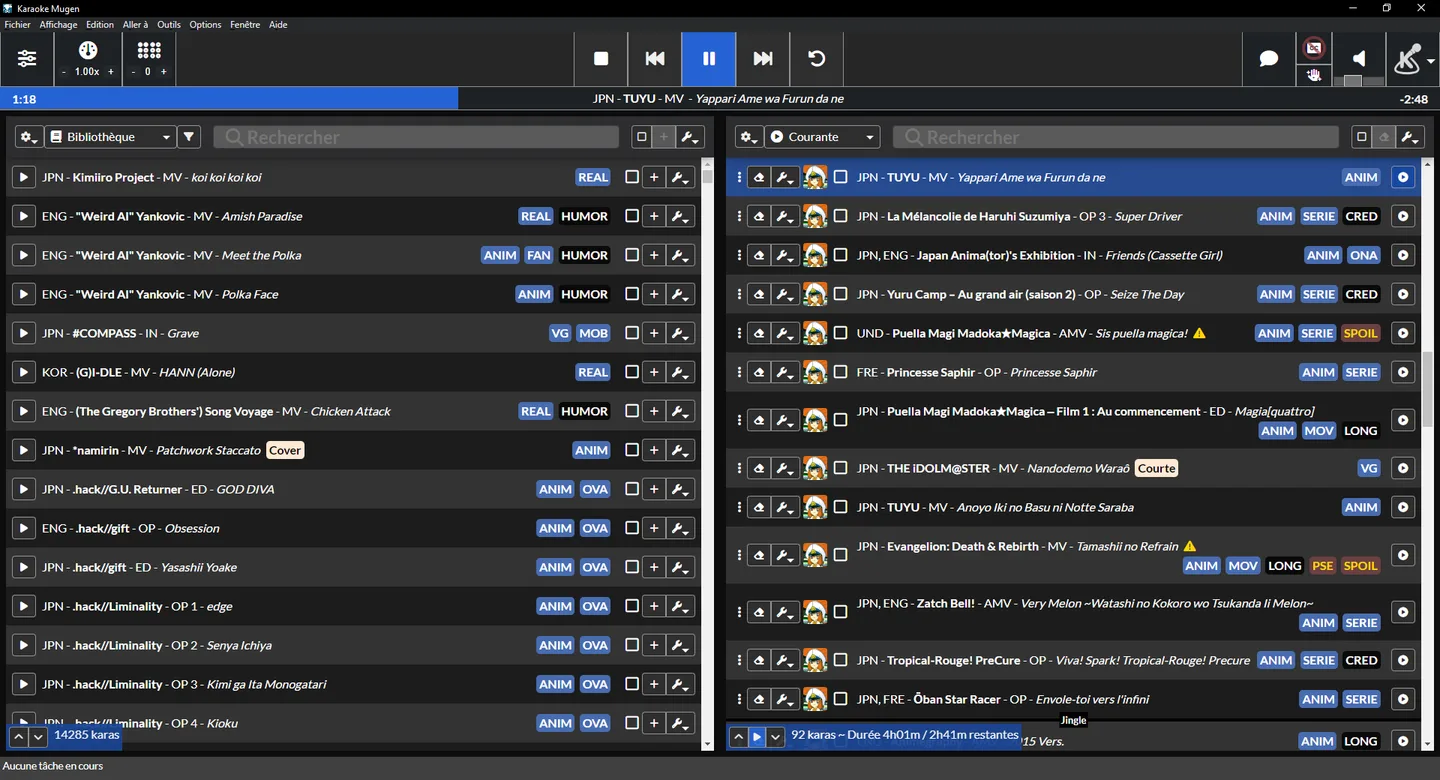
This entry links to the publisher's stable Windows EXE installer for version 10.0.6, dated October 10, 2026. The publisher also offers a separate portable ZIP, but warns that the portable edition does not support automatic updates. The screenshot is a publisher-provided interface example, not a hands-on test of this release.
What it offers
- Manage current and public suggestion playlists separately, or combine them for an automatically advancing queue.
- Let guests browse and request songs through a browser interface on phones and tablets.
- Control participation with request quotas, playlist reordering and song voting.
- Display karaoke lyrics and adjust playback, volume, pitch and speed.
- Use a prepared local song library offline; online features remain optional.
Good to know
- Offline sessions require the application and song library to be prepared beforehand; guests must share the local Wi-Fi network.
- Song downloads, update checks and online accounts require internet access.
- The separate portable Windows edition does not support automatic updates.
- The application's MIT license is not evidence of redistribution or public-performance rights for the songs you use.
Product images
Sources
References used for this listing. Retrieval dates do not indicate hands-on testing.
More in multimedia & graphics
View category ↗
1by1 2.17
Play music directly from folders with 1by1, a free Windows audio player with resume, gapless playback and file tools. Formats beyond MP3 need additional decoders.
3DVista Virtual Tour Pro
Build interactive 360° virtual tours from panoramas, videos and 3D models with 3DVista Virtual Tour Pro for Windows. Commercial software with a 30-day trial.

4DDiG Video Repair
Repair corrupted or unplayable videos in batches with the Video Repair tool in 4DDiG File Repair for Windows. A free trial is available; advanced features require a paid license.