
Multimedia & graphics Windows
Kavita
Host a personal manga, comic and ebook library on Windows with Kavita, a self-hosted reading server with a browser interface for browsing and reading your collection.
- Operating system
- Windows 10 and Windows 11 recommended by the publisher for the x64 build
- Architecture
- x64 (64-bit)
- Download package
- TAR.GZ archive containing the Windows server
Extract outside Program Files into a writable directory, run Kavita.exe and use a browser at http://localhost:5000/. Separate x86 build available.
Link checked · Download guidance
What is Kavita?
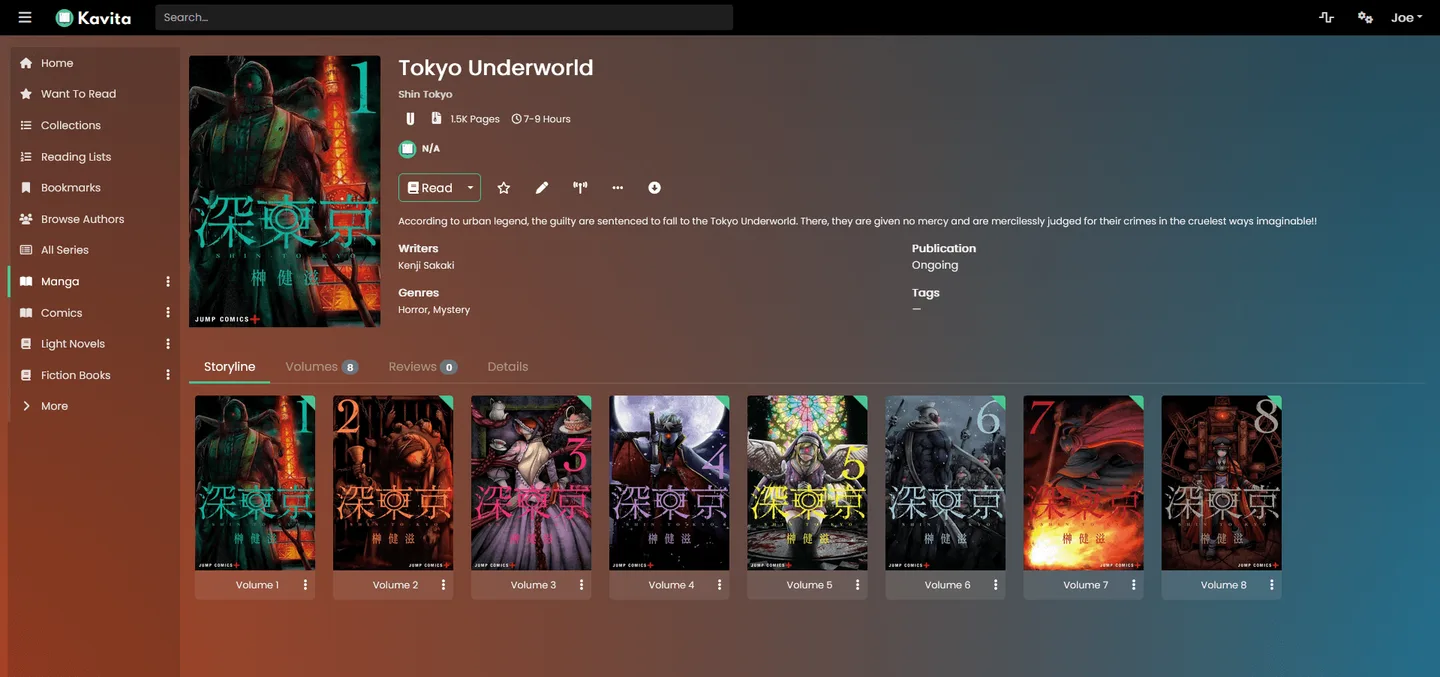
Kavita turns a Windows computer into a reading server for your own manga, comics and ebooks. Add your collection and use its browser interface to browse series, organize reading lists and read on a phone, tablet or desktop. Supported material includes CBR and CBZ comics, EPUB books and PDF files. Metadata search and filters help navigate a collection, while user roles let you control access.
This download is the Windows x64 archive for version 0.9.1.4, not a conventional installer. The publisher recommends Windows 10 or Windows 11 for the x64 build. Extract the archive with a compatible tool into a writable directory outside Program Files, run Kavita.exe and open http://localhost:5000/ in a browser. A separate x86 package is available from the publisher.
Kavita is self-hosted: you run the server rather than signing up for a hosted reading library. The core project is free and open source, but some online metadata, recommendations and scrobbling features require the paid Kavita+ subscription. The publisher also describes pre-1.0 releases as beta software and warns that changes can cause data loss.
What it offers
- Serve manga and comics in formats including CBR and CBZ, plus EPUB and PDF books.
- Read through responsive browser readers on phones, tablets and desktop computers.
- Search metadata and narrow a library with filters and smart filters.
- Organize titles with collections, reading lists and a Want to Read list.
- Manage user access with roles and age restrictions; annotate and highlight EPUB text.
Good to know
- Requires running your own server; the Windows archive must be extracted to a writable directory outside Program Files.
- Some online metadata, recommendation and scrobbling features require a paid Kavita+ subscription.
- The publisher considers pre-1.0 versions beta software and warns of possible data loss during development.
Product images
Sources
References used for this listing. Retrieval dates do not indicate hands-on testing.
More in multimedia & graphics
View category ↗
1by1 2.17
Play music directly from folders with 1by1, a free Windows audio player with resume, gapless playback and file tools. Formats beyond MP3 need additional decoders.
3DVista Virtual Tour Pro
Build interactive 360° virtual tours from panoramas, videos and 3D models with 3DVista Virtual Tour Pro for Windows. Commercial software with a 30-day trial.


4DDiG Video Repair
Repair corrupted or unplayable videos in batches with the Video Repair tool in 4DDiG File Repair for Windows. A free trial is available; advanced features require a paid license.