

Multimedia & graphics Windows
Kernel Video Converter for Windows
Convert batches of video files between formats such as MP4, MOV, AVI and MKV, or extract audio on Windows. The trial saves only up to 15 seconds of converted video.
- Operating system
- Windows 11, 10, 8.1, 8 and 7; publisher also lists older Windows and Windows Server versions
- Architecture
- Publisher lists x86 and x64 processor compatibility; installer architecture unverified
- Download package
- EXE installer
Publisher specifications list 150 MB disk space and 256 MB minimum memory. Compatibility is publisher-reported; software was not installed or run.
Link checked · Download guidance
What is Kernel Video Converter?
Kernel Video Converter is a Windows application for changing video formats and extracting audio. You can add multiple files, choose an output format and select a destination folder. The publisher lists MP4, MOV, AVI, MKV and WEBM among the available video outputs, with audio options including MP3, WAV and M4A. This makes it relevant when a player or device needs a different file format, or when you want an audio copy of a video.
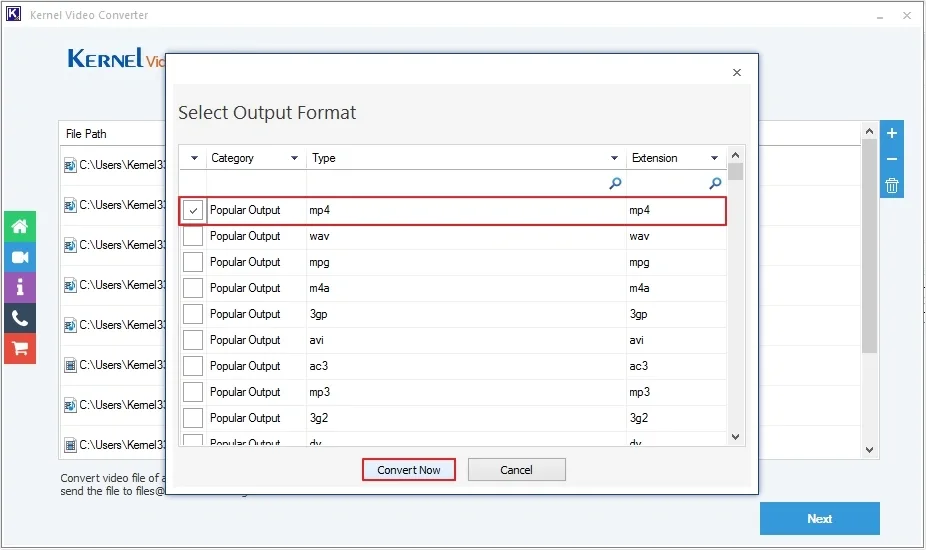
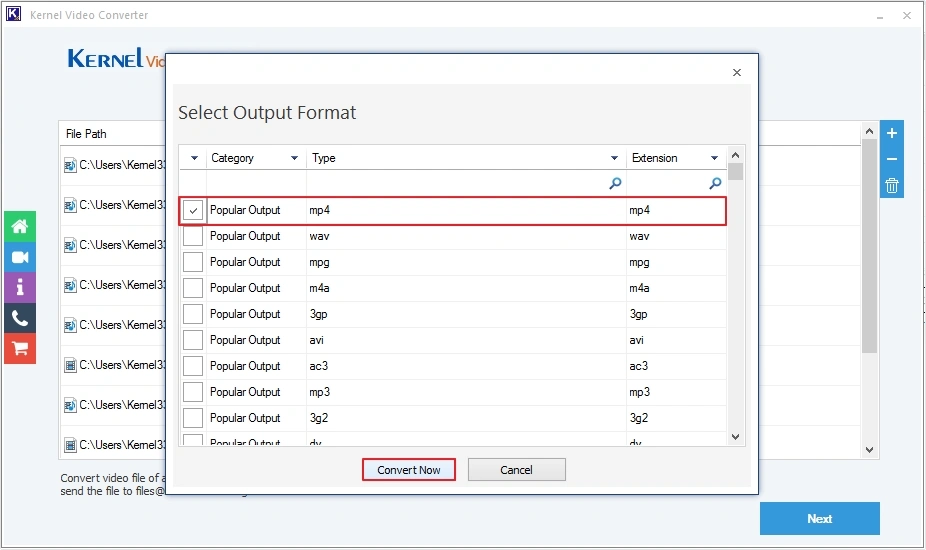
The documented workflow supports adding files with the plus button or drag and drop. After conversion, the application can save a CSV report. The publisher's screenshot shows an output-format dialog with MP4 selected; it illustrates the interface rather than an independently tested conversion.
This is commercial software with a trial, not an unrestricted free converter. The publisher says trial output is limited to 15 seconds and requires a paid license for full-length videos. Its specifications list version 20.9, but the installer linked here uses an unversioned filename, so that listing does not independently establish the binary's version.
What it offers
- Add multiple video files for batch conversion, including files in different source formats.
- Choose video outputs including MP4, MOV, AVI, MKV and WEBM.
- Extract audio to formats including MP3, WAV, M4A, WMA, OGG and AC3.
- Add files with drag and drop, choose a destination folder and save a CSV conversion report.
Good to know
- The trial saves converted video for up to 15 seconds; full-length output requires a paid license.
- The publisher lists version 20.9, but the unversioned installer URL does not establish the downloaded binary's version.
Product images
Sources
References used for this listing. Retrieval dates do not indicate hands-on testing.
More in multimedia & graphics
View category ↗
1by1 2.17
Play music directly from folders with 1by1, a free Windows audio player with resume, gapless playback and file tools. Formats beyond MP3 need additional decoders.
3DVista Virtual Tour Pro
Build interactive 360° virtual tours from panoramas, videos and 3D models with 3DVista Virtual Tour Pro for Windows. Commercial software with a 30-day trial.

4DDiG Video Repair
Repair corrupted or unplayable videos in batches with the Video Repair tool in 4DDiG File Repair for Windows. A free trial is available; advanced features require a paid license.