

Multimedia & graphics Windows
Kingshiper Video Compressor for Windows
Reduce video and animated GIF file sizes on Windows with batch compression, adjustable output settings and separate video and GIF tools. Full features require a paid license.
- Operating system
- Windows 7, 8, 10 and 11, as listed by the publisher
- Architecture
- x64
- Download package
- EXE installer
The publisher labels this link Windows x64. Software was not installed or run; the historical guide screenshot does not establish the current installer version.
Link checked · Download guidance
What is Kingshiper Video Compressor?
Kingshiper Video Compressor is a Windows application for reducing the size of videos and animated GIFs before storing or sharing them. Add individual files or a folder, then configure compression for the batch or adjust files separately. The publisher lists input formats including MP4, AVI, MKV, MOV and WMV, with output options including MP4, AVI, MKV and MOV.
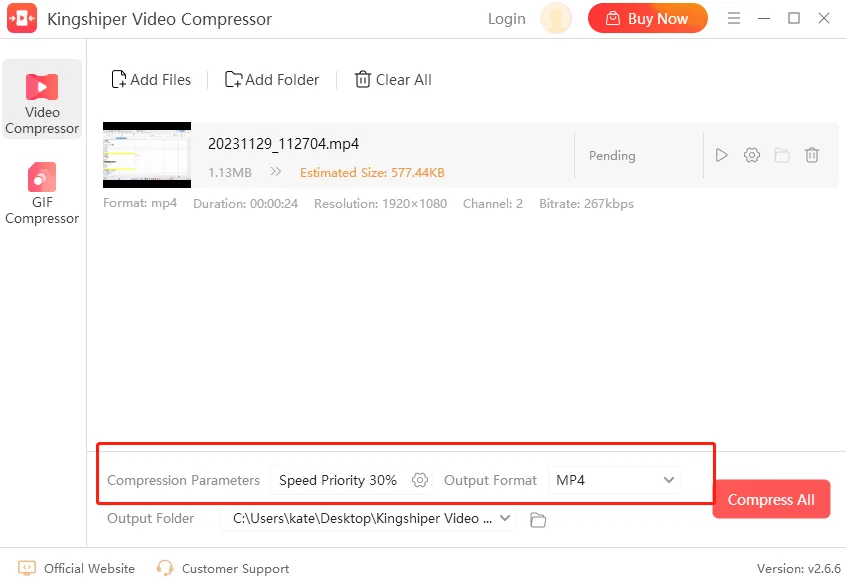
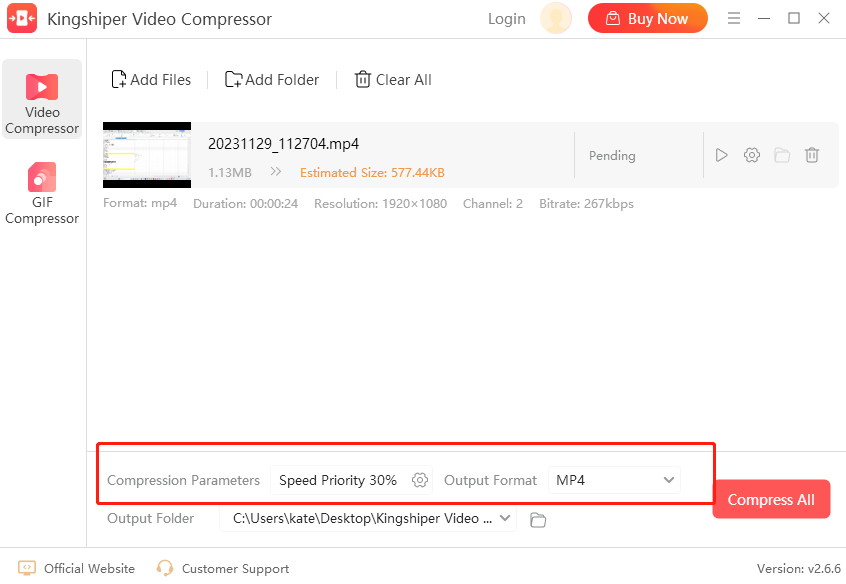
The video tool offers Speed Priority, Balanced and Quality Priority compression methods, alongside settings such as resolution, bitrate and frame rate. A separate GIF tool handles animated images. These controls let you choose how to process your files; the publisher's claims of compression without quality loss have not been independently verified here.
This is commercial software with a free trial, not an unrestricted freeware release. The publisher lists watermark removal and unlimited GIF compression among paid-plan benefits. Check those limits before relying on the trial for finished work. The linked EXE is the publisher's Windows x64 download; Windows 7, 8, 10 and 11 are listed on its product page.
What it offers
- Add files or folders and compress multiple videos or GIF animations in a batch.
- Set compression parameters for the whole batch or individual files.
- Choose Speed Priority, Balanced or Quality Priority video compression.
- Adjust video resolution, bitrate and frame rate, with supported output formats including MP4, AVI, MKV and MOV.
Good to know
- Full features require a paid license; the publisher lists watermark removal and unlimited GIF compression as paid-plan benefits.
- Compression quality and file-size reductions were not independently tested; the publisher's no-quality-loss claim is not a verified guarantee.
Product images
Sources
References used for this listing. Retrieval dates do not indicate hands-on testing.
More in multimedia & graphics
View category ↗
1by1 2.17
Play music directly from folders with 1by1, a free Windows audio player with resume, gapless playback and file tools. Formats beyond MP3 need additional decoders.
3DVista Virtual Tour Pro
Build interactive 360° virtual tours from panoramas, videos and 3D models with 3DVista Virtual Tour Pro for Windows. Commercial software with a 30-day trial.

4DDiG Video Repair
Repair corrupted or unplayable videos in batches with the Video Repair tool in 4DDiG File Repair for Windows. A free trial is available; advanced features require a paid license.