

Multimedia & graphics Windows
Kodi for Windows
Organize and play your movies, TV episodes, music and photos in a free, open-source Windows media center built for televisions and remote controls.
- Operating system
- Windows 10 or 11
- Architecture
- x64 (64-bit Intel/AMD)
- Download package
- EXE installer
Selected package is 64-bit; a separate 32-bit installer and Store edition exist. GPU drivers must support DirectX 11 Feature Level 9.1.
Link checked · Download guidance
What is Kodi?
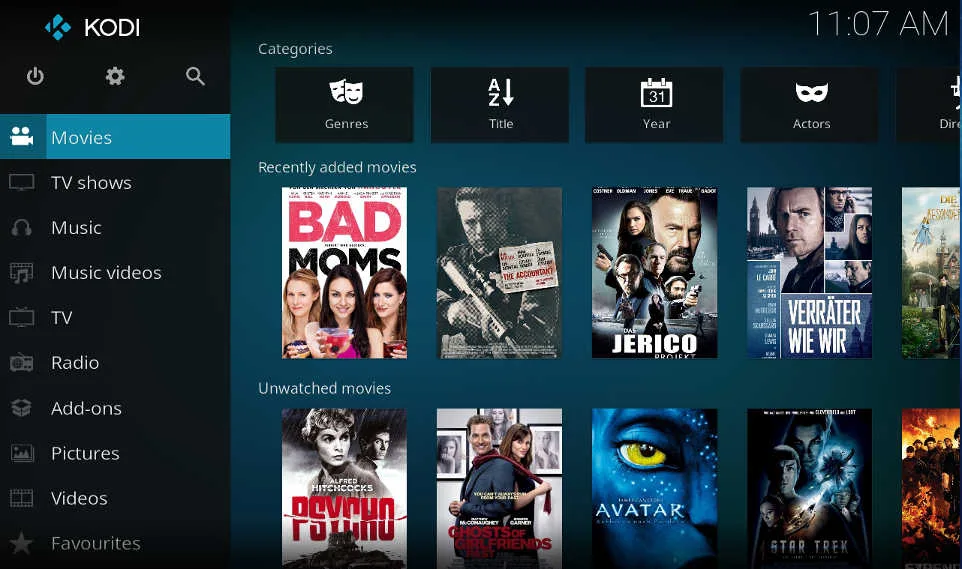
Kodi brings your own media collection into a browsable library on a Windows PC or home-theater computer. Play files from local or network storage, browse TV shows by season and episode, build music playlists or display photo slideshows. Its TV-oriented interface suits viewing from the couch, while skins and community add-ons let you change its appearance and extend its functions.
Kodi is a player and organizer, not a streaming subscription: it includes no movies, channels or other media content. Supply media you have rights to use, or configure supported online services separately. The linked download is the Kodi 21.3 Omega Windows x64 EXE installer, not the Microsoft Store package or a Kodi 22 prerelease.
What it offers
- Play video and music files from local drives or network storage.
- Browse TV libraries with season and episode views, artwork and watched tags.
- Create music playlists and browse photos as slideshows.
- Use a TV-oriented interface with remote-control support, optional skins and community add-ons.
Good to know
- No media content or sources are bundled; you must provide your own lawful media or configure third-party services.
Product images
Sources
References used for this listing. Retrieval dates do not indicate hands-on testing.
- About Kodi — official features and content disclaimer ↗Retrieved
- Kodi Windows downloads — recommended release and package choices ↗Retrieved
- Official Kodi Wiki — Windows hardware requirements ↗Retrieved
- Kodi official source repository — license ↗Retrieved
- Kodi official homepage — release channel distinction ↗Retrieved
- Official Kodi Wiki — historical Estuary home screenshot ↗Retrieved
More in multimedia & graphics
View category ↗
1by1 2.17
Play music directly from folders with 1by1, a free Windows audio player with resume, gapless playback and file tools. Formats beyond MP3 need additional decoders.
3DVista Virtual Tour Pro
Build interactive 360° virtual tours from panoramas, videos and 3D models with 3DVista Virtual Tour Pro for Windows. Commercial software with a 30-day trial.


4DDiG Video Repair
Repair corrupted or unplayable videos in batches with the Video Repair tool in 4DDiG File Repair for Windows. A free trial is available; advanced features require a paid license.