

Multimedia & graphics Windows
Light Image Resizer for Windows
Resize and convert photos in batches on Windows, save reusable output profiles, add watermarks and create image-based PDFs with Light Image Resizer.
- Operating system
- Windows 11, 10 and 8.1
- Architecture
- Publisher lists 32-bit and 64-bit Windows; selected installer architecture is not specified.
- Download package
- EXE installer
Publisher minimums: 2.0 GHz processor, 4 GB RAM and 500 MB free disk space. Software was not installed or run.
Link checked · Download guidance
What is Light Image Resizer?
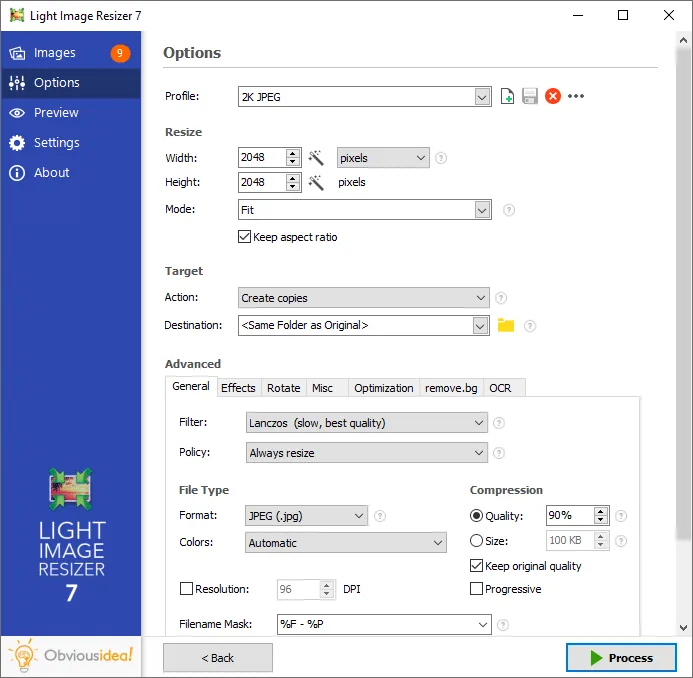
Light Image Resizer processes individual photos or batches of images for sharing, publishing or storage. Choose output dimensions and a format, then create resized copies or work on the originals. Reusable profiles keep settings together for repeated jobs, and Windows context-menu integration provides access from File Explorer.
Beyond resizing, it can rename files, add text or image watermarks, arrange collages and create PDF documents from pictures. The included Light Image Editor adds screenshot capture and editing tools such as text, highlighting and blur.
This is a Windows application with a paid license offered by ObviousIdea; unrestricted free use is not established by the sources checked. Format support also has dependencies: HEIC may need a Microsoft Store extension, while AVIF output requires the publisher's ImageMagick plugin.
What it offers
- Resize and convert individual images or multiple photos in a batch.
- Save custom output profiles or use predefined dimension and file-size profiles.
- Rename images and add watermarks, with a live preview before processing.
- Create photo collages and PDF documents from images.
- Use Windows context-menu integration and the included Light Image Editor for screenshot capture, text, highlighting and blur.
Good to know
- HEIC support may require an additional Microsoft Store extension; AVIF output requires the free ImageMagick plugin.
- Publisher licenses cover the purchased major version and its minor updates; major upgrades are generally paid.
- There is no native macOS version; this entry and download are for Windows.
Product images
Sources
References used for this listing. Retrieval dates do not indicate hands-on testing.
More in multimedia & graphics
View category ↗
1by1 2.17
Play music directly from folders with 1by1, a free Windows audio player with resume, gapless playback and file tools. Formats beyond MP3 need additional decoders.
3DVista Virtual Tour Pro
Build interactive 360° virtual tours from panoramas, videos and 3D models with 3DVista Virtual Tour Pro for Windows. Commercial software with a 30-day trial.

4DDiG Video Repair
Repair corrupted or unplayable videos in batches with the Video Repair tool in 4DDiG File Repair for Windows. A free trial is available; advanced features require a paid license.