

Multimedia & graphics Windows
Live Captions & Transcribe for Windows
Read system audio or microphone speech as on-screen captions on Windows 10 and 11, with speaker colors, searchable transcripts and TXT/SRT export.
- Operating system
- Windows 10 and Windows 11
- Architecture
- Not specified in the consulted product sources
- Download package
- EXE installer hosted by Softonic
Internet connection required. Version 1.0.20 is the Softonic listing version; the installer was not run and its architecture was not verified.
Link checked · Download guidance
What is Live Captions & Transcribe?
Live Captions & Transcribe turns speech from computer sound or a microphone into text in a window that stays above other apps. It is intended for following calls, videos, lectures and conversations in the room. The publisher lists 60 speech languages with automatic language detection; captions remain in the spoken language rather than translating it.
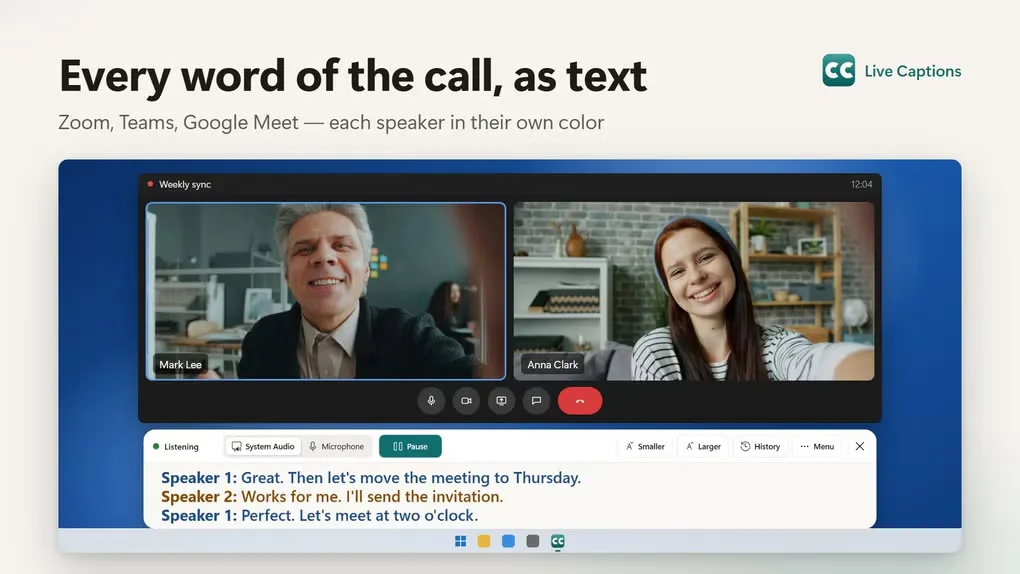
Speaker labels use different colors, and the caption window offers adjustable text up to 64 pt, light, dark and high-contrast styles, and a click-through mode. Sessions are saved as searchable transcripts on your PC, with speaker renaming, copying and export to TXT or SRT subtitle files.
An internet connection is required: audio is streamed to the publisher’s speech-recognition provider while captions run. Free starter minutes are followed by paid minute packs or monthly or yearly subscriptions. This is the separate Live Captions app, not the Live Subtitles translation product. The download linked here is a Softonic-hosted EXE installer; its signed URL is time-limited.
What it offers
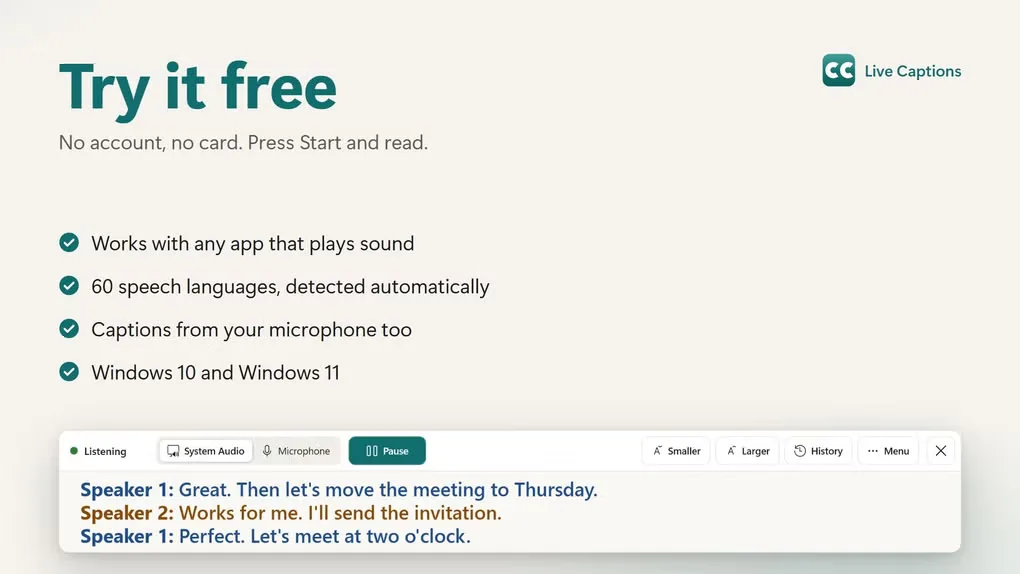
- Caption system audio from calls and videos, or switch to a microphone for speech in the room.
- Recognize 60 speech languages with automatic language detection, according to the publisher.
- Distinguish speakers with colored labels and separate lines.
- Search saved transcripts, rename speakers, copy text and export TXT or SRT files.
- Adjust text up to 64 pt and choose light, dark or high-contrast styles in an always-on-top window.
Good to know
- Captions are in the language spoken; this app does not translate.
- Requires an internet connection and streams audio to a speech-recognition provider while running.
- Only starter minutes are free; continued use requires paid minutes or a subscription.
- The linked Softonic-hosted installer uses a signed, time-limited download URL; future availability is not guaranteed.
Product images
Sources
References used for this listing. Retrieval dates do not indicate hands-on testing.
More in multimedia & graphics
View category ↗
1by1 2.17
Play music directly from folders with 1by1, a free Windows audio player with resume, gapless playback and file tools. Formats beyond MP3 need additional decoders.
3DVista Virtual Tour Pro
Build interactive 360° virtual tours from panoramas, videos and 3D models with 3DVista Virtual Tour Pro for Windows. Commercial software with a 30-day trial.

4DDiG Video Repair
Repair corrupted or unplayable videos in batches with the Video Repair tool in 4DDiG File Repair for Windows. A free trial is available; advanced features require a paid license.