

Multimedia & graphics Windows
LMMS for Windows
Compose beats and melodies, arrange samples and mix songs with LMMS, a free, open-source music-production workstation for Windows.
- Operating system
- Windows 7 minimum; Windows 10 recommended in the stable-version manual
- Architecture
- x64 (64-bit Intel/AMD)
- Download package
- EXE installer
Stable 1.2.2 package, not an alpha/nightly. Separate 32-bit installer available. Windows 11 testing is not established by these sources.
Link checked · Download guidance
What is LMMS?
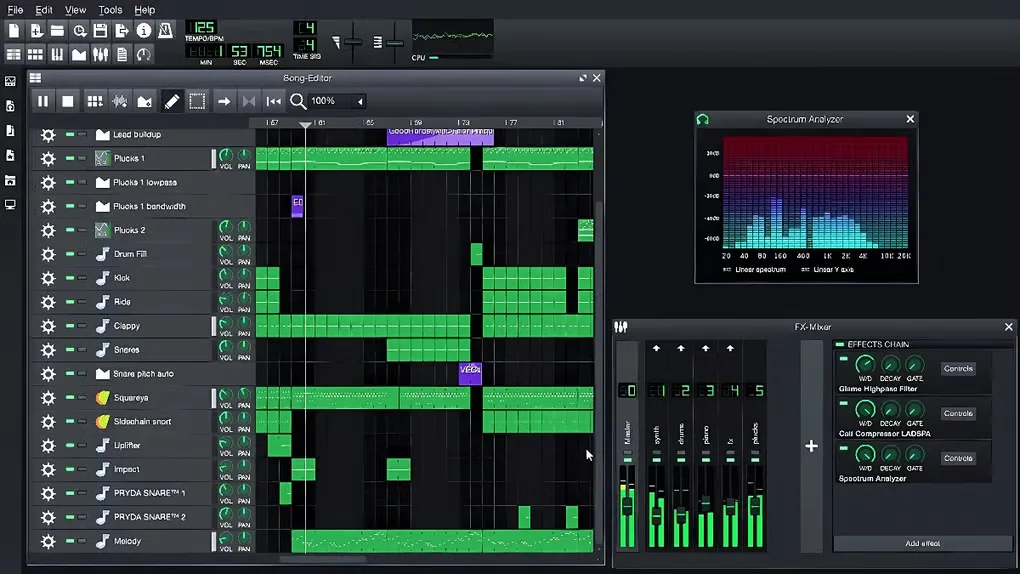
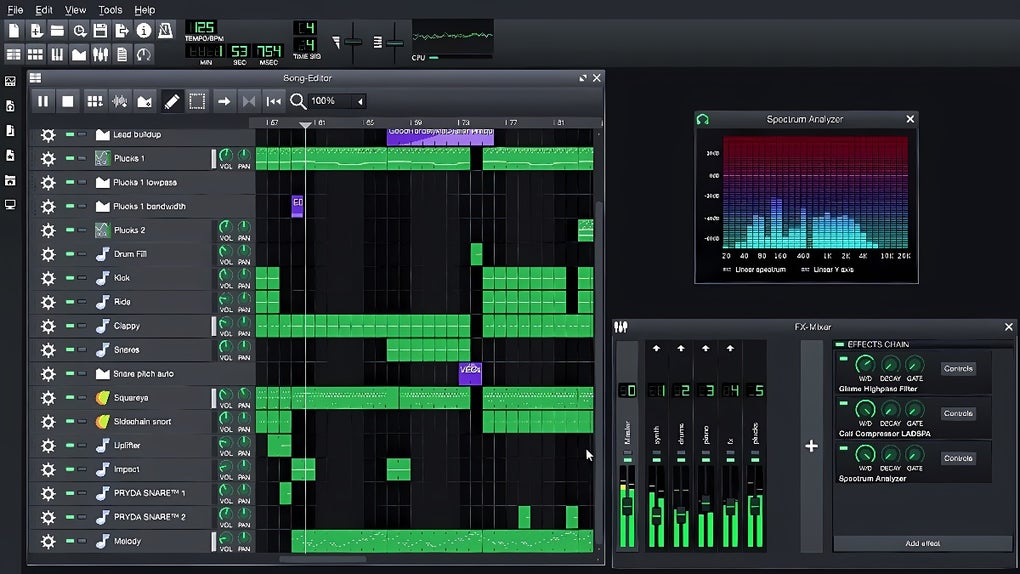
LMMS builds music from instrument notes, beat patterns and samples. Sketch a rhythm in the Beat+Bassline Editor, write a melody in the Piano Roll, then arrange those parts in the Song Editor. Bundled synthesizers, presets and effects let you start composing without first collecting a separate plugin library. A computer or MIDI keyboard can play instrument notes, while automation changes controls over time.
This download is the Windows x64 EXE installer for stable version 1.2.2, not an alpha or nightly build. The publisher also lists a separate 32-bit installer. Its stable-version manual lists Windows 7 as the minimum OS and Windows 10 as recommended; this entry does not claim Windows 11 testing. The 1.2.2 release notes warn of launch failures and missing or distorted sound on some Windows systems, so meeting the listed requirements does not guarantee that a particular audio setup will work.
What it offers
- Build repeating rhythms in the Beat+Bassline Editor and arrange patterns in the Song Editor.
- Edit notes and melodies in the Piano Roll or play instrument notes with a computer or MIDI keyboard.
- Compose with bundled synthesizers, presets and samples, with SoundFont support for additional instrument banks.
- Mix tracks with effects and automate controls across a song.
- Load Windows VST instruments through VeSTige and add VST effects through the configured plugin directory.
Good to know
- The 1.2.2 release notes document launch failures and no sound or distorted sound on some Windows systems.
- External VST instruments and effects require separate plugin files and setup; the LMMS installer is not a bundle of third-party VST products.
Product images
Sources
References used for this listing. Retrieval dates do not indicate hands-on testing.
- LMMS — official music-production features ↗Retrieved
- LMMS — official Windows downloads ↗Retrieved
- LMMS stable-version manual — installation and requirements ↗Retrieved
- LMMS 1.2.2 — release notes and known issues ↗Retrieved
- LMMS stable-version manual — creating a track ↗Retrieved
- LMMS stable-version manual — using VSTs ↗Retrieved
- LMMS stable-version manual — license ↗Retrieved
- LMMS — official downloadable branding artwork ↗Retrieved
- Linux MultiMedia Studio - Download — observed screenshot gallery ↗Retrieved
More in multimedia & graphics
View category ↗
1by1 2.17
Play music directly from folders with 1by1, a free Windows audio player with resume, gapless playback and file tools. Formats beyond MP3 need additional decoders.
3DVista Virtual Tour Pro
Build interactive 360° virtual tours from panoramas, videos and 3D models with 3DVista Virtual Tour Pro for Windows. Commercial software with a 30-day trial.

4DDiG Video Repair
Repair corrupted or unplayable videos in batches with the Video Repair tool in 4DDiG File Repair for Windows. A free trial is available; advanced features require a paid license.