

Multimedia & graphics Windows
LosslessCut for Windows
Trim video and audio, merge compatible clips and manage media tracks without re-encoding with LosslessCut, a free, open-source editor for Windows.
- Operating system
- Windows 10 and 11
- Architecture
- x64
- Download package
- 7z archive
This link is the manual GitHub archive, not the Microsoft Store edition. The publisher no longer supports Windows 8.1 and older in current releases.
Link checked · Download guidance
What is LosslessCut?
LosslessCut cuts video and audio by copying the selected media streams rather than re-encoding them. It suits removing unwanted sections from a recording, keeping selected clips from camera footage or extracting an audio track without running a full video-editing export. You can keep multiple segments, merge files with identical codecs and choose which audio, video or subtitle tracks to retain.
It also supports changing the container format without re-encoding, editing metadata and rotation, and importing or exporting chapter and segment information. Available operations depend on the input file, container and codecs. Ordinary lossless cuts start at keyframes, so the exported clip can begin before the point you selected; it is not a guarantee of frame-accurate trimming.
The linked download is the publisher's Windows x64 7z archive for version 3.70.2, not an EXE installer. The publisher lists Windows 10 and 11 for this build. Manual GitHub downloads are free; the paid Microsoft Store edition is an alternative way to support development and receive store-managed updates.
What it offers
- Cut and trim video or audio without re-encoding the selected streams.
- Merge selected segments or whole files with identical codecs.
- Add, remove, replace or extract audio, video and subtitle tracks.
- Change supported container formats without re-encoding, and edit metadata or rotation.
- Organize segments and markers, with chapter, CSV and EDL import/export.
Good to know
- Ordinary lossless cuts can only start at keyframes, so a clip may begin a fraction of a second to several seconds before the selected cut point.
- Available operations depend on the file's format and codecs; whole-file lossless merging requires identical codecs.
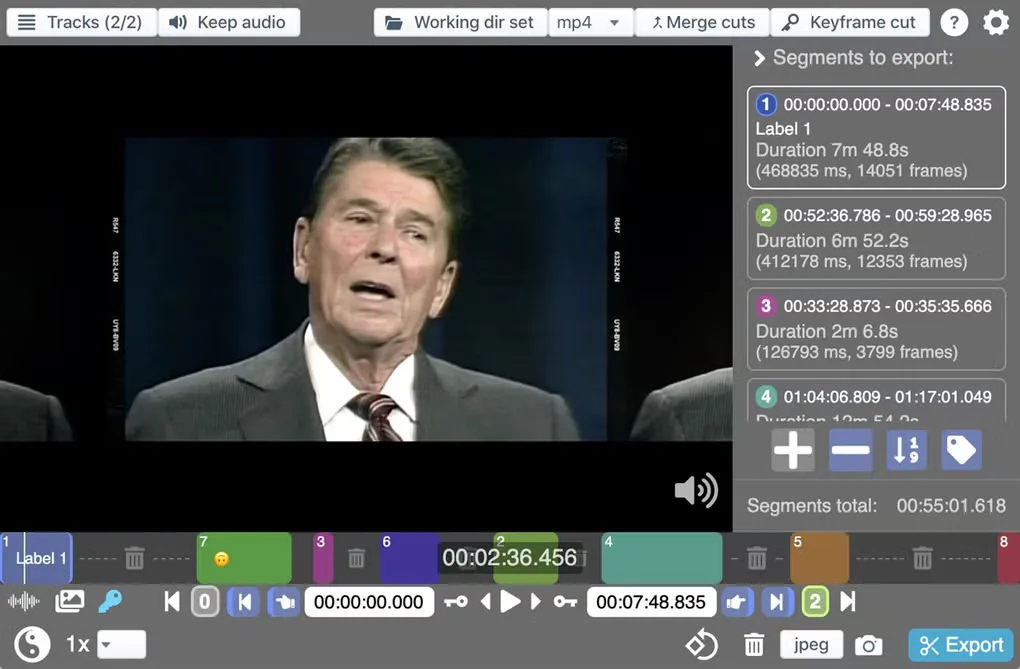
Product images
Sources
References used for this listing. Retrieval dates do not indicate hands-on testing.
- LosslessCut – Official Download | Free Lossless Video Cutter ↗Retrieved
- Supported OS versions | LosslessCut ↗Retrieved
- mifi/lossless-cut — official repository and README ↗Retrieved
- Official GitHub release metadata — v3.70.2 ↗Retrieved
- LosslessCut - Download — Windows page and screenshot gallery ↗Retrieved
- LosslessCut repository LICENSE — GNU GPL Version 2 ↗Retrieved
More in multimedia & graphics
View category ↗
1by1 2.17
Play music directly from folders with 1by1, a free Windows audio player with resume, gapless playback and file tools. Formats beyond MP3 need additional decoders.
3DVista Virtual Tour Pro
Build interactive 360° virtual tours from panoramas, videos and 3D models with 3DVista Virtual Tour Pro for Windows. Commercial software with a 30-day trial.

4DDiG Video Repair
Repair corrupted or unplayable videos in batches with the Video Repair tool in 4DDiG File Repair for Windows. A free trial is available; advanced features require a paid license.