
Multimedia & graphics Windows
LRCGET
Download synced LRC lyrics for an offline music collection with LRCGET, an open-source LRCLIB client that saves lyrics beside your tracks.
- Operating system
- Windows; publisher troubleshooting covers Windows 10 and 11
- Architecture
- x64
- Download package
- EXE installer
Microsoft WebView2 is required. An MSI package is offered separately. The cited README does not specify an exact minimum Windows build.
Link checked · Download guidance
What is LRCGET?
LRCGET helps add lyrics to music files you already keep on your computer. Select a directory and the application scans it for music, then attempts to download matching lyrics from LRCLIB. It saves LRC files beside the music with matching filenames, so the lyrics stay alongside the tracks rather than only inside a streaming service. This makes it useful for processing a collection instead of looking up and saving each song's lyrics manually.
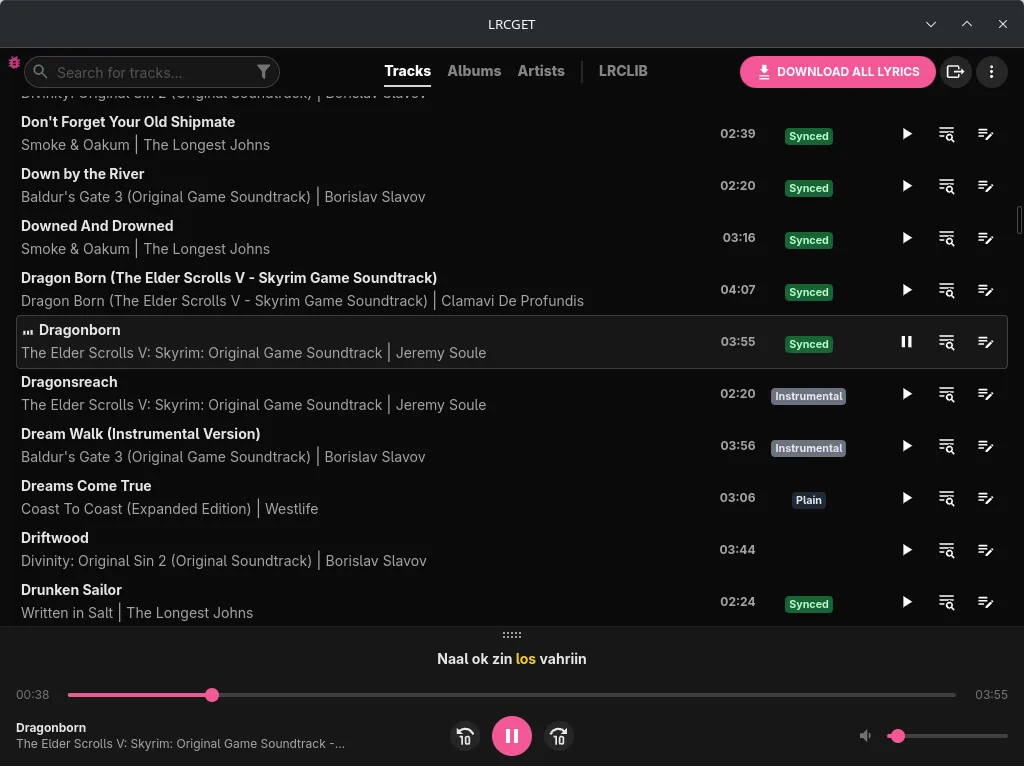
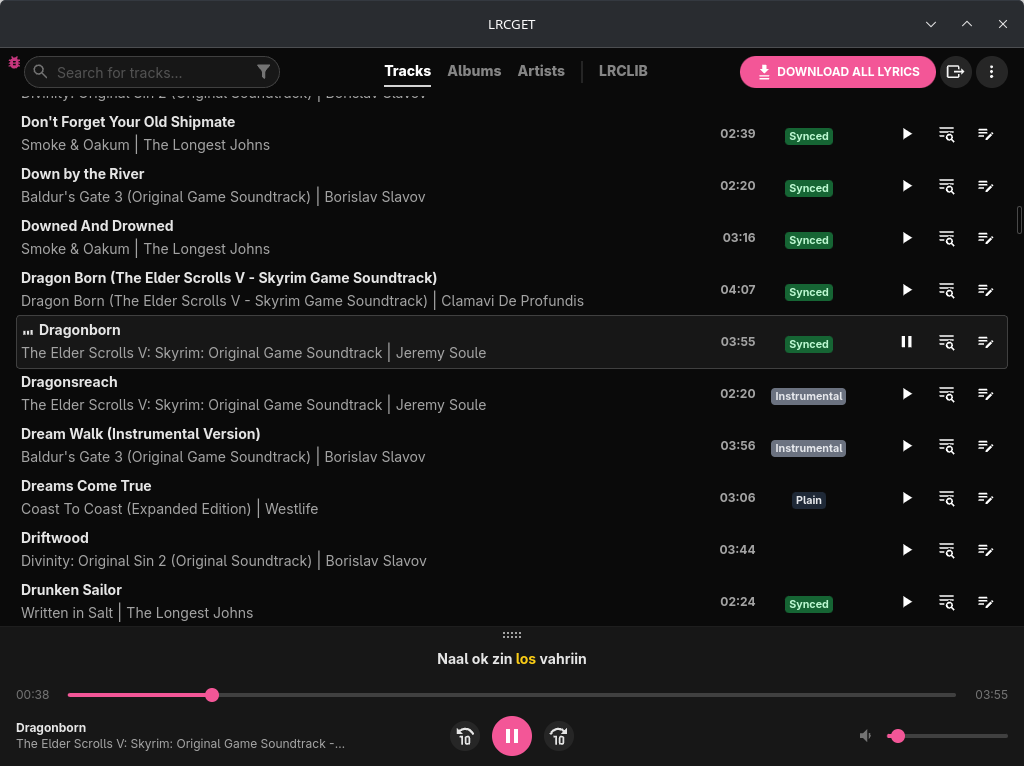
The download here is the publisher's Windows x64 EXE installer for version 2.2.1; the project also offers an MSI installer. On Windows, LRCGET depends on Microsoft WebView2. The publisher documents startup problems on Windows 10 LTSC and modified Windows installations where Edge or its webview component has been removed. A lyric lookup is an attempt, not a promise that every track will have matching synced lyrics. The screenshot is the publisher's cross-platform application example, not a Windows installation test or proof of the exact appearance of this release.
What it offers
- Scan a chosen directory for music files and request lyrics for a collection.
- Download synced LRC lyrics through LRCLIB's official desktop client.
- Save lyrics in the music directory using the same base filenames as the tracks.
Good to know
- Requires Microsoft WebView2 on Windows; the publisher notes startup issues when Edge or its webview component has been removed.
- Matching synced lyrics are not guaranteed for every song; LRCGET attempts to retrieve available matches.
Product images
Sources
References used for this listing. Retrieval dates do not indicate hands-on testing.
- LRCGET — official repository and README ↗Retrieved
- LRCGET — MIT License ↗Retrieved
More in multimedia & graphics
View category ↗
1by1 2.17
Play music directly from folders with 1by1, a free Windows audio player with resume, gapless playback and file tools. Formats beyond MP3 need additional decoders.
3DVista Virtual Tour Pro
Build interactive 360° virtual tours from panoramas, videos and 3D models with 3DVista Virtual Tour Pro for Windows. Commercial software with a 30-day trial.

4DDiG Video Repair
Repair corrupted or unplayable videos in batches with the Video Repair tool in 4DDiG File Repair for Windows. A free trial is available; advanced features require a paid license.