
Multimedia & graphics Windows
Lyricify
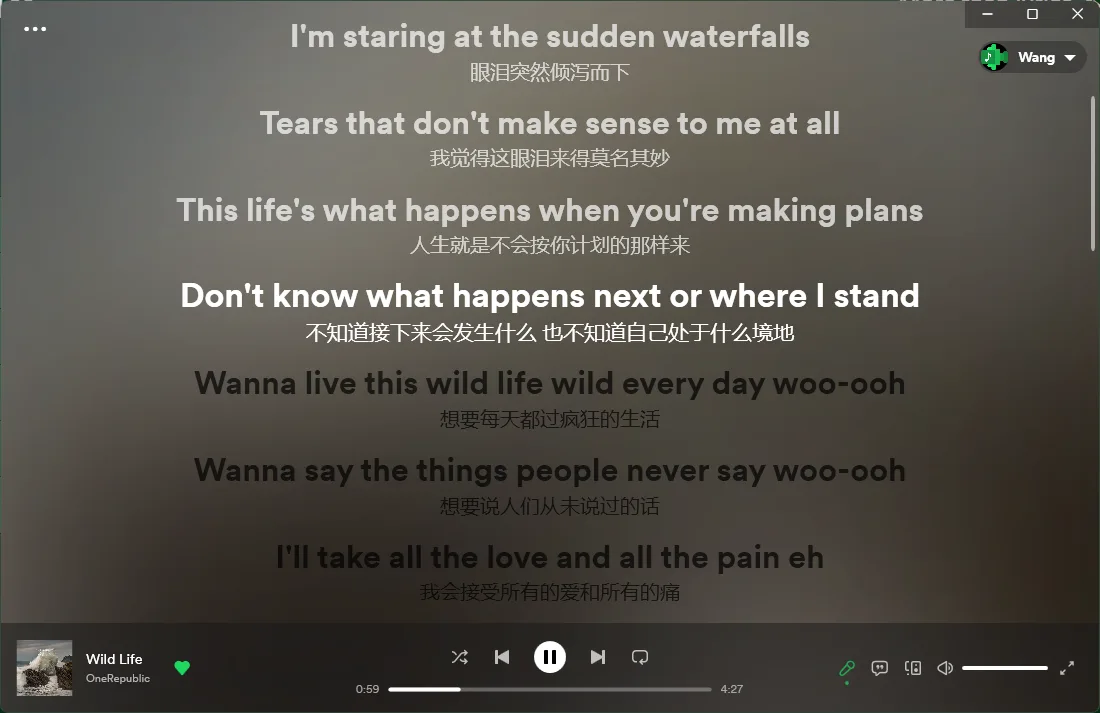
Follow Spotify songs with scrolling lyrics on Windows. Lyricify 4 offers desktop and fullscreen lyric views, with some personalization reserved for its paid Store edition.
- Operating system
- Windows; an exact minimum Windows version was not established in the inspected publisher sources
- Architecture
- x64
- Download package
- EXE installer
Selected download is x64. Separate x86 and ARM64 installers are listed. Standard installation requires .NET 6.0 Desktop Runtime, not included.
Link checked · Download guidance
What is Lyricify?
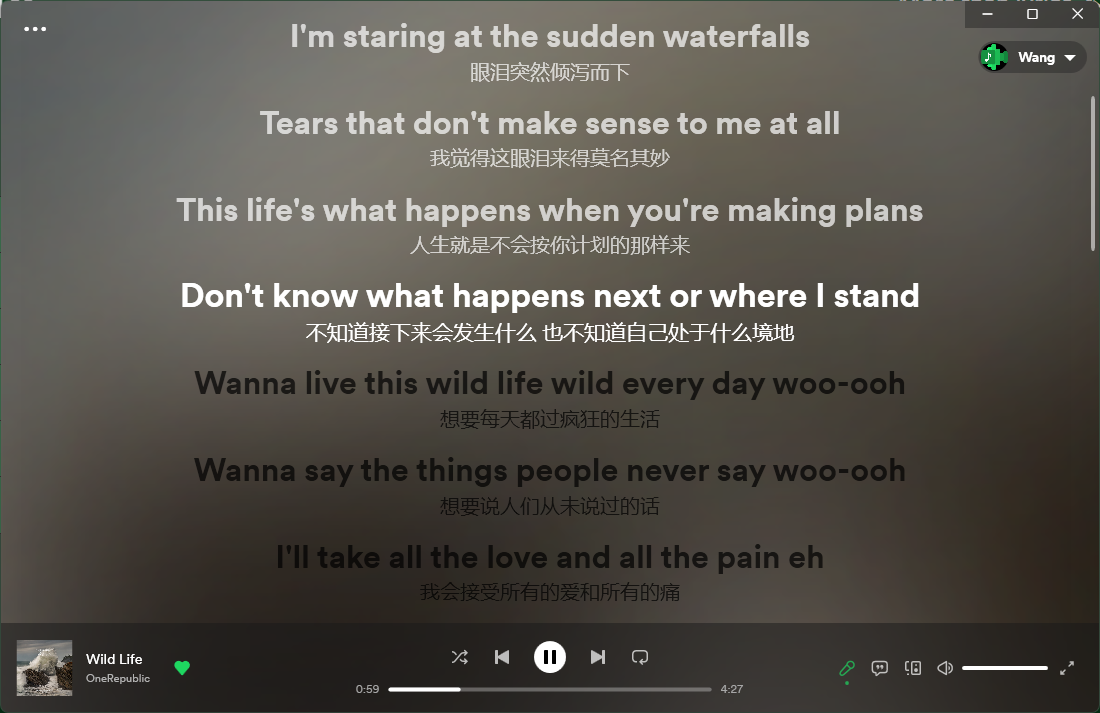
Lyricify 4 is a Windows lyrics companion for Spotify. It displays scrolling lyrics while you listen, with desktop, fullscreen and Dynamic Lyrics Island views for different screen layouts. The publisher also demonstrates duet and highlighted lyrics. It suits listeners who want a separate lyrics window rather than replacing their music library or switching music services.
Complete Spotify authorization during the welcome setup, then start a track in Spotify to populate the lyrics view. The guide provides light and dark themes and performance presets; its higher-quality visual effects can make lyric scrolling lag on some devices. Lyricify 4 supports Spotify only: the broader player support described for other Lyricify products does not apply to this edition.
This entry links to the publisher's version 4.4.2 x64 EXE installer, not an automatic-update package or the separate ARM64 and x86 builds. The standard installation requires .NET 6.0 Desktop Runtime, which is not included. The GitHub edition is free to use, while the paid Microsoft Store edition reserves some personalization features, including custom fonts for several lyric views. Some playback controls and other Spotify-connected features require Spotify Premium; the guide describes a local Media Session exception for Free-account playback controls.
What it offers
- Display scrolling lyrics for tracks playing through a connected Spotify account.
- Choose desktop lyrics, fullscreen lyrics or Dynamic Lyrics Island views.
- View supported duet, highlighted and multiline lyrics demonstrated by the publisher.
- Choose light or dark themes and a performance-oriented visual preset during setup.
- Use Taskbar Lyrics with vertical taskbar support added in version 4.4.2.
Good to know
- Lyricify 4 supports Spotify only and requires Spotify authorization; other music-player support belongs to separate Lyricify products.
- The standard installer does not include .NET 6.0 Desktop Runtime; the required runtime must be available separately.
- Some personalization features, including custom fonts in several lyric views, are exclusive to the purchased Microsoft Store edition.
- Spotify Premium is required for some connected controls and features. Free-account playback control has a documented local Media Session exception.
- The higher-quality visual preset can cause lyric-scrolling lag on some devices.
Product images
Sources
References used for this listing. Retrieval dates do not indicate hands-on testing.
- Lyricify - Download — Windows discovery page ↗Retrieved
- Lyricify App — publisher English README ↗Retrieved
- Lyricify for Spotify Ver 4.4.2.261020-release ↗Retrieved
- Lyricify 4.4.2 — publisher release asset inventory ↗Retrieved
- Lyricify 4 — Getting Started ↗Retrieved
- Lyricify 4 — Version Information ↗Retrieved
More in multimedia & graphics
View category ↗
1by1 2.17
Play music directly from folders with 1by1, a free Windows audio player with resume, gapless playback and file tools. Formats beyond MP3 need additional decoders.
3DVista Virtual Tour Pro
Build interactive 360° virtual tours from panoramas, videos and 3D models with 3DVista Virtual Tour Pro for Windows. Commercial software with a 30-day trial.

4DDiG Video Repair
Repair corrupted or unplayable videos in batches with the Video Repair tool in 4DDiG File Repair for Windows. A free trial is available; advanced features require a paid license.