
Multimedia & graphics Windows
MediaHuman Lyrics Finder
Find missing lyrics for local music files, save the results to your library and correct song text with MediaHuman's free Windows application.
- Operating system
- Windows 11, Windows 10, Windows 8 and Windows 7, as listed by MediaHuman
- Architecture
- x64 (64-bit)
- Download package
- EXE installer
Internet connection required for lyrics searches. A separate 32-bit Windows package is available from the publisher. Compatibility is publisher-stated, not locally tested.
Link checked · Download guidance
What is MediaHuman Lyrics Finder?
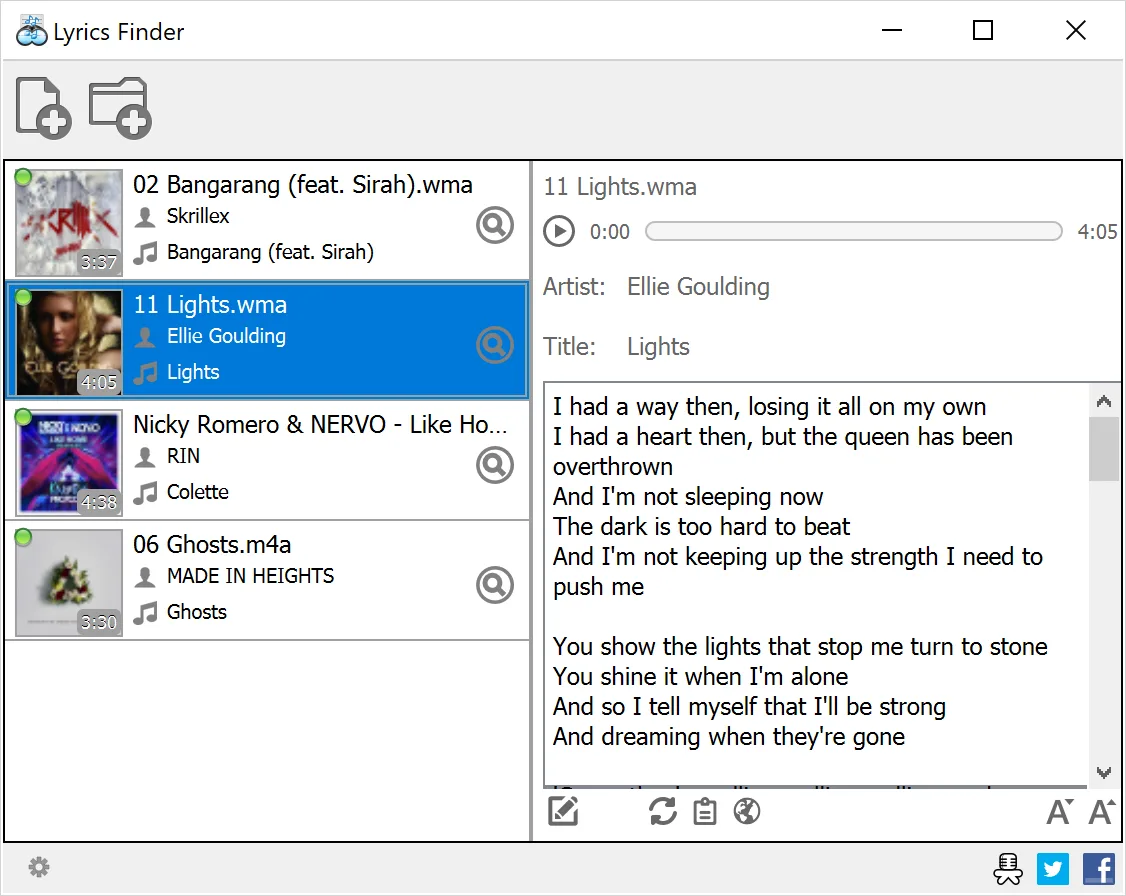
MediaHuman Lyrics Finder fills missing song-text fields in a local music collection. Add an individual track or a whole folder, or drag tracks from a music player into the application. It searches online sources and automatically saves found lyrics to the music files. MediaHuman says existing lyrics are not overwritten in the normal workflow.
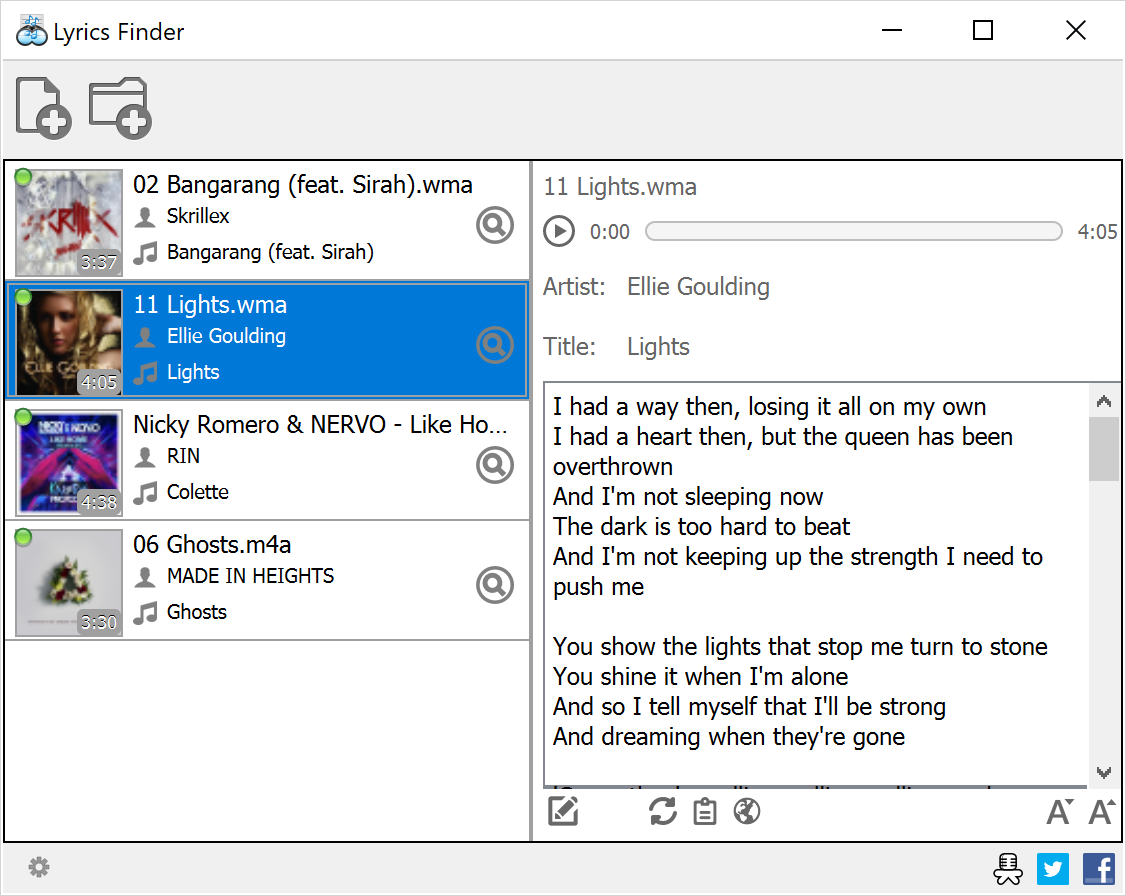
Select a track to read its lyrics in the right-hand pane while using the playback controls to listen. The publisher's guide also describes editing incorrect text, refreshing a result and changing the lyrics font size. Supported formats listed in that guide include MP3, M4A, AAC, FLAC, ALAC, OGG, WMA and APE.
An Internet connection is required to search for lyrics, so this is not an offline source of missing song text. Review the returned words before relying on them: the application includes manual editing, and the publisher's changelog records fixes for incorrect song matches. This entry links to the 64-bit Windows EXE; the separate 32-bit package is not the selected download.
What it offers
- Search online sources for missing lyrics and automatically save found text to music files.
- Add individual files or whole folders, or drag tracks from a music player.
- Read lyrics beside the track list and use built-in playback controls.
- Edit or refresh lyrics and adjust their display font size.
- Work with MP3, M4A, AAC, FLAC, ALAC, OGG, WMA and APE files, according to the publisher's guide.
Good to know
- Lyrics searches require an Internet connection; network settings can prevent access to online sources.
- Returned text can need manual correction; the publisher documents editing and past fixes for incorrect song matches.
Product images
Sources
References used for this listing. Retrieval dates do not indicate hands-on testing.
More in multimedia & graphics
View category ↗
1by1 2.17
Play music directly from folders with 1by1, a free Windows audio player with resume, gapless playback and file tools. Formats beyond MP3 need additional decoders.
3DVista Virtual Tour Pro
Build interactive 360° virtual tours from panoramas, videos and 3D models with 3DVista Virtual Tour Pro for Windows. Commercial software with a 30-day trial.

4DDiG Video Repair
Repair corrupted or unplayable videos in batches with the Video Repair tool in 4DDiG File Repair for Windows. A free trial is available; advanced features require a paid license.