

Multimedia & graphics Windows
ManyCam for Windows
Combine cameras, screen capture and media into a virtual webcam for Windows video calls, or produce live streams with scene switching and picture-in-picture layers.
What is ManyCam?
ManyCam combines video sources into a virtual camera that you can select in conferencing software. Use it to switch between a presenter, desktop content and other media during a lesson, meeting or live broadcast. Customizable picture-in-picture layers let you place several sources in one composition rather than share a single camera view.
The application also offers RTMP streaming, video recording and background blur or replacement. These are product capabilities, not a promise that every feature is included in the free download: the publisher sells plans with different source counts, output resolutions and streaming allowances. Standard lists four video sources and Full HD output; Studio lists 50 sources and 4K output.
The link below is the Windows EXE installer linked by the publisher. The release information comes from the official Windows changelog, not from inspection of that installer. The illustrated interface is a publisher-supplied screenshot; it is not evidence of a local installation or performance test.
What it offers
- Combine cameras, desktop capture and media files into one virtual webcam output.
- Switch scenes and arrange resizable picture-in-picture layers.
- Select ManyCam as a virtual camera in conferencing apps such as Zoom, Microsoft Teams and Google Meet.
- Record video and broadcast through RTMP; simultaneous-stream allowances depend on the plan.
- Blur, remove or replace a background, subject to feature and hardware requirements.
Good to know
- Source counts, maximum resolution and RTMP streaming allowances vary by paid plan; the free download does not imply all advertised capabilities are included.
- The publisher’s requirements article, updated in 2022, describes a single 720p source. Its virtual-background section requires Windows 10 build 2004 or higher and excludes ARM64 systems; it does not establish performance for complex scenes.
Product images
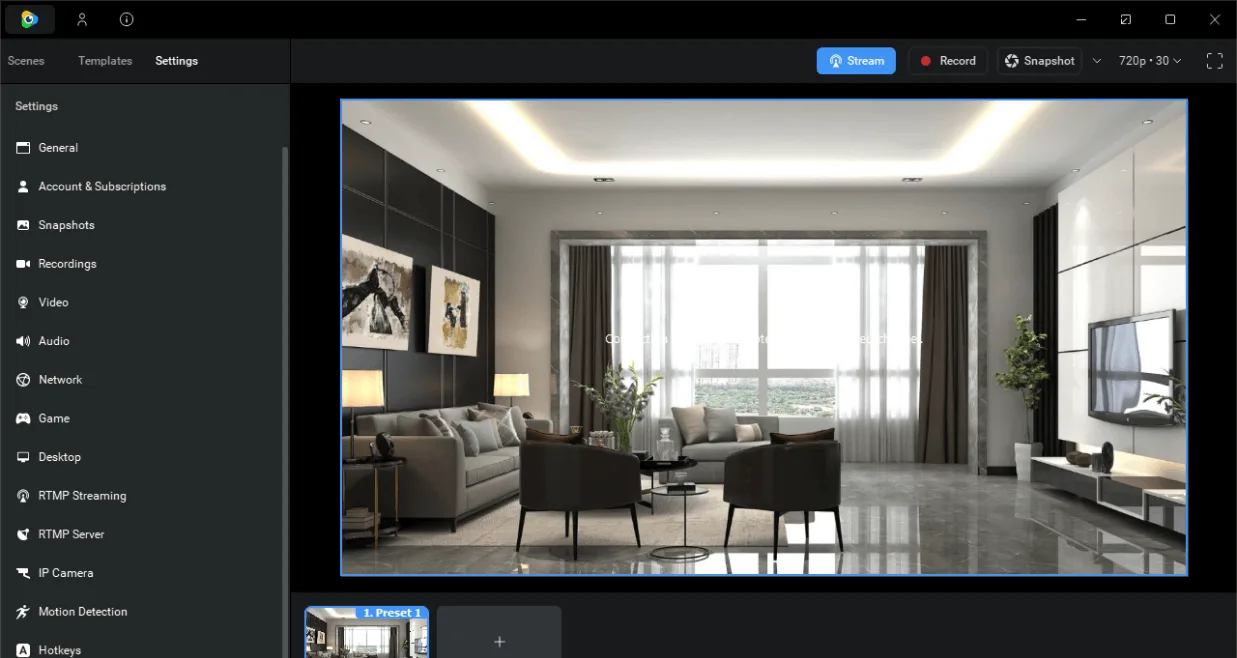
Sources
References used for this listing. Retrieval dates do not indicate hands-on testing.
- ManyCam | Live video software & Virtual Webcam ↗Retrieved
- ManyCam — official Windows download page ↗Retrieved
- ManyCam — Windows installer landing page ↗Retrieved
- ManyCam — subscription plans ↗Retrieved
- ManyCam — official Windows changes ↗Retrieved
- System Requirements – ManyCam Help and Support ↗Retrieved
- ManyCam - Download — normal browser observation ↗Retrieved
More in multimedia & graphics
View category ↗
1by1 2.17
Play music directly from folders with 1by1, a free Windows audio player with resume, gapless playback and file tools. Formats beyond MP3 need additional decoders.
3DVista Virtual Tour Pro
Build interactive 360° virtual tours from panoramas, videos and 3D models with 3DVista Virtual Tour Pro for Windows. Commercial software with a 30-day trial.

4DDiG Video Repair
Repair corrupted or unplayable videos in batches with the Video Repair tool in 4DDiG File Repair for Windows. A free trial is available; advanced features require a paid license.