
Multimedia & graphics Windows
MComix
Read digital comics and manga with MComix, a free Windows image viewer with double-page and right-to-left reading modes, bookmarks and a library.
- Operating system
- Windows; minimum version not established by the publisher catalog
- Architecture
- x64 (64-bit)
- Download package
- MSI installer
Selected file: mcomix-win64-3.2.0.msi. The publisher also lists a separate Windows ZIP package; this link is the MSI.
Link checked · Download guidance
What is MComix?
MComix is an image viewer designed for reading Western comics and manga. It opens common image formats and comic containers such as CBZ and CBR, with fullscreen, double-page and fit-to-window views for different page layouts. Manga mode reverses the reading direction, while bookmarks and the library help you return to a book.
The linked download is the publisher’s Windows 64-bit MSI for version 3.2.0. Archive and PDF support depends on the relevant backend: the project documents UnRAR for CBR/RAR, 7z for 7Zip and PyMuPDF or mutool for PDF. The Windows packages include the main runtime dependencies, so the source-build Python and GTK requirements are not a separate installation checklist for this MSI.
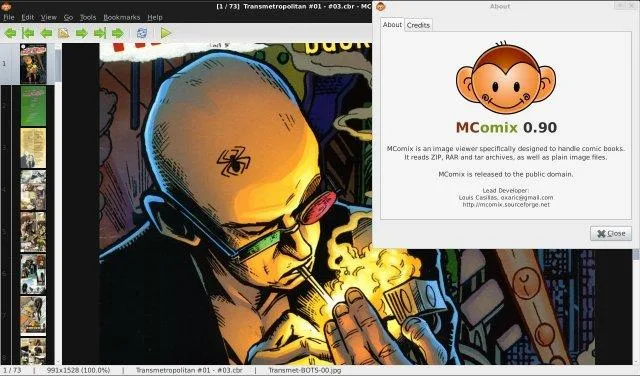
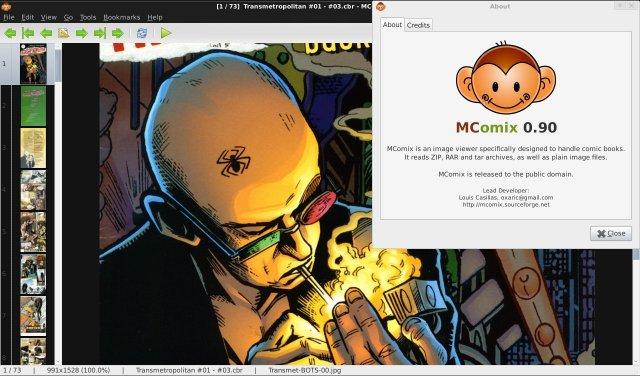
The screenshot is a historical publisher image showing MComix 0.90, not a preview of the Windows 3.2.0 release. Its window styling and About-dialog license text should not be used to identify the current package.
What it offers
- Open common image formats and comic containers including CBZ, CBR, CB7, CBT and LHA, with the required archive backends.
- Read in fullscreen or double-page mode and fit pages to the window width, height or both.
- Use manga mode for right-to-left comic books.
- Bookmark pages and organize books in a library.
- Move through a page with smart scrolling.
Good to know
- RAR/CBR, 7Zip, LHA and PDF support relies on the corresponding archive or PDF backend documented by the project; listing a format does not establish that every backend is present in this MSI.
- The selected MSI is a Windows 64-bit package; the publisher catalog does not establish a minimum Windows version for this release.
Product images
Sources
References used for this listing. Retrieval dates do not indicate hands-on testing.
More in multimedia & graphics
View category ↗
1by1 2.17
Play music directly from folders with 1by1, a free Windows audio player with resume, gapless playback and file tools. Formats beyond MP3 need additional decoders.
3DVista Virtual Tour Pro
Build interactive 360° virtual tours from panoramas, videos and 3D models with 3DVista Virtual Tour Pro for Windows. Commercial software with a 30-day trial.

4DDiG Video Repair
Repair corrupted or unplayable videos in batches with the Video Repair tool in 4DDiG File Repair for Windows. A free trial is available; advanced features require a paid license.