

Multimedia & graphics macOS
MediaInfo for macOS
Inspect video codecs, audio streams, frame rates and file tags with MediaInfo for Mac. This download is the publisher's free, older-style graphical edition.
- Operating system
- macOS 10.10 to 26
- Architecture
- x86_64 and arm64 (Intel and Apple silicon)
- Download package
- DMG disk image (graphical edition)
Publisher-listed compatibility for the free GUI download. The command-line tool, library and paid Mac App Store edition are separate options.
Link checked · Download guidance
What is MediaInfo?
MediaInfo displays technical details and tags from video and audio files in one place. Use it to identify a file's container and video codec, check its frame rate and bit rate, or inspect audio channels, sample rates and subtitle languages. It reads formats including QuickTime, MPEG-4 and Matroska, with different views for browsing the results.
Information can be displayed as text, a sheet, a tree or HTML, and exported as text, CSV or HTML. That makes MediaInfo useful when you need a readable report of a file's streams and metadata rather than just its filename.
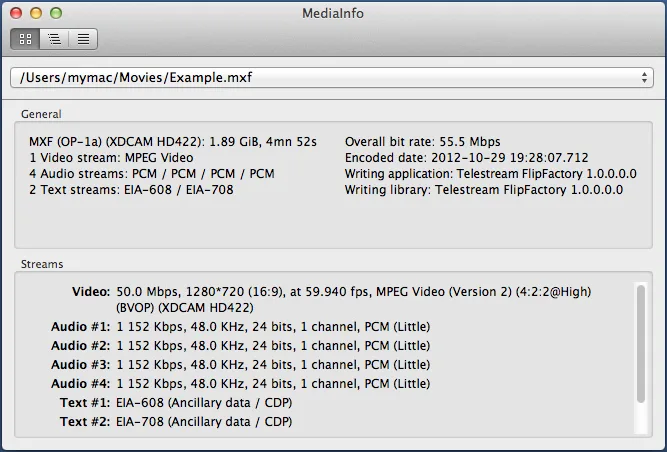
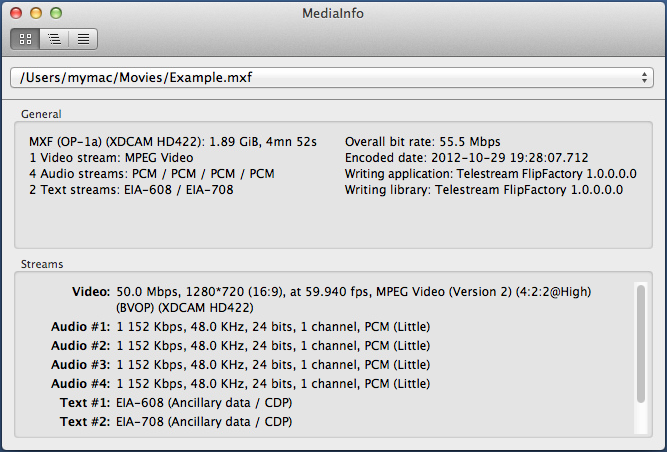
The linked DMG contains the free graphical edition for macOS on Intel and Apple silicon. The publisher describes this as an older-style interface that is not well integrated with macOS, and recommends its separate paid Mac App Store edition for better integration. The publisher's screenshot illustrates the Mac Easy view; it is not evidence of the appearance of version 26.10 or the separate App Store edition.
What it offers
- Inspect container format, duration, overall bit rate and file tags.
- Read video codec, frame rate, aspect ratio, color space and bit-depth information.
- Check audio channels, sample rate, language and subtitle stream details.
- View reports as text, sheet, tree or HTML and export information as text, CSV or HTML.
Good to know
- The free DMG uses an older-style graphical interface that the publisher says is not well integrated with macOS; the separately offered Mac App Store edition has a fee.
Product images
Sources
References used for this listing. Retrieval dates do not indicate hands-on testing.
- MediaInfo - Download MediaInfo for macOS ↗Retrieved
- MediaInfo - official features ↗Retrieved
- MediaInfo - MediaInfo(Lib) License ↗Retrieved
- MediaInfo - Screenshots ↗Retrieved
- MediaInfo for Mac - Download ↗Retrieved
More in multimedia & graphics
View category ↗
1by1 2.17
Play music directly from folders with 1by1, a free Windows audio player with resume, gapless playback and file tools. Formats beyond MP3 need additional decoders.
3DVista Virtual Tour Pro
Build interactive 360° virtual tours from panoramas, videos and 3D models with 3DVista Virtual Tour Pro for Windows. Commercial software with a 30-day trial.

4DDiG Video Repair
Repair corrupted or unplayable videos in batches with the Video Repair tool in 4DDiG File Repair for Windows. A free trial is available; advanced features require a paid license.