

Multimedia & graphics Windows
MediaInfo for Windows
Inspect codecs, bitrates, resolution and audio channels in video and audio files with MediaInfo, a free, open-source metadata utility for Windows.
- Operating system
- Windows Vista, 7, 8, 10 and 11
- Architecture
- Intel 32-bit, Intel 64-bit and ARM64
- Download package
- EXE universal GUI installer
Publisher lists separate CLI, DLL and architecture-specific packages. Windows XP uses the older 21.03 release.
Link checked · Download guidance
What is MediaInfo?
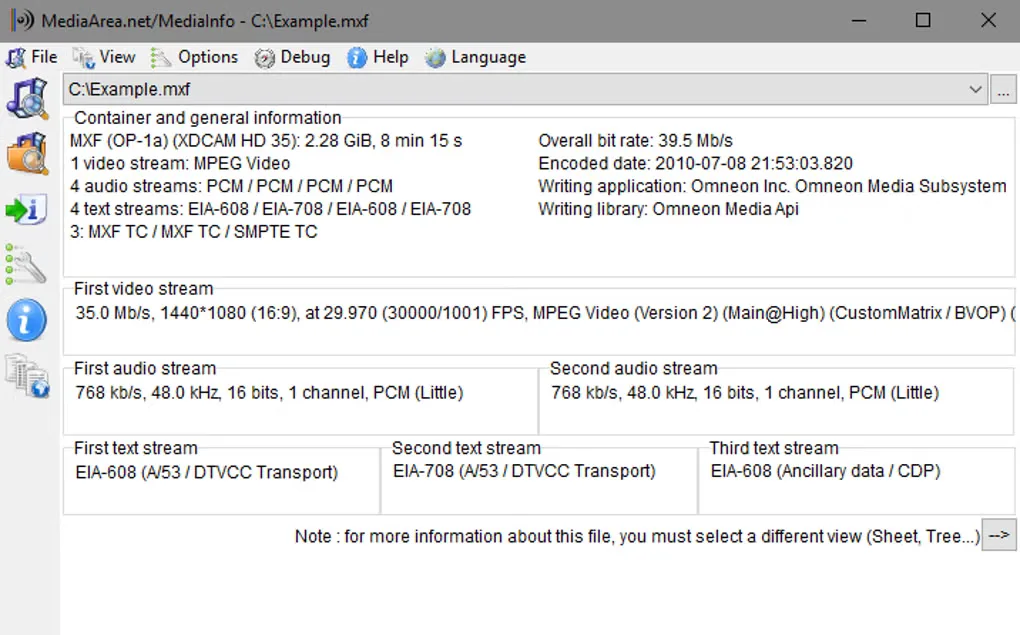
MediaInfo shows the technical details and tags inside audio and video files. Use it to identify a video codec, check frame rate and resolution, or inspect audio sample rate, channels and language before choosing how to handle a file. Its reports cover container information, individual streams, subtitles and chapters.
Choose a text, sheet, tree or HTML view to read the information in a suitable layout, then export a report as text, CSV or HTML. The Windows graphical interface supports drag-and-drop and context-menu integration; separate command-line and library packages are also available from the publisher.
This download is the version 26.10 universal Windows GUI installer for Intel 32-bit, Intel 64-bit and ARM64 systems. The publisher lists Windows Vista, 7, 8, 10 and 11 for this package. Windows XP is listed separately with version 21.03, so the linked 26.10 package is not the publisher’s XP option.
What it offers
- Inspect container format, duration, bitrate and embedded tags.
- Read video codec, resolution, frame rate, color space and bit depth.
- Examine audio sample rate, channels and language, plus subtitle and chapter information.
- Choose text, sheet, tree or HTML views and export text, CSV or HTML reports.
- Open files through drag-and-drop or Windows context-menu integration.
Good to know
- The linked version 26.10 package is listed for Windows Vista through Windows 11; the publisher offers a separate older 21.03 release for Windows XP.
- This link supplies the graphical interface installer, not the separately listed command-line or DLL package.
Product images
Sources
References used for this listing. Retrieval dates do not indicate hands-on testing.
More in multimedia & graphics
View category ↗
1by1 2.17
Play music directly from folders with 1by1, a free Windows audio player with resume, gapless playback and file tools. Formats beyond MP3 need additional decoders.
3DVista Virtual Tour Pro
Build interactive 360° virtual tours from panoramas, videos and 3D models with 3DVista Virtual Tour Pro for Windows. Commercial software with a 30-day trial.

4DDiG Video Repair
Repair corrupted or unplayable videos in batches with the Video Repair tool in 4DDiG File Repair for Windows. A free trial is available; advanced features require a paid license.