

Multimedia & graphics Windows
MediaMonkey for Windows
Organize a music and video library, edit tags, find duplicate tracks and sync playlists to devices with MediaMonkey for Windows.
- Operating system
- Windows 10 and Windows 11
- Architecture
- 32-bit and 64-bit Windows supported by the publisher
- Download package
- EXE installer
Requires 4GB RAM and 1GB disk space; Windows N also needs the Media Foundation Pack. Standard is free; a Gold key unlocks paid features in the same installer.
Link checked · Download guidance
What is MediaMonkey?
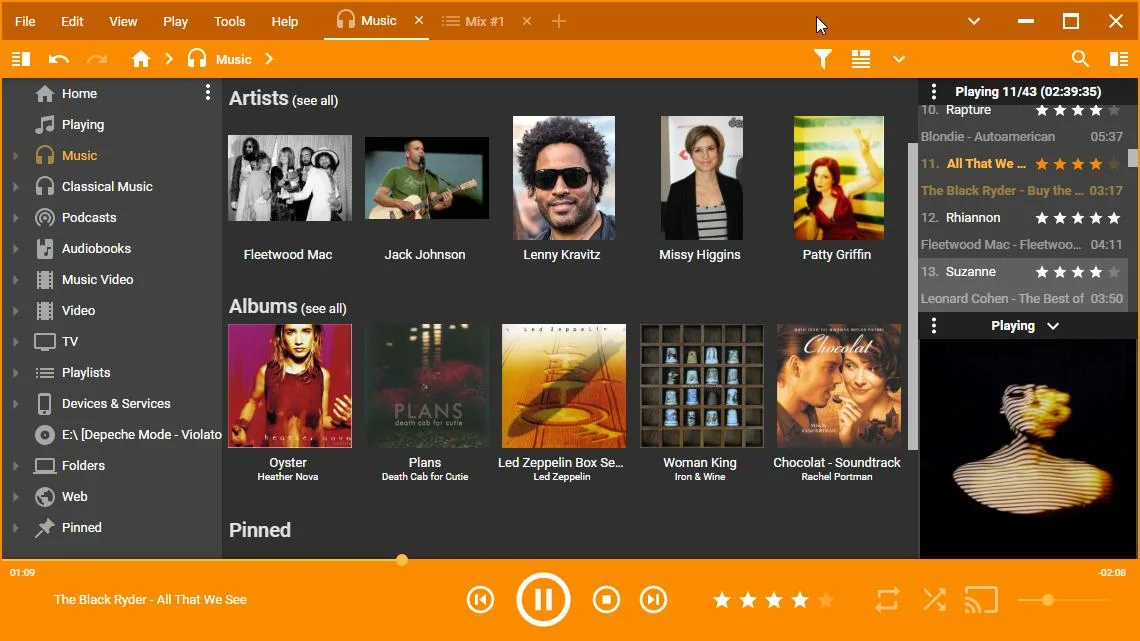
MediaMonkey combines library management with music and video playback. Use it to sort a collection by artist or album, correct tags across multiple files, find duplicate tracks and rename files into consistent folders. It also handles podcasts, CD ripping and audio conversion, so it suits maintaining a local collection rather than just opening an occasional track.
Playlists and media can sync to supported phones and tablets, while UPnP/DLNA sharing makes a library available to compatible devices. The free Standard edition covers basic functionality; Gold adds background file organization, custom collections and other automation. Gold uses the same installer and is unlocked with a license key. Some encoders have separate purchase limits, so a free download does not mean every conversion feature is unrestricted.
What it offers
- Organize music and video files using tags, custom fields and artist or album views.
- Edit metadata for multiple files, look up missing artwork and find duplicate tracks.
- Rename and reorganize media files using metadata such as artist, album and title.
- Create playlists, manage podcasts, rip CDs and convert supported audio formats.
- Sync media and playlists to supported mobile devices or share a library over UPnP/DLNA.
Good to know
- Background automatic file organization and custom collections require a paid Gold license; they are not included in free Standard functionality.
- The publisher limits M4A, AVI and MP4 encoders to 30 days unless purchased.
Product images
Sources
References used for this listing. Retrieval dates do not indicate hands-on testing.
More in multimedia & graphics
View category ↗
1by1 2.17
Play music directly from folders with 1by1, a free Windows audio player with resume, gapless playback and file tools. Formats beyond MP3 need additional decoders.
3DVista Virtual Tour Pro
Build interactive 360° virtual tours from panoramas, videos and 3D models with 3DVista Virtual Tour Pro for Windows. Commercial software with a 30-day trial.

4DDiG Video Repair
Repair corrupted or unplayable videos in batches with the Video Repair tool in 4DDiG File Repair for Windows. A free trial is available; advanced features require a paid license.