
Multimedia & graphics Windows
MediaMTX
Publish, relay and record live video and audio streams with MediaMTX, a free, open-source media server for Windows.
- Operating system
- Windows; minimum version/build not specified in observed publisher instructions
- Architecture
- x64 (AMD64)
- Download package
- ZIP archive containing standalone executable
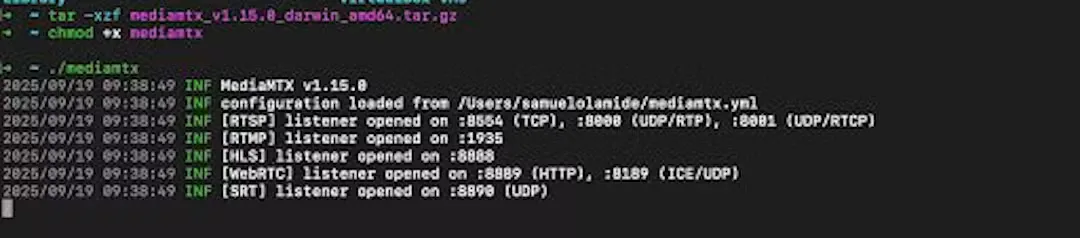
Extract the Windows archive and launch mediamtx.exe. The screenshot shows a historical macOS console, not this Windows release.
Link checked · Download guidance
What is MediaMTX?
MediaMTX routes live video and audio between streaming clients. It suits connecting an IP-camera feed, broadcasting software or another stream source to viewers that use a different supported protocol. For example, the server can accept a stream through one protocol and expose it through another, while keeping separate streams on named paths.
The Windows download here is the publisher’s v1.21.3 AMD64 ZIP archive, not an installer wizard. Extract the matching standalone release and launch mediamtx.exe. The publisher describes the core server as a single executable without dependencies; external clients still supply or consume streams.
Protocol routing does not remove codec constraints. Changing a codec or compression requires a tool such as FFmpeg or GStreamer alongside MediaMTX, and browser playback depends on codec support. The accompanying screenshot is an attributed historical macOS terminal view of MediaMTX v1.15.0, included to illustrate its console-based server output rather than the current Windows build.
What it offers
- Publish and read live streams using supported protocols including RTSP, RTMP, SRT and WebRTC.
- Route streams between supported protocols and serve multiple named stream paths.
- Record streams to disk and enable HTTP playback of recordings.
- Reload configuration without disconnecting existing clients.
- Use internal, HTTP or JWT authentication, a Control API and Prometheus-compatible metrics.
Good to know
- Codec or compression changes require an external tool such as FFmpeg or GStreamer; protocol conversion is not a guarantee of browser codec compatibility.
- The observed publisher installation instructions do not specify a minimum Windows version or build. This download is the Windows AMD64 archive.
Product images
Sources
References used for this listing. Retrieval dates do not indicate hands-on testing.
- MediaMTX — official repository ↗Retrieved
- MediaMTX — official homepage ↗Retrieved
- Install — MediaMTX documentation ↗Retrieved
- MediaMTX v1.21.3 — official release assets ↗Retrieved
- Publish and read streams — MediaMTX documentation ↗Retrieved
- Re-encoding — official MediaMTX documentation source ↗Retrieved
- Read with Web browsers — MediaMTX documentation ↗Retrieved
- Playback recorded streams — MediaMTX documentation ↗Retrieved
- MediaMTX MIT license ↗Retrieved
- mediamtx - Download — observed Windows source page ↗Retrieved
- Samuel Olamide — Part 1: Building Your First Video Pipeline: FFmpeg & MediaMTX Basics ↗Retrieved
More in multimedia & graphics
View category ↗
1by1 2.17
Play music directly from folders with 1by1, a free Windows audio player with resume, gapless playback and file tools. Formats beyond MP3 need additional decoders.
3DVista Virtual Tour Pro
Build interactive 360° virtual tours from panoramas, videos and 3D models with 3DVista Virtual Tour Pro for Windows. Commercial software with a 30-day trial.

4DDiG Video Repair
Repair corrupted or unplayable videos in batches with the Video Repair tool in 4DDiG File Repair for Windows. A free trial is available; advanced features require a paid license.